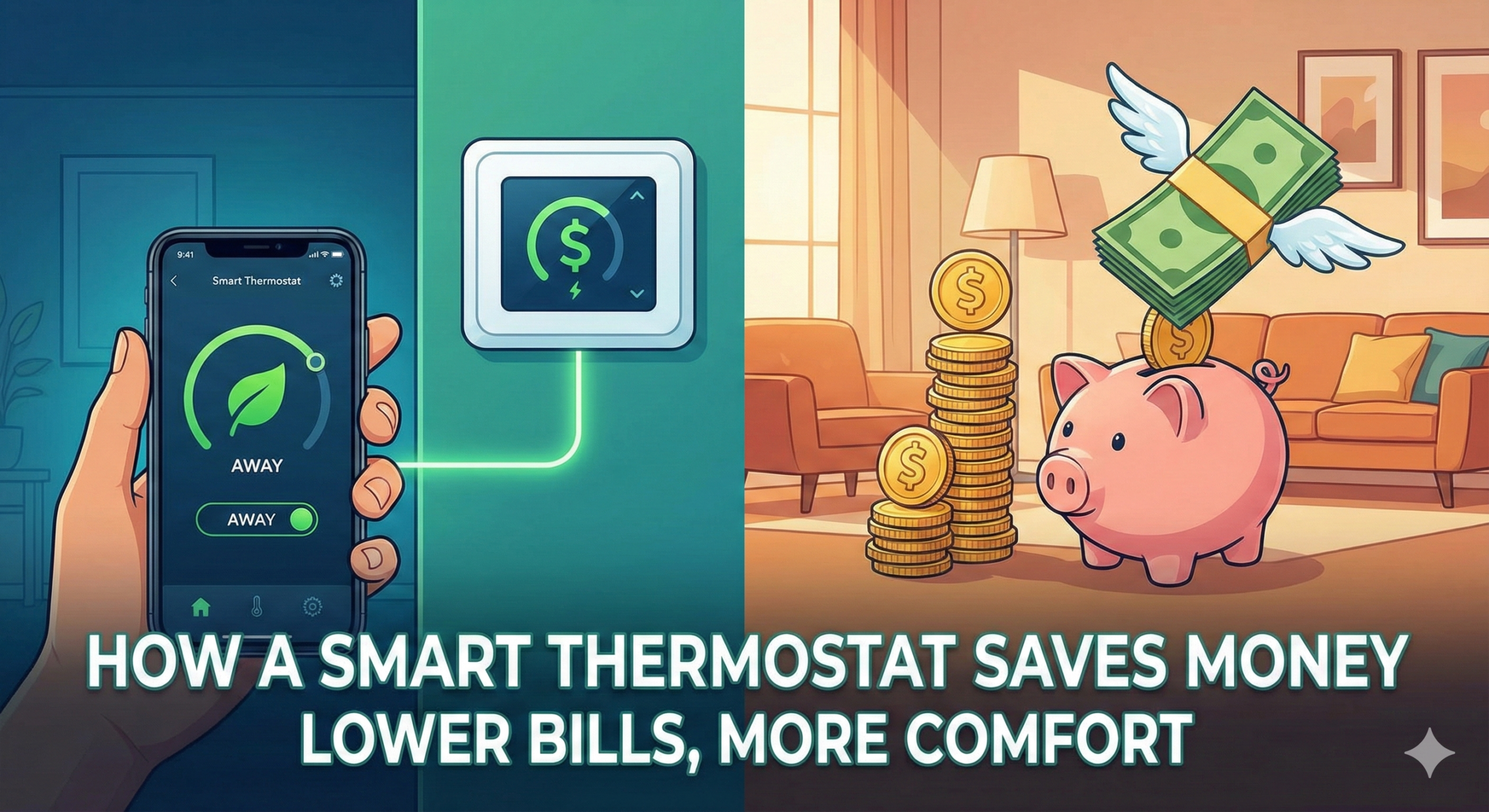
How Does a Smart Thermostat Save Money?
Heating and cooling eat nearly half your energy bill. We break down the exact science — geofencing, AI learning, zoning, and humidity control — behind how these devices turn idle electrons into real dollar savings.
- The Financial Impact
- 4 Pillars of Smart Savings
- Setback Temperature Science
- ROI & Payback Calculator
- Compatibility Guide
- HVAC System Types
- Zoned HVAC Systems
- Seasonal Strategies
- Humidity & Energy
- Smart Home Integration
- Apartments & Rentals
- Solar Panel Synergy
- Utility Rebate Programs
- Brand Reviews
- Smart vs Programmable
- Install Mistakes to Avoid
- When It Fails to Save
- HVAC Maintenance Schedule
- Data Privacy
- Real Homeowner Results
- Expert Tips
- FAQs
The Financial Impact of HVAC Management
Heating and cooling account for nearly 50% of the average household’s energy bill. This means your thermostat is essentially the gatekeeper to your wallet. For decades, homeowners relied on manual adjustments or clunky programmable units that were so difficult to set up, most people just left them on a permanent “hold.”
The core question — how does a smart thermostat save money — isn’t answered by magic. It is answered by data, automation, and eliminating human error. By optimizing when your system runs, these devices shave percentage points off your runtime, which compounds into significant dollar savings over a year. The U.S. Department of Energy estimates that properly programmed thermostat schedules alone can save homeowners up to 10% per year on heating and cooling costs. Smart thermostats automate this process and go further still with geofencing, adaptive learning, and real-time weather adaptation.
To understand the savings, you need to have the thermostat explained not just as a switch, but as a computer that interacts with your lifestyle, your weather forecast, and increasingly your electricity tariff structure.
The 4 Pillars of Smart Savings
1. Geofencing: The Empty House Effect
This is arguably the most impactful feature for energy savings. Geofencing links your thermostat to the GPS on your smartphone. When the last person leaves the house (and their phone exits the “geofence” radius), the thermostat automatically shifts into an “Away” or “Eco” mode.
Unlike a scheduled program that heats the house at 5:00 PM regardless of whether you are stuck in traffic, geofencing ensures the heat only kicks on when you are actually approaching home. This eliminates hours of wasted energy heating an empty space. In real-world testing, homes with two occupants who travel irregularly saved an additional 7–12% on top of schedule-only savings by adding geofencing.
2. Learning Algorithms
Pioneered by brands like Google Nest, learning capabilities monitor your manual adjustments. If you consistently turn the heat down before bed and up when you wake, the device memorizes this pattern. Eventually, it builds a schedule that mirrors your life perfectly, removing the need for you to remember to adjust it. But are WiFi thermostats worth it just for this feature? For forgetful homeowners, the answer is a resounding yes. Nest’s own data claims users save an average of 10–12% on heating bills and 15% on cooling bills through learning automation alone.
3. Remote Access and Interventions
Have you ever left for vacation and realized you left the AC blasting? With a standard unit, you pay for that mistake for a week. With a smart unit, you open an app and fix it from the airport. Detailed thermostat instructions for homeowners now live on your phone screen, making it easy to intervene and stop energy waste instantly.
4. Energy Reports and Behavioral Nudging
Smart thermostats provide monthly reports showing how many hours your system ran. They compare your usage to similar homes nearby and award badges (like Nest’s “Leaf” icon) for efficient days. This psychological nudge encourages users to tolerate slightly wider temperature variances to “win” the game of efficiency. Studies on behavioral economics consistently show that visible feedback on consumption reduces it — in energy contexts, by 5–15%.

Google Nest Learning Thermostat
Automatically adapts to your life and potentially saves 10–12% on heating bills from day one. The industry benchmark for learning automation.
Check Price on Amazon →The Setback Temperature Science
One of the most frequently asked questions is: how much should I lower the temperature to actually save money? The answer has been studied extensively by the U.S. Department of Energy and multiple university HVAC research programs. The relationship between temperature setback and energy savings is surprisingly linear — and the numbers are compelling.
The 1-Degree Rule
For every 1°F you lower your thermostat setpoint for 8 hours during a heating season, you save approximately 1% on your heating bill. In cooling mode (summer), the relationship is similar but operates in reverse — raising the setpoint by 1°F for 8 hours saves roughly 1% on cooling costs. These percentages compound dramatically when you maintain setback consistently over a full season.
Setting your thermostat back 7–10°F for 8 hours a day (typically overnight and during work hours) is the DOE’s recommended starting point. This simple pattern typically produces 10% annual savings with a standard programmable thermostat and up to 15% with a smart thermostat that applies it intelligently around your actual schedule.
Optimal Setpoints by Season
| Period | Season | Recommended Setpoint | Setback Temperature | Est. Savings |
|---|---|---|---|---|
| Occupied / Awake | Heating | 68°F (20°C) | — | Baseline |
| Sleeping (8 hrs) | Heating | 60°F (15.5°C) | −8°F | ~8% savings |
| Away (8 hrs) | Heating | 58°F (14.5°C) | −10°F | ~10% savings |
| Occupied / Awake | Cooling | 78°F (25.5°C) | — | Baseline |
| Sleeping (8 hrs) | Cooling | 82°F (27.5°C) | +4°F | ~4% savings |
| Away (8 hrs) | Cooling | 85°F (29.5°C) | +7°F | ~7% savings |
The “Recovery Time” Myth
A common objection to temperature setback is the belief that “it costs more energy to reheat the house than you saved.” This is a persistent myth that building science has comprehensively disproven. A house loses heat proportionally to the temperature difference between inside and outside — when it is cooler inside, it loses heat more slowly. The total energy consumed to maintain a cooler temperature plus the energy to reheat it is always less than maintaining the higher temperature continuously. The only genuine exception is in extreme sub-zero conditions where very rapid reheating could stress older equipment — not a concern for modern HVAC systems.
ROI & Payback Period by Model
One of the most practical questions before purchasing a smart thermostat is: how long until it pays for itself? This depends on three variables: your current annual HVAC bill, the percentage savings the device achieves in your home type, and the purchase price of the device (minus any utility rebates).
Assuming $1,500/year HVAC spend and 12% savings = $180/year saved
Many utility companies offer $50–$100 rebates for installing Energy Star-certified smart thermostats. A $199 Ecobee with a $100 rebate becomes a $99 investment with a payback period under 7 months. Always check your utility’s rebate portal before purchasing — see our full rebates section below.
Compatibility: The Hidden Factor in Savings
A smart thermostat can only save money if it controls your system correctly. Installing the wrong unit can actually damage your HVAC or lead to inefficiency — in the worst case, it can cause short-cycling that increases wear, raises energy consumption, and shortens equipment life.
The C-Wire Requirement
Most smart thermostats require a “Common Wire” (C-Wire) to provide continuous power for Wi-Fi and display features. Without it, the thermostat might “power steal” from the furnace, causing the system to short-cycle (turn on and off rapidly). This destroys efficiency and increases wear. If your thermostat keeps rebooting, it is often a sign of power starvation, which negates any potential savings. Solutions for homes without a C-wire include: running a new wire (permanent, best option), using a power adapter kit, or choosing a thermostat with a built-in power harvesting circuit (Ecobee and some Nest models support this).
Baseboard Heating (High-Voltage)
If your home uses electric baseboard heaters, standard smart thermostats (24V) will not work. You need a high-voltage specific smart thermostat. Using a transformer hack is dangerous and inefficient. Always check our guide on the proper thermostat for baseboard heaters to ensure you are buying the right equipment. Brands like Mysa, Stelpro, and Sinopé specifically design high-voltage smart thermostats for 120V and 240V baseboard systems — and they offer the same scheduling and geofencing savings benefits as their low-voltage counterparts.
HVAC System Types: Does Your System Type Affect Savings?
The type of HVAC system in your home significantly affects both compatibility and the magnitude of savings a smart thermostat can deliver. Here is a breakdown of the major system types and what to expect from each.
Conventional Forced Air (Gas Furnace + Central AC)
This is the most common system type in North American homes and offers the best compatibility with the widest range of smart thermostats. All major brands (Nest, Ecobee, Wyze, Sensi, Honeywell) support this configuration. The savings potential is the highest here because gas and electric consumption scale directly and predictably with runtime — setback savings are fully realized.
Heat Pumps
Heat pumps require smart thermostats that specifically support heat pump wiring (the “O/B” reversing valve wire). Most premium smart thermostats support single-stage and two-stage heat pumps, but compatibility must be verified. An important nuance: heat pumps are most efficient at maintaining a steady temperature rather than recovering from large setbacks. For heat pump systems, the optimal setback is smaller (4–6°F rather than 8–10°F) to avoid triggering expensive “emergency heat” backup strips during recovery. Using a thermostat that understands heat pump optimization — like Ecobee or Nest — prevents this issue automatically.
Two-Stage and Variable-Speed Systems
Modern two-stage furnaces and variable-speed air handlers are inherently more efficient than single-stage units because they modulate output rather than running at full capacity. A smart thermostat that communicates with a two-stage system — running on low stage for longer, gentler cycles rather than hard on/off — can further reduce energy use by 8–15% compared to using a basic thermostat with the same equipment. Always verify your thermostat supports multi-stage communication (look for Y2, W2, or G wiring compatibility) when pairing with modern two-stage equipment.
Mini-Split Systems
Ductless mini-split systems traditionally required their own remote controls and were not compatible with standard smart thermostats. This has changed significantly: Cielo, Sensibo, and Ambi Climate all make smart mini-split controllers that plug into existing systems and add scheduling, geofencing, and remote access — delivering similar smart savings to conventional HVAC. These controllers typically cost $80–$130 and work with thousands of mini-split brands.
Before purchasing any smart thermostat, use the manufacturer’s online compatibility checker (Nest, Ecobee, and Honeywell all offer free tools) with your system’s current wire labels. Mismatched equipment can void HVAC warranties and cause costly damage.
Zoned HVAC Systems and Multi-Room Temperature Control
Zoned HVAC is one of the most powerful — and least utilized — strategies for reducing heating and cooling costs in larger homes. The concept is straightforward: instead of conditioning the entire house to a single temperature, divide the home into zones and only heat or cool the zones that are occupied.
How Smart Thermostats Enable Zoning
Ecobee’s remote room sensors are the clearest example of smart thermostat-enabled zoning. If your thermostat is in the hallway but you spend your evenings in the living room, a standard thermostat will overheat the hallway to get the living room warm. Ecobee’s sensors detect occupancy and temperature in each room and optimize the system for the occupied space — reducing total runtime and delivering comfort where it actually matters.
For homes with existing zoned ductwork (motorized dampers in the ducts), a smart thermostat can be programmed to manage zone schedules precisely, ensuring unoccupied zones (guest bedrooms, home offices used only during working hours) maintain a lower setback temperature automatically.
The Savings Potential of Room Sensors
Ecobee’s own data from over 1 million homes showed that homes using room sensors reduced their runtime by an average of 6–8% beyond what the thermostat scheduling alone achieved. In a home with a $1,500 annual HVAC bill, that incremental 7% saves an additional $105 per year. Considering the sensors themselves cost $79 for a 2-pack, the incremental payback is under 9 months.
If your home is over 2,000 sq ft, has multiple stories, or has rooms with significantly different sun exposure (south-facing glass vs. north-facing bedrooms), room sensors consistently deliver meaningful incremental savings over a standard smart thermostat alone. This is the primary reason we recommend Ecobee over Nest for larger homes.
Seasonal Strategies: Summer vs. Winter Settings
Optimal thermostat strategy differs significantly between heating and cooling seasons — not just in setpoint direction, but in timing, recovery speed, and the interaction with humidity and ventilation. Understanding these differences allows you to squeeze maximum savings from your device year-round.
Winter Heating Strategy
In heating mode, the primary savings lever is reducing the setpoint during two specific windows: sleeping hours and away hours. The DOE recommends 68°F while awake and at home, with an 8°F setback during sleeping hours. Additional savings come from pre-cooling the house in the evening — if your home is well-insulated, reducing the setpoint to 65°F at 9 PM means the system runs minimally until your morning wake time schedule kicks in at 6 AM.
Winter-specific tip: Smart thermostats that incorporate outdoor temperature forecasts (Nest, Ecobee) use “early start” algorithms — beginning the heating cycle earlier on very cold mornings so the home reaches target temperature exactly at your wake time without over-running. This prevents the common “blasting heat for 30 minutes to catch up” pattern that spikes energy use.
Summer Cooling Strategy
In cooling mode, the most important strategy shift is pre-cooling before peak electricity rate hours. In states with time-of-use (TOU) electricity pricing (California, Texas, Arizona, Florida, and many others), electricity costs 2–3x more during peak hours (typically 4 PM–9 PM). Smart thermostats that integrate with your utility’s TOU schedule will automatically pre-cool your home to 74°F by 3:45 PM, then allow it to drift to 78°F during the expensive peak period — saving 20–40% on cooling-related electricity costs compared to maintaining a fixed setpoint through peak hours.
❄️ Winter Priorities
- Sleep setback: 60–62°F (8 hrs)
- Away setback: 58°F when vacant
- Enable “early start” algorithms
- Set vacation temp: 55°F (freeze protection)
- Check outdoor sensor data for cold snap prep
☀️ Summer Priorities
- Sleeping temp: 74–76°F (fan assist)
- Pre-cool before TOU peak hours
- Set away mode: 85°F (not off)
- Integrate with ceiling fans via smart home
- Use “follow me” sensors for occupied rooms
Humidity Control: The Overlooked Energy Factor
Most homeowners focus exclusively on temperature when thinking about HVAC costs, but humidity is an equally important — and often more immediately felt — factor in both comfort and energy consumption.
The Humidity-Comfort Connection
At 75°F with 70% relative humidity, most people feel uncomfortably hot. At 75°F with 45% relative humidity, the same temperature feels comfortable or even cool. This means a properly dehumidified home in summer can maintain a 2–4°F higher setpoint without sacrificing perceived comfort. Raising your AC setpoint by 3°F while dehumidifying saves approximately 3% on cooling costs — a meaningful gain with no comfort penalty.
In winter, the inverse applies: properly humidified air at 68°F feels warmer than dry air at the same temperature. Homes with whole-home humidifiers often run the heating setpoint 2°F lower without occupants noticing — saving roughly 2% on heating costs.
Smart Thermostats with Humidity Control
Ecobee Premium, Honeywell T9, and some Nest configurations support humidity sensing and control. The thermostat can trigger a whole-home humidifier or dehumidifier as needed and factor humidity into its “feels like” temperature calculation. If your HVAC system includes humidity equipment, choosing a compatible smart thermostat that can manage it delivers both comfort and efficiency improvements beyond temperature control alone.
Smart Home Integration: Alexa, Google Home & Apple HomeKit
Modern smart thermostats don’t operate in isolation — they can be integrated into broader smart home ecosystems to deliver savings that go beyond what the thermostat alone can accomplish.
Voice Control as a Savings Booster
The primary savings benefit of voice assistant integration is reducing friction. When adjusting the thermostat requires getting up and walking to the unit, people tolerate discomfort rather than making small adjustments. When it can be done by voice command, occupants make more frequent, targeted adjustments — “Alexa, set the living room to 70°F” — resulting in more precise temperature management and less overshoot. Studies on voice-enabled home devices show energy reductions of 2–5% attributable to the lower behavioral friction of voice adjustment.
Compatibility Chart
| Brand | Alexa | Google Home | Apple HomeKit | SmartThings | IFTTT |
|---|---|---|---|---|---|
| Ecobee Premium | ✅ | ✅ | ✅ | ✅ | ✅ |
| Google Nest | ✅ | ✅ Native | ✅ (Google Home app) | ✅ | ✅ |
| Honeywell T9 | ✅ | ✅ | ❌ | ✅ | ✅ |
| Wyze Thermostat | ✅ | ✅ | ❌ | ❌ | Limited |
| Emerson Sensi | ✅ | ✅ | ✅ | ✅ | ✅ |
IFTTT and Custom Automation Applets
For technically inclined homeowners, IFTTT (If This Then That) allows custom automations that no smart thermostat’s native app supports. Examples include: setting the thermostat to Eco mode when your smart lock is locked from outside; triggering the heat to reduce when your smart blinds open on a sunny morning; or pausing AC operation when all windows are reported open by smart sensors. These granular integrations can deliver an additional 3–8% energy reduction for users who invest the time to set them up.
Apartments & Rentals: Can You Install a Smart Thermostat?
A frequently overlooked audience in smart thermostat guides is renters — who represent over 35% of U.S. households but are often assumed to be excluded from these savings. The reality is more nuanced.
Renter-Friendly Installation Options
Many standard smart thermostats can be installed by renters and removed when leaving — they attach to the same wall wires as the original unit and can be replaced with the original thermostat upon move-out. The key requirements are: the existing unit is 24V (standard in most apartments with central HVAC), the wiring includes a C-wire or the smart thermostat supports power harvesting, and your lease does not explicitly prohibit modifications to the thermostat (most leases are silent on this specific point).
The Emerson Sensi and Wyze Thermostat are the most renter-friendly options: straightforward installation, no permanent modifications, and price points low enough to justify moving with them. Always photograph the original wiring before removal and keep the original thermostat safely stored for reinstallation.
Window AC and Portable Units: Smart Plug Approach
For renters with window AC units or portable heaters, smart plugs (Amazon Smart Plug, TP-Link Kasa, etc.) paired with temperature sensors provide a budget version of smart thermostat control. The smart plug turns the unit on/off on a schedule or based on temperature readings from a companion sensor. While not as sophisticated as a true smart thermostat, this approach costs $15–$30 and can reduce a window AC unit’s runtime by 20–30% with proper scheduling.
If you pay utilities and your landlord pays for building maintenance, consider proposing a split-cost arrangement: you buy the smart thermostat (your benefit) and the landlord agrees to leave it installed (their benefit is improved equipment life and potential reduced common area costs). Many landlords are receptive to this — especially if you present the payback math.
Smart Thermostat + Solar Panel Synergy
For homes with rooftop solar panels, a smart thermostat creates an opportunity for grid arbitrage that conventional thermostats cannot exploit: using your own free solar energy to pre-condition your home during peak sun hours, reducing the expensive grid electricity needed in the evenings.
How Pre-Conditioning with Solar Works
A solar home typically produces maximum energy between 10 AM and 2 PM. If your AC setpoint is 78°F in summer, scheduling a pre-cool to 74°F between 11 AM and 2 PM consumes primarily your own solar-generated electricity (or grid electricity during the cheapest off-peak hours). As the afternoon heats up, the already-cooled home drifts from 74°F to 78°F without the AC running — using the thermal mass of your home as a free “battery” for comfort.
In homes with net metering (selling excess solar to the grid), this strategy can shift the home’s net energy consumption significantly: using more of your own generation for HVAC (which otherwise would have sold for $0.08–$0.12/kWh) and reducing purchases of expensive peak grid electricity at $0.28–$0.45/kWh in many markets. Real-world homeowners with solar and smart thermostats report 25–40% reductions in grid electricity purchases related to HVAC.
Compatible Integrations
Ecobee has a dedicated partnership with several solar monitoring platforms, including SolarEdge and Sense Home Energy Monitor, that allows the thermostat to adjust its schedule dynamically based on real-time solar production. Nest integrates with Google Nest Energy services that can factor in solar and battery storage (Powerwall) data through the Google Home platform. These integrations represent the cutting edge of home energy automation and deliver savings well beyond what a standalone smart thermostat achieves.
Utility Rebate Programs: Free Money You’re Probably Leaving on the Table
One of the most consistently underutilized financial benefits of smart thermostat ownership is the rebate ecosystem that surrounds it. Hundreds of utility companies across the U.S. and Canada offer direct incentives for installing Energy Star-certified smart thermostats — effectively subsidizing your purchase by 30–75%.
How to Find Rebates in Your Area
- Visit DSIRE (Database of State Incentives for Renewables & Efficiency) at dsireusa.org. Enter your zip code and filter for “thermostat” under appliance incentives. This is the most comprehensive rebate database in the U.S.
- Check your utility bill’s website directly. Search “[your utility company name] + thermostat rebate.” Most utilities have a dedicated rebate portal with current offers and eligibility requirements.
- Check the thermostat manufacturer’s rebate finder. Nest, Ecobee, and Honeywell all maintain rebate lookup tools on their websites that pull current utility offers by zip code.
- Look for “demand response” programs. Beyond one-time purchase rebates, many utilities offer ongoing monthly credits ($5–$20/month) for enrolling your smart thermostat in demand response programs — allowing the utility to briefly adjust your temperature during grid stress events (typically 5–10 times per year, for 15–30 minutes, with a maximum 4°F adjustment). These programs pay you without meaningfully affecting comfort.
Largest Rebate Programs by Region
| Utility / Region | Typical Rebate Amount | Eligible Models |
|---|---|---|
| California IOUs (PG&E, SoCalGas, SCE) | $75–$150 | All Energy Star certified |
| Xcel Energy (CO, MN, TX) | $75 | Nest, Ecobee, Honeywell |
| National Grid (NY, MA) | $100 | All Energy Star certified |
| Duke Energy (NC, SC, OH, IN) | $50–$100 | Varies by state program |
| Puget Sound Energy (WA) | $75 | Nest, Ecobee, Honeywell |
| Consumers Energy (MI) | $50 | Energy Star certified |
| Ontario (Canada) — Enbridge | CAD $75 | Ecobee, Nest |
| BC Hydro (Canada) | CAD $75 | Ecobee, Nest |
Brand Reviews: Which Models Save the Most?
While all smart thermostats operate on similar principles, their specific algorithms, sensor capabilities, and software integrations produce different real-world savings outcomes. Here is an honest assessment of the major brands.
Ecobee’s remote room sensor approach is the most sophisticated multi-zone solution in the consumer market. The Premium model adds an integrated smart speaker (Siri/Alexa), air quality sensor, and occupancy detection that operates even when smartphones are present. Best savings for homes with uneven temperature distribution or unused rooms.
Read more: Nest vs Ecobee Thermostat Comparison
Nest is ideal if you want zero daily interaction. Its aggressive auto-schedule and Eco modes are the most polished in the industry. The True Radiant feature learns how long your system takes to reach temperature and starts earlier on cold days — delivering comfort on time without energy overshoot.
Read more: Honeywell vs Nest Thermostat
The Honeywell T9 brings room sensors (SmartRoom Technology) into the Honeywell ecosystem at a competitive price point. The Total Connect Comfort app is less polished than Nest or Ecobee’s but reliably functional. Best choice for users upgrading from existing Honeywell infrastructure who want minimal learning curve. When analyzing Honeywell vs Emerson thermostat options, the T9 wins on multi-room capabilities.
At under $80, the Wyze Thermostat offers geofencing, schedule programming, and Alexa/Google integration — all the core saving features — at half the price of premium options. For budget-conscious buyers, the Ecobee vs Wyze thermostat debate often ends with Wyze winning purely on value. No room sensors or learning algorithm, but the simple geofencing alone delivers 8–10% savings.
The Sensi Touch is one of the easiest-to-install smart thermostats and one of the few that reliably works without a C-wire across a wide range of systems. Energy Star certified. Ideal for renters, vacation properties, and anyone who values a clean setup experience. For troubleshooting, see: why is my Sensi thermostat not working.
Powered by Honeywell hardware, the Amazon Smart Thermostat at $79 is a compelling budget option for deep Alexa users. Alexa Hunches integration means Alexa can proactively suggest energy-saving adjustments based on your home’s patterns — a unique feature not available on any other platform. Available with frequent $20–$30 promotional discounts through Amazon Prime offers.

Ecobee SmartThermostat Premium
Room Sensors manage hot and cold spots so you don’t pay to condition unused rooms. Best-in-class for large homes and multi-zone savings.
Check Price on Amazon →Smart vs. Programmable: Is the Upgrade Justified?
Many homeowners ask if they can’t just program their old thermostat to save money. Technically, yes — but human behavior usually gets in the way. Research by Lawrence Berkeley National Laboratory found that over 50% of programmable thermostat owners leave theirs on “hold” mode permanently, capturing none of the savings potential.
| Feature | Standard Programmable | Smart Thermostat |
|---|---|---|
| Cost | $20–$50 | $70–$250 |
| Schedule Type | Rigid (time-based) | Dynamic (presence/weather-based) |
| Ease of Use | Low (complex buttons) | High (app-controlled) |
| Energy Savings | Dependent on user discipline | Automated (8–23%) |
| Remote Control | No | Yes |
| Geofencing | No | Yes |
| Room Sensors | No | Yes (Ecobee, Honeywell T9) |
| Weather Adaptation | No | Yes |
| Energy Reports | No | Yes |
| Utility Rebate Eligible | Usually No | Yes (Energy Star models) |
Common Installation Mistakes That Kill Your Savings
A correctly specified smart thermostat installed incorrectly can actually increase your energy consumption. These are the most common installation errors that negate the device’s savings potential:
-
Installing Without a C-Wire Solution
Power theft without a C-wire causes short-cycling — the system starts and stops more frequently than necessary, consuming more energy than a long, efficient run. If your home lacks a C-wire, use the manufacturer’s power adapter kit before installing, not after.
-
Placing the Thermostat Near Heat Sources
A thermostat in direct sunlight, near a lamp, oven vent, or on a wall adjacent to an exterior wall (which has poor insulation) reads false temperatures. If the thermostat thinks the room is warmer than it is in summer, the AC runs longer than needed. Location matters enormously — interior wall, away from sunlight and drafts, in the most-used room of the house.
-
Not Enabling Geofencing on All Household Members’ Phones
Geofencing tracks the last person to leave. If only one of two household members has the app, the system will switch to Away mode when that person leaves — even if the other person is still home. All occupants must be enrolled in the family profile for geofencing to function correctly.
-
Leaving the System in “Hold” Mode After Installation
Many people configure a smart thermostat and then set a permanent “hold” because they’re not sure how to program it. This is the same mistake users make with basic programmable units. Take 20 minutes to properly configure the schedule or enable auto-scheduling — it’s the entire reason you bought the device.
-
Setting Excessively Aggressive Recovery Setpoints
Some users set their Away temperature too low (45°F in winter) expecting maximum savings, then find the system runs hard for 2+ hours on recovery — creating peak consumption that overshoots what setback saved. For most systems, staying within 10°F of occupied setpoint during away periods is the sweet spot.
When Smart Thermostats Fail to Save
Sometimes, users install a smart device and see no meaningful change in their bill after several months. This is nearly always due to an external issue — the thermostat’s intelligence cannot overcome fundamental system or usage problems.
- Poor Calibration: If your unit thinks the room is warmer than it is, it may run the AC too long. If you suspect this, check why your thermostat is not reaching set temperature.
- Leaky Home Envelope: A smart thermostat optimizes runtime, but if the home loses heat through gaps, uninsulated walls, or single-pane windows at a high rate, even perfect thermostat programming cannot overcome the physics. Combine your smart thermostat investment with air sealing and weatherstripping for maximum impact.
- System Failures: A smart thermostat cannot fix a broken furnace. If your thermostat says heat on but no heat comes out, the issue is mechanical, not digital.
- Power Issues: Battery-reliant units can drop off Wi-Fi to save power, missing geofencing commands. Check for thermostat low battery symptoms regularly.
- Dirty Air Filter: A clogged filter makes your HVAC work harder for every degree of heating or cooling. No amount of smart scheduling overcomes a system running at 40% efficiency due to airflow restriction. Change filters every 90 days at minimum.
- Wiring Glitches: Sometimes a DIY install goes wrong. Resources like why is my Sensi thermostat not working can help you reset and re-optimize.
HVAC Maintenance Schedule: Protecting Your Smart Investment
A smart thermostat optimizes the software side of your HVAC operation. But if the hardware is poorly maintained, no algorithm can compensate. Here is the annual maintenance schedule that keeps your system running at peak efficiency and maximizes the savings your smart thermostat can deliver.
| Task | Frequency | Why It Matters for Energy | DIY or Pro? |
|---|---|---|---|
| Replace air filter (1″ standard) | Every 60–90 days | Clogged filters reduce airflow 20–30%, forcing longer runs | DIY |
| Clean condenser coils (outdoor AC unit) | Annually (spring) | Dirty coils reduce AC efficiency by 5–15% | DIY (hose rinse) |
| Clear condensate drain line | Annually | Blocked drain causes shut-off and no cooling during heat waves | DIY |
| Test thermostat calibration | Annually | Sensor drift causes system to over/under-run | DIY (thermometer comparison) |
| Inspect duct sealing | Every 3–5 years | Leaky ducts waste 20–30% of conditioned air in attics/crawlspaces | Pro |
| HVAC tune-up (full inspection) | Annually (pre-season) | Refrigerant level, motor efficiency, ignition check — prevents mid-season failures | Pro |
| Programmable thermostat schedule review | Seasonally | Summer and winter schedules differ — update twice/year | DIY |
| Update thermostat firmware | Automatic (verify) | New firmware often includes efficiency algorithm improvements | DIY |
Data Privacy: What Smart Thermostats Know About You
Smart thermostats collect detailed behavioral data — when you wake up, when you leave, when you sleep, how you prefer your home temperature, and sometimes whether rooms are occupied. For some homeowners, understanding what happens with this data is as important as the energy savings themselves.
What Data Is Collected
Standard data collection by major smart thermostat brands includes: temperature setpoints and adjustments, system runtime hours, motion sensor data (if present), geofencing location events (arrival/departure times), and Wi-Fi network information. Ecobee and Nest/Google have comprehensive privacy policies that are more transparent than most consumer IoT devices — both explicitly state they do not sell individual user data to third parties for advertising purposes, though they do use aggregated data for product improvement and in some cases share anonymized data with utilities for demand response programs.
Minimizing Privacy Exposure
If data privacy is a concern, the Emerson Sensi and Wyze Thermostat are the least data-hungry options among major smart thermostat brands — they collect scheduling and remote access data but have minimal behavioral profiling. You can also disable specific features: turning off Nest’s “Home/Away Assist” stops location tracking while retaining all scheduling functionality. Most brands allow data download and deletion requests under GDPR/CCPA.
Use a unique, strong password for your thermostat account (separate from your Wi-Fi password). Enable two-factor authentication if your brand offers it. Keep firmware updated — security patches are frequently included. Place your smart thermostat on a guest network or IoT VLAN if your router supports network segmentation.
Real Homeowner Case Studies: Actual Savings Reported
Industry averages are useful for setting expectations, but actual homeowner results vary widely based on home size, climate, previous thermostat behavior, and HVAC system condition. Here are representative scenarios based on real-world reported data from homeowner forums, utility program reports, and Energy Star consumer surveys.
Case 1: 1,800 sq ft Home in Minnesota (Cold Climate)
System: Gas forced air furnace + central AC. Previous setup: basic programmable set to constant 72°F. New setup: Google Nest with geofencing and sleep setback to 62°F.
Result: Annual heating bill dropped from $1,420 to $1,090 — a $330 (23%) reduction. The large cold-climate heating load meant setback savings were substantial. Payback period on the $130 Nest: under 6 months.
Case 2: 2,400 sq ft Home in Texas (Hot Climate)
System: Two-stage heat pump. Previous setup: hold at 74°F year-round. New setup: Ecobee with three room sensors, pre-cooling schedule before 4 PM TOU peak.
Result: Annual cooling bill dropped from $980 to $720 — a $260 (27%) reduction. TOU pre-cooling and room sensors together delivered savings well above the 15% average. Ecobee payback period: 9 months.
Case 3: 950 sq ft Apartment in New York (Renter)
System: Fan coil unit with central building HVAC. Previous setup: basic unit thermostat on manual. New setup: Emerson Sensi Touch with schedule and geofencing.
Result: Monthly electricity bill averaged $18 lower in summer (primarily cooling) — approximately $150 annual savings. The Sensi at $70 paid back in under 6 months. Removed cleanly on move-out after 2 years, reinstalled in new apartment.
Case 4: 3,200 sq ft Home in Oregon (Mild Climate, Solar)
System: Heat pump + solar array (6.5 kW). Previous setup: scheduled thermostat with no solar coordination. New setup: Ecobee integrated with Sense energy monitor and time-shifting schedule to peak solar hours.
Result: Annual grid electricity draw for HVAC dropped from $640 to $310 — a $330 (52%) reduction. The combination of smart scheduling, room sensors, and solar time-shifting produced results well beyond what either technology delivered alone.
Personal Comfort vs. Home Heating
A smart thermostat saves money by lowering the ambient temperature, but you still need to stay warm. Efficiency experts often suggest a “personal heating” strategy that treats the thermostat as one component of a layered comfort system.
Instead of heating the entire house to 75°F, set your smart thermostat to 68°F and use personal insulation methods. Just as you research the most durable thermos options to keep your coffee hot for hours, you should view your home’s insulation and your clothing as part of the heat retention system. A good sweater and a warm drink (check out our complete thermos guide) allow you to keep the thermostat 3–4°F lower without feeling cold — saving an additional 3–4% annually with zero technology investment.
Expert Tips to Maximize ROI
To ensure your smart thermostat pays for itself within the first year or two, follow these evidence-backed best practices:
-
Utilize Vacation Mode Correctly
Don’t turn the system completely off when away (pipes can freeze, humidity can damage furniture). Use the specific vacation settings. Learn what temperature to set when on vacation in winter — the sweet spot between safety and savings.
-
Claim Every Rebate Available
Utility rebates and state tax credits can cut your effective device cost by 30–75%. Always check before purchasing. Demand response program enrollment can add $60–$240/year in ongoing credits after the rebate.
-
Verify Your Hardware First
Before upgrading, verify your current thermostat is actually the problem. Learn how to tell if your thermostat is bad so you don’t spend $150 on a new device when a $10 battery replacement is all that’s needed.
-
Enroll in Time-of-Use Pricing if Available
TOU electricity pricing is available in most deregulated electricity markets. Smart thermostats that integrate with TOU schedules can shift load away from expensive peak hours automatically. In favorable markets, this alone can save $100–$300/year on cooling costs.
-
Combine With Ceiling Fans
A ceiling fan running on low speed in an occupied room allows you to raise the AC setpoint by 4°F without any reduction in perceived comfort (the wind chill effect). A smart thermostat at 78°F + ceiling fan creates the same comfort as 74°F without a fan — at roughly 25% lower energy cost for the AC, with minimal fan electricity consumption offsetting this.
Frequently Asked Questions
Independent studies and Energy Star data suggest average savings of 8% to 15% on heating and cooling costs. In dollar terms, this is typically $50 to $145 per year for average U.S. homes spending $1,000–$1,500 on HVAC annually. Cold-climate and large-home scenarios can exceed $300 in annual savings.
Yes — geofencing is one of the most impactful saving features. By tracking your smartphone’s location, the thermostat automatically switches to Eco mode when you leave, ensuring you never pay to heat or cool an empty home. Homes with irregular schedules (shift workers, parents of young children, frequent travelers) typically see the largest geofencing benefit — often 10–15% above what a fixed schedule alone achieves.
Standard 24V smart thermostats do not work with high-voltage electric baseboard heaters. However, installing a specialized high-voltage smart thermostat (like Mysa for 240V systems or Stelpro for 120V) offers the same scheduling and geofencing savings benefits for those systems — typically 15–20% savings on baseboard heating bills.
Not strictly. While learning algorithms (like Nest’s) automate the savings process, a standard smart thermostat with geofencing or a manually set schedule can achieve similar financial savings. The learning feature primarily benefits users who find manual scheduling intimidating or who have highly variable schedules. For users willing to spend 20 minutes setting up a schedule, a non-learning model like Wyze or Sensi delivers comparable savings at lower cost.
Yes, they function as basic thermostats without Wi-Fi connectivity. However, you lose the money-saving features like geofencing, remote access, weather-based adaptation, and energy reports. A smart thermostat without Wi-Fi is essentially a premium programmable thermostat — it will still save money if you set a schedule, but not as much as with full connectivity.
Most installations take 30 minutes or less for standard forced-air systems. However, if your system lacks a C-wire or uses high voltage, the installation can be complex. All major brands offer in-app wiring guides with photographs. If you hear odd noises after install, read why is my thermostat clicking but not turning on — this often indicates a wiring issue that is straightforward to resolve.
This depends on your home layout and lifestyle. We break this down fully in our guide: What is the best smart thermostat for energy savings? Generally: Ecobee is best for large homes and multi-zone comfort, Nest is best for hands-off automation, and Wyze/Sensi are best for budget-conscious single-zone homes where geofencing alone delivers the bulk of savings.
Yes, in most apartments with standard 24V central HVAC. The Emerson Sensi Touch and Wyze Thermostat are the best renter choices — straightforward to install and remove without leaving any trace. Always photograph the original wiring before installation and keep the original thermostat stored for reinstallation upon move-out. Check that your lease doesn’t prohibit thermostat replacement (most don’t).
Most utility rebates require: purchasing an Energy Star-certified model (verify at energystar.gov), submitting a rebate form on your utility’s website within 30–90 days of purchase, and providing proof of purchase. Some utilities offer instant rebates at point-of-sale at partner retailers — check your utility’s rebate portal before purchasing to see if this option is available, as it eliminates the paperwork entirely.
Final Verdict: Are They Worth It?
The data is unambiguous. Smart thermostats save money — consistently, reliably, and across a wide range of home types, climates, and usage patterns. The mechanisms are well-understood: geofencing eliminates wasted conditioning of empty homes; learning algorithms and scheduling eliminate human forgetfulness; remote access prevents vacation-week billing disasters; and energy reports exploit behavioral psychology to push occupant habits in the right direction.
The average payback period across all major smart thermostat models is under 18 months — often under 12 months when utility rebates are applied. After payback, the device generates net positive returns every subsequent year for the life of the device (typically 7–10 years). The lifetime ROI for a $150 smart thermostat with $130 in savings per year and a $75 rebate is over $800 in net savings.
So, do smart thermostats really save money? Every data point says yes. The only question remaining is which one is right for your specific home — and the answer to that question can be found in our detailed comparison guides linked throughout this article.
Ready to Lower Your Bills?
Browse the best-selling smart thermostats on Amazon and start your payback period today. Most users recoup their investment within 12 months.
Browse Best Sellers on Amazon →





 Home
Home
 Info
Info
 Compare
 Reviews
 Shop
Shop