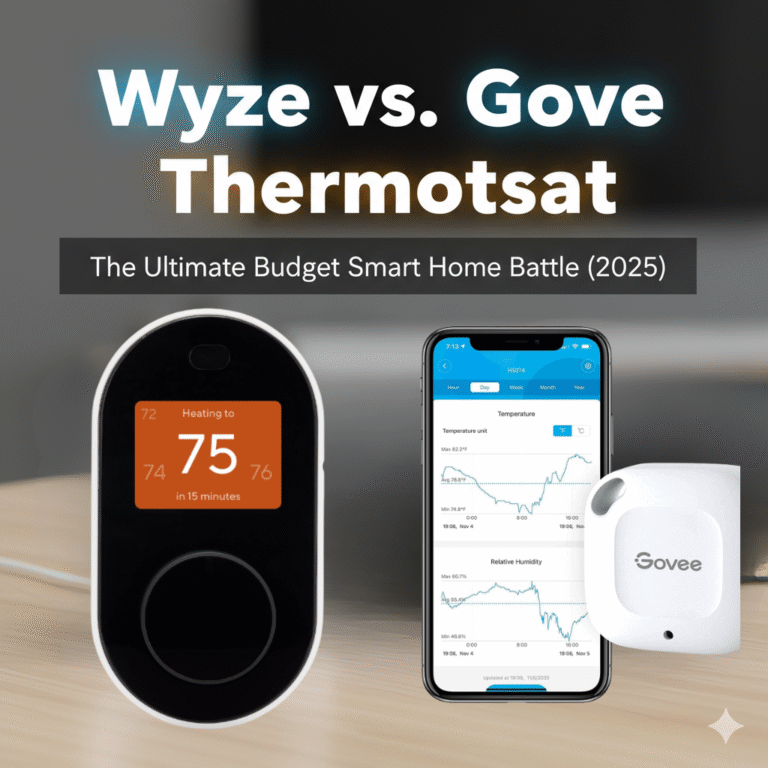
Wyze vs. Govee Thermostat: The Ultimate Budget Smart Home Battle (2025)
For years, joining the smart thermostat revolution meant a significant investment. Today, that barrier has been shattered by a new wave of ultra-affordable devices. In the sub-$80 category, two brands are locked in a fierce battle for the title of budget king: Wyze and Govee. Both promise the core conveniences of smart climate control—app access, scheduling, voice commands—for the price of a nice dinner out.
But are they truly equal? Wyze comes to the fight with a proven track record and a reputation for solid, no-frills hardware. Govee, a powerful newcomer in the thermostat space, arrives with a secret weapon: the ability to integrate with remote sensors, a feature previously reserved for premium devices. This isn’t just a comparison; it’s a deep dive to see if Govee’s ambitious feature set can dethrone the reigning value champion.
Quick Verdict:
Choose the Wyze Thermostat if: You want the most straightforward, reliable, and simple smart thermostat for the lowest possible price. It’s a proven workhorse for basic smart control.
Choose the Govee Smart Thermostat if: Your home has a problematic hot or cold room. The ability to add an affordable remote sensor makes it the most feature-rich thermostat in the budget category, offering a taste of premium comfort.
Reviewed by Alex Riley, Smart Home Expert
As a specialist in smart home technology, I’m particularly passionate about products that make home automation accessible to everyone. I’ve put both the Wyze and Govee thermostats through rigorous, side-by-side testing in my own home, focusing on installation, app stability, feature reliability, and overall value to determine which device truly offers the most for your money.
At a Glance: Wyze vs. Govee Specs Showdown
While similarly priced, their core capabilities have one massive difference. Here’s how they stack up on paper.
| Feature | Wyze Thermostat | Govee Smart Thermostat |
|---|---|---|
| Typical Price | ~$60 – $80 | ~$60 – $80 |
| Remote Sensor Support | No | Yes (With Govee Thermo-Hygrometers) WINNER |
| HVAC Control Type | Directly wired to HVAC system | Directly wired to HVAC system |
| Voice Assistant Support | Amazon Alexa, Google Assistant | Amazon Alexa, Google Assistant |
| Apple HomeKit Support | No | No |
| C-Wire Requirement | Required (Adapter included) | Required (Adapter included) |
| On-Device Display | Small LED with motion activation | Large, clear LED display |
| Ecosystem | Wyze Home (Cameras, plugs, etc.) | Govee Home (Lighting, sensors, etc.) |
Deep Dive: Wyze Thermostat – The Established Value King
The Wyze Thermostat made waves when it launched, and it remains a benchmark for value. Its philosophy is simple: deliver the core 80% of what users need from a smart thermostat with solid, reliable execution.

Wyze Thermostat
A proven and reliable choice for budget-conscious buyers, the Wyze Thermostat offers all the essential smart features in a simple, no-fuss package.
Check Price on AmazonA True, Direct-Control Thermostat
It’s important to clarify that this is a fully-fledged smart thermostat. It physically replaces your old one and wires directly into your HVAC (Heating, Ventilation, and Air Conditioning) system’s control board. This means it has direct, reliable control over your furnace and AC. It’s not a gimmick or a device that just turns a dial on your old thermostat.
The Core Feature Suite
Wyze nails the fundamentals. Through its clean and intuitive app, you get:
- Remote Control: Adjust the temperature from anywhere in the world with your smartphone.
- 7-Day Scheduling: Set up detailed, custom schedules for every day of the week to save energy when you’re away or asleep.
- Geofencing: The app can use your phone’s location to automatically switch to energy-saving “Away” mode when you leave and resume your schedule when you’re heading home.
- Voice Control: It integrates seamlessly with Amazon Alexa and Google Assistant. Saying “Hey Google, set the thermostat to 72 degrees” works flawlessly.
Simplicity as a Feature
The hardware is minimalist, with a clickable dial for manual adjustments. A motion sensor wakes the display when you approach, a simple but effective touch. The Wyze app is known for being user-friendly and stable. For someone who doesn’t want to be overwhelmed with settings, Wyze’s straightforward approach is a major selling point.
Pros of Wyze Thermostat
- Extremely affordable and high-value
- Reliable core features (app, scheduling, voice)
- Simple, user-friendly hardware and software
- Proven track record in the market
- Good integration with the broader Wyze ecosystem
Cons of Wyze Thermostat
- No support for any remote temperature sensors
- Basic on-device display and controls
- Lacks advanced energy-saving algorithms
- No Apple HomeKit support
Deep Dive: Govee Smart Thermostat – The Feature-Packed Challenger
Govee is known for its smart lighting and, more recently, its incredibly popular and affordable Thermo-Hygrometer sensors. The Govee Smart Thermostat is a brilliant strategic move, designed to leverage its existing sensor technology to offer something truly unique in the budget space.

Govee Smart Thermostat
A disruptive budget thermostat that brings a premium feature—remote sensor integration—to an affordable price point, making it ideal for homes with temperature imbalances.
Check Price on AmazonThe Game-Changing Feature: Remote Sensor Integration
This is Govee’s ace in the hole. The thermostat can wirelessly connect with up to 10 Govee Thermo-Hygrometer sensors (sold separately, but very affordable at around $10-15 each). You can place these small sensors in any room in your house.
Once linked in the Govee Home app, you can tell the thermostat to base its heating and cooling decisions on the temperature reading from a specific sensor, or an average of multiple sensors. Is your bedroom always an icebox in the winter? Put a sensor in there and make it the primary source. This capability to solve hot and cold spots is something previously only found on high-end models from brands like Ecobee, which we explore in our Nest vs. Ecobee article. Govee has successfully brought this killer feature down to a budget price point.
The Govee Home Ecosystem
If you’re already a Govee user, the thermostat becomes even more powerful. The Govee Home app is designed for creating automations between devices. You could, for example, create a rule that if the temperature in a room (measured by a sensor) rises above 75°F, it not only tells the thermostat to turn on the AC but also triggers a Govee smart fan to turn on and Govee smart blinds to close. This level of intra-ecosystem automation is something Wyze’s platform is still developing.
Modern Design and Display
The Govee Thermostat itself has a more modern look than the Wyze. It features a large, bright, and easy-to-read LED screen that shows the current temperature, target temperature, and humidity. The on-device controls are touch-sensitive, giving it a slightly more premium feel than Wyze’s physical dial.
Pros of Govee Thermostat
- Support for up to 10 affordable remote sensors
- Excellent for solving hot and cold spots on a budget
- Large, clear display and modern design
- Deep integration with the Govee smart home ecosystem
- Includes core features like app control and scheduling
Cons of Govee Thermostat
- A newer product with less of a long-term track record
- Full potential requires buying separate sensors
- App can feel more complex than Wyze’s
- No Apple HomeKit support
Head-to-Head Battle: The Ultimate Budget Decision
Let’s break down the critical differences that will determine which of these budget titans is right for your U.S. home.
Functionality: Remote Sensors vs. Simplicity
This is the main event. The Wyze Thermostat is a single-point device. It measures the temperature where it’s installed and does that job very well. It’s simple, predictable, and reliable.
The Govee Smart Thermostat operates as a system. By adding even one extra Thermo-Hygrometer sensor, you transform it from a simple thermostat into a basic climate management system. The process in the app is straightforward: you select which sensor(s) you want the thermostat to use as its temperature source. You can even schedule source changes, for example, using the living room sensor during the day and the bedroom sensor at night.
Is Govee’s system as good as Ecobee’s? Not quite. Ecobee’s sensors also detect occupancy to make decisions, whereas Govee’s only measure temperature and humidity. But for 90% of the core problem—making decisions based on the temperature in another room—Govee’s solution is shockingly effective for its price.
Winner: Govee. The ability to add remote sensors gives it a massive functional advantage over Wyze and every other thermostat in its price class.
App Experience and Ecosystem
Both devices live and die by their apps. The Wyze app is clean, streamlined, and focused. Setting a schedule or changing the temperature is quick and easy. If you own other Wyze products like their famous cameras, you get a single, unified dashboard.
The Govee Home app is more vibrant and, arguably, more complex. Because its roots are in smart lighting, it’s filled with color wheels, effects, and a “Discovery” tab for community-created lighting scenes. For a new user who only owns the thermostat, it can feel a bit cluttered. However, its automation engine is more robust. Creating “if this, then that” rules between devices is a core part of the Govee experience.
For smart assistant integration, it’s a tie. Both work well with Alexa and Google Assistant for basic commands. Neither works with Apple HomeKit, a common omission in the budget tier. Big tech ecosystems are often a deciding factor, as we see in comparisons like Google Nest vs. Amazon.
Winner: Wyze (by a hair). For thermostat-only users, Wyze’s simpler, more focused app is slightly more user-friendly. For those invested in Govee’s ecosystem, however, the Govee Home app is more powerful.
Installation: The C-Wire Reality
Both thermostats require a C-wire to receive continuous power from your HVAC system. This is standard for any modern thermostat with Wi-Fi and a backlit screen. Both companies understand this is a hurdle for many older homes and graciously include a C-wire adapter kit in the box. The installation process for both adapters is nearly identical and involves some simple wiring changes at your furnace control board. Both Wyze and Govee provide excellent video tutorials and in-app instructions to guide you. There’s no significant difference here; if you can install one, you can install the other.
Winner: Tie. Both companies have done a great job making a potentially tricky installation as easy as possible.
Overall Value: Cost of the “System”
The thermostats themselves are priced almost identically. The real value calculation comes down to the sensors.
A Wyze Thermostat costs about $70. That’s the final price for its full functionality.
A Govee Smart Thermostat costs about $70. But to unlock its superpower, you need at least one sensor, which costs about $15. So, a Govee “system” for solving one problem room costs about $85. To monitor two extra rooms, you’re at about $100.
Is a Govee system at $85 a better value than a Wyze at $70? If you have a room that is consistently uncomfortable, the answer is an unequivocal **yes**. That extra $15 completely changes the device’s capability and your home’s comfort in a way that Wyze simply cannot match. If your home has even temperatures, then Wyze’s lower entry price makes it the better value.
Winner: Govee. For a small additional investment, it provides a feature that dramatically increases its value and real-world usefulness for a huge number of homeowners.
Who Should Buy Which Thermostat?
This is one of the clearest choices in the smart home space. It comes down to one question: is your home’s temperature even?
You should buy the Wyze Thermostat if…
- Your home or apartment heats and cools evenly. If you don’t have problem rooms, you don’t need remote sensors.
- You want the absolute lowest cost of entry into the smart thermostat world.
- You prioritize simplicity and ease of use in an app above all else.
- You’re already invested in the Wyze ecosystem of cameras, plugs, and other devices.
You should buy the Govee Smart Thermostat if…
- You have a room that’s always too hot or too cold. This is the single biggest reason to choose Govee.
- You’re already a Govee user and want to create powerful automations with your lights, fans, or humidifiers.
- You are a data enthusiast who wants to see temperature and humidity readings from all over your house in one app.
- You want a more modern-looking device with a larger, clearer on-device display.
Ultimately, choosing a thermostat often comes down to weighing features against brand history and reliability, a dilemma not unlike the choice between established giants in our Honeywell vs. Nest analysis or even between legacy players as seen in our Honeywell vs. Emerson comparison.
Frequently Asked Questions (FAQ)
Do I have to buy a Govee sensor to use the Govee thermostat?
No, not at all. The Govee thermostat works perfectly well as a standalone, single-point smart thermostat right out of the box, using its own internal sensor. It is fully functional without any additional sensors.
How many remote sensors can the Govee thermostat connect to?
You can connect up to 10 Govee Bluetooth Thermo-Hygrometer sensors to a single Govee Smart Thermostat. This is more than enough to cover all the key rooms in even a large U.S. home.
Which thermostat is more reliable?
The Wyze Thermostat has been on the market longer and has a well-established track record for reliability and software stability. The Govee thermostat is newer, but based on our testing and Govee’s reputation with its other products, it appears to be very stable and reliable as well. For now, Wyze has the edge in proven, long-term performance.
Can the Govee thermostat average the temperature from multiple sensors?
Yes. In the Govee Home app, you can choose to use a single sensor as the source or select multiple sensors. The thermostat will then use the average temperature from the selected group to make its heating and cooling decisions.
The Final Verdict: A New Budget Champion is Crowned
For a long time, the Wyze Thermostat has been our default recommendation for anyone seeking a smart thermostat on a shoestring budget. Its simplicity, reliability, and low price made it an unbeatable package. It delivered on the core promise of a smart thermostat and did it well.
However, the arrival of the Govee Smart Thermostat has fundamentally changed the budget landscape. By integrating its excellent and affordable sensor technology, Govee is offering a key feature that was previously the sole domain of thermostats costing three to four times as much. The ability to solve real-world comfort problems like a hot upstairs bedroom or a cold home office for under $100 (thermostat + sensors) is nothing short of revolutionary for the category.
While the Wyze Thermostat remains an excellent choice for those with evenly-heated homes who prize simplicity, it can no longer be called the undisputed value king. The Govee Smart Thermostat now offers more features, more problem-solving capability, and ultimately, more potential for true home comfort for just a few dollars more. For its ambition and brilliant execution, Govee has earned the crown.







 Home
Home
 Info
Info
 Compare
 Reviews
 Shop
Shop