
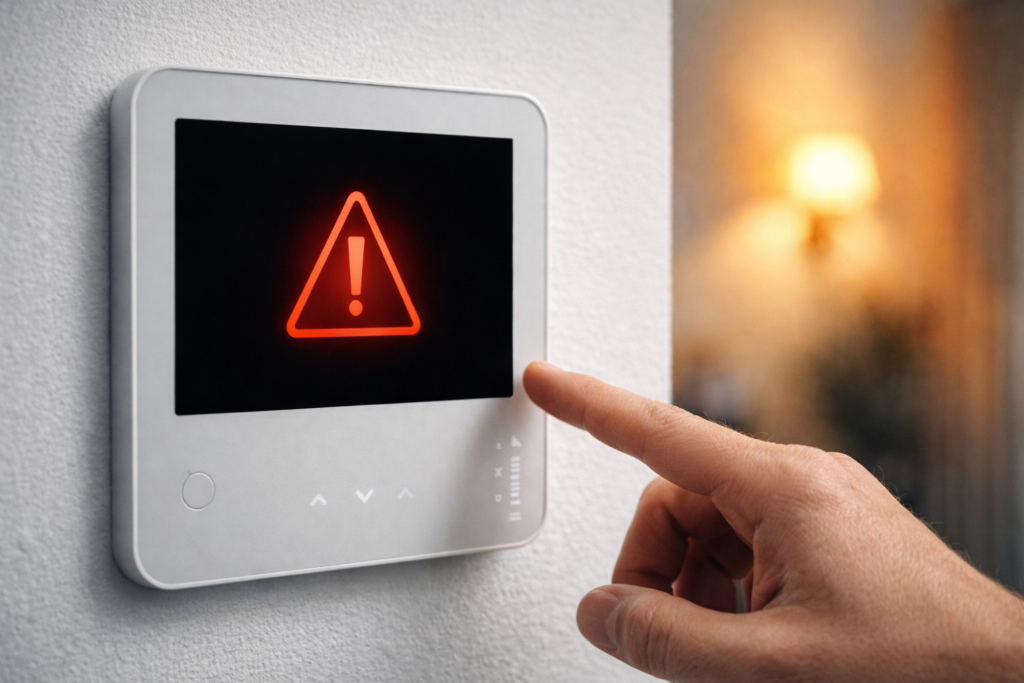
Why is my thermostat not turning on? If you’re asking this, you’re not alone. Few things are more frustrating than walking over to your thermostat and finding a blank screen.
Many homeowners run into this problem suddenly. Whether it is the middle of winter or a hot summer day, a thermostat that won’t turn on can feel urgent.
Some links in this guide may earn us a small commission at no extra cost to you. This helps support the site so we can keep creating helpful content.
The good news is that in most cases the cause is simple and can be fixed without calling an engineer. In this guide, we walk through the seven most common reasons a thermostat stops turning on and exactly how to fix each one.
If your thermostat stopped working after installation, the issue is usually a simple wiring, power, or setup mistake. In most cases, it can be fixed without professional help.
If you have recently installed a new thermostat, check your wiring and setup first before moving on to deeper troubleshooting.
⚠️ Don’t Panic
A blank thermostat screen is almost never an emergency. Your heating and cooling system won’t run without instructions, but the fix is usually straightforward. Work through the steps calmly. Most people solve the problem in under 10 minutes.
How This Guide Was Researched
This guide is based on verified information from:
- Official troubleshooting documentation from Google, Ecobee, Honeywell, and other major manufacturers
- Analysis of thousands of real customer experiences
- HVAC professional forums and technician discussions
- Real-world homeowner cases across the US and UK
This guide focuses on practical, real-world fixes so you can solve the problem quickly and safely.
Quick Answer
A thermostat that won’t turn on is usually caused by one of these:
- Dead or depleted batteries
- Tripped circuit breaker
- Blown HVAC fuse
- Loose or disconnected wiring
- Tripped safety switch
- Screen in sleep mode
- Faulty thermostat
Start with the simplest fixes first. Most problems are solved within the first three steps.
Before You Start: Safety First
Before checking wiring or opening any panels, always turn off power to your HVAC system at the circuit breaker. Working on live wiring is dangerous and unnecessary.
If you are ever unsure about what you are looking at, stop and call a qualified technician.
Why Is My Thermostat Not Turning On? 7 Common Causes
Here are the seven most common reasons your thermostat has stopped turning on, ordered from most likely to least likely. Work through them in order and you will usually find the issue quickly.
Fix 1: Check and Replace the Batteries
How to check:
Most thermostats have a battery compartment on the side or back. Remove the thermostat from its wall plate and look for AA or AAA batteries. If they are more than a year old, replace them even if they do not appear dead.
What to look for:
- Corroded battery terminals with white or green buildup
- Batteries that feel light or look swollen
- A low battery warning before the screen went blank
How to fix it:
Replace with fresh alkaline batteries of the correct size. Do not mix old and new batteries. Reattach the thermostat and wait 30 seconds for it to power on.
According to Honeywell, dead batteries are the most common cause of a blank thermostat display and the first thing their support team checks.
Does this apply to smart thermostats?
Yes. Smart thermostats like the Google Nest also rely on internal batteries. These are usually charged through the system wiring, but if the charge drops too low, the screen can go blank. Charging it with a USB cable for 30 minutes can often restore it.
Fix 2: Check Your Circuit Breaker
If new batteries do not solve the problem, check your circuit breaker. A tripped breaker cuts power to your HVAC system and thermostat.
How to check:
Go to your electrical panel and look for breakers sitting between ON and OFF. This indicates a trip. Your HVAC system usually has a dedicated breaker labelled furnace, air handler, heating, or cooling.
How to fix it:
Switch the breaker fully OFF, then back ON to reset it.
If it trips again immediately, stop. This usually means there is a deeper electrical issue that needs a qualified electrician.
According to the US Consumer Product Safety Commission, repeatedly resetting a tripping breaker can be a fire risk.
Important:
Some systems use two breakers, one for the indoor unit and one for the outdoor unit. Check both.
Fix 3: Check for a Blown Fuse
Many HVAC systems have a small fuse on the furnace or air handler control board. If this fuse blows, it cuts power to the thermostat even if the breaker is fine.
How to check:
Turn off power at the breaker. Open the furnace or air handler panel and locate the small fuse on the control board. It usually looks like a car fuse.
A blown fuse may have a broken wire inside or appear blackened.
How to fix it:
Replace the fuse with one of the same amperage rating, usually 3 or 5 amps. Never use a higher-rated fuse.
HVAC technicians often report that blown control board fuses are one of the most overlooked causes of a dead thermostat, even though they are quick and inexpensive to fix.
Why do fuses blow?
A blown fuse is often caused by a short circuit in the thermostat wiring. If the new fuse blows again, inspect the wiring carefully or call a professional.
Fix 4: Check Your Thermostat Wiring
Loose, disconnected, or damaged wiring is another common cause of a thermostat not turning on. This can happen over time, after a recent installation, or if anyone has worked near the wiring.
How to check:
Turn off power to your HVAC system at the breaker. Remove the thermostat from its wall plate and inspect the wires connected to the terminals.
Look for:
- Wires that have come loose
- Bare wire strands touching other terminals
- Burned, frayed, or corroded wires
- Wires that are not connected to anything
How to fix it:
If a wire has come loose, reattach it to the correct terminal. Each wire should match the terminal label.
If you are unsure which wire goes where, refer to a photo taken before disconnecting anything.
If any wires appear burned or damaged, do not attempt to repair them. Call a qualified technician.
According to Ecobee documentation, loose wiring is one of the most common causes of thermostat power issues, often due to wires not being fully seated during installation.
Note for Nest users:
Some heating-only or cooling-only systems require a Nest Power Connector to provide stable power. Without it, the thermostat may lose charge and appear dead. See the C-wire guide for a full explanation.
Fix 5: Check the Float Switch or Safety Switch
Many HVAC systems include a safety switch that cuts power when a problem is detected. The most common is the float switch on the condensate drain system.
What is a float switch?
Your air conditioner produces condensation that drains through a pipe. If the drain becomes blocked, water builds up in the pan. The float switch detects this and shuts off the system to prevent water damage.
How to check:
Look near your indoor unit or furnace for a small switch attached to the drain pan or drain line. If it has been triggered, it will cut power to the thermostat.
How to fix it:
Clear the blocked drain line. This can often be done by pouring a cup of white vinegar into the drain, followed by flushing with water. Once the blockage is cleared, the system should reset automatically.
HVAC technicians report that a tripped float switch is a common cause of a blank thermostat during heavy cooling use.
Fix 6: Check if the Screen Is in Sleep Mode
This may seem obvious, but it catches more people than expected. Many smart thermostats dim or turn off the display when inactive.
How to check:
Tap the screen or press a button. If it lights up, the thermostat is working normally.
Smart thermostat behavior:
Some models, like Google Nest, use motion detection to activate the display. If the screen turns on when you approach, there is no issue.
If the screen does not respond at all, continue troubleshooting.
Many users assume their thermostat has failed when it is simply in sleep mode.
Fix 7: The Thermostat Itself Has Failed
If none of the previous fixes work, the thermostat itself may have failed.
Thermostats do not last forever. Older units can stop working without warning.
Signs of failure:
- No response after checking batteries, breaker, and fuse
- Visible physical damage
- The unit is over 10 years old
- The thermostat feels unusually warm
- A burning smell near the unit
What to do:
If the thermostat has failed, it will need to be replaced.
The good news is that replacement is straightforward, and modern smart thermostats are significantly more efficient and reliable than older models.
Many homeowners find that replacing a failed thermostat improves both comfort and energy efficiency.
Check Latest Price (may vary)
Google Nest Learning Thermostat on Amazon.
Ecobee Smart Thermostat Premium on Amazon.
Quick Diagnosis Guide: Start Here
Not sure where to begin? Use this simple decision path:
| Your Situation | Start With |
|---|---|
| Screen completely blank and thermostat uses batteries | Fix 1: Batteries |
| Screen blank and thermostat is hardwired | Fix 2: Circuit breaker |
| Breaker is fine but system still has no power | Fix 3: Blown fuse |
| System worked recently and nothing has changed | Fix 5: Safety switch |
| Screen occasionally goes dark but comes back | Fix 6: Sleep mode |
| Thermostat is old and nothing works | Fix 7: Replacement |
When to Call a Professional
Some thermostat problems are beyond DIY repair. Call a qualified HVAC technician if:
- Your circuit breaker keeps tripping after being reset
- You find burned or damaged wiring
- Your thermostat is making unusual sounds or smells
- You are not comfortable working near electrical components
- The system has power but heating or cooling still does not work
- You have tried all seven fixes and nothing has worked
According to RepairPal, professional diagnosis and replacement typically costs between $150 and $300 including labour.
How to Prevent Your Thermostat From Stopping Working
A few simple habits can help prevent future problems:
- Replace batteries once a year before heating season
- Keep the thermostat clean by dusting vents and screen regularly
- Have your HVAC system serviced annually
- Check the condensate drain line during cooling season
- Avoid unnecessary handling of wiring
Frequently Asked Questions

Why is my thermostat screen blank?
A blank thermostat screen is most commonly caused by dead batteries, a tripped circuit breaker, or a blown fuse in your HVAC system. Start with batteries first as this is the most frequent cause.
Can a thermostat stop working suddenly?
Yes. Thermostats can fail suddenly due to power surges, blown fuses, tripped safety switches, or internal component failure. In most cases the cause is straightforward and fixable.
How do I reset my thermostat?
Most thermostats can be reset by removing the batteries for 30 seconds and reinserting them, or by turning off the circuit breaker for 30 seconds and switching it back on. Always check your model’s manual for the correct method.
How long do thermostats last?
Most thermostats last between 10 and 15 years. Older units are more prone to failure, and replacement is often the better option once they reach this age.
Will my heating work if my thermostat stops working?
No. Your thermostat controls your heating and cooling system. If it loses power, your system will not run.
Is it safe to replace a thermostat yourself?
Yes, in most cases. Thermostat wiring is low voltage (24V) and safe to handle as long as you turn off power at the breaker first. If you are unsure, call a professional.
Why does my thermostat keep losing power?
This usually points to a wiring issue, a failing fuse, or an internal fault. If the problem continues after basic checks, have the system inspected.
My thermostat has power but the heating won’t come on. What’s wrong?
If the thermostat has power but nothing happens, check that it is set to the correct mode (heat or cool), that the temperature is set correctly, and that the fan settings are right. If everything looks correct, the issue may be with the HVAC system itself.
Final Verdict
A thermostat that won’t turn on is frustrating, but in most cases the cause is simple and fixable. Work through the seven fixes in order and most problems are resolved within the first few steps.
Quick Summary
- Replace the batteries (most common fix)
- Reset the circuit breaker
- Check the fuse on the control board
- Inspect the wiring
- Check the safety switch
- Rule out sleep mode
- Replace the thermostat if needed
If you work through all seven fixes and the problem remains, call a qualified HVAC technician.
If your thermostat is old, replacing it with a modern smart thermostat is often the best long-term solution. Many homeowners see improved comfort and lower energy costs after upgrading.
Based on official manufacturer troubleshooting documentation from Google, Ecobee and Honeywell, analysis of verified customer reviews, HVAC professional forum discussions, and guidance from the US Consumer Product Safety Commission and RepairPal.
Related Guides:
- Best Smart Thermostat for Home (2026).
- Do Smart Thermostats Save Money? Full Cost Breakdown (2026).
- Do You Need a C-Wire for a Smart Thermostat? (2026).
- Do Smart Thermostats Work Without WiFi? (2026).
Reviewed by The Thermo Expert Team
The Thermo Expert Team researches and compares smart thermostats, heating systems, and common HVAC issues to provide clear, practical advice for homeowners. Our goal is to help you understand problems quickly and choose the right solution with confidence.