Honeywell Home T5 Review 2026: The Reliable Budget Smart Thermostat for HomeKit Users
Quick Specs at a Glance
The “Just Works” Philosophy
Honeywell (now operating under Resideo for home products) is the grandfather of the HVAC world. While startups were figuring out how to make a thermostat look like a smartphone, Honeywell was already in tens of millions of homes delivering reliable heating and cooling control. The T5 and its updated variant, the T5+, represent a bridge between that legacy reliability and the modern connectivity homeowners now expect.
The T5 occupies the budget-to-mid-range sweet spot. It isn’t as expensive as the Honeywell Home T9 with its advanced room sensor ecosystem, but it offers substantially more functionality than a standard non-connected programmable unit. If you are comparing Honeywell vs Emerson thermostats, the T5 is Honeywell’s direct answer to the Emerson Sensi Touch in terms of market positioning.
In this review, we’ll break down whether this understated black box delivers enough value in 2026 — or whether it’s too bare-bones for a market that now expects room sensing, self-learning, and premium displays as standard.
Design: Industrial Functionality Over Fashion
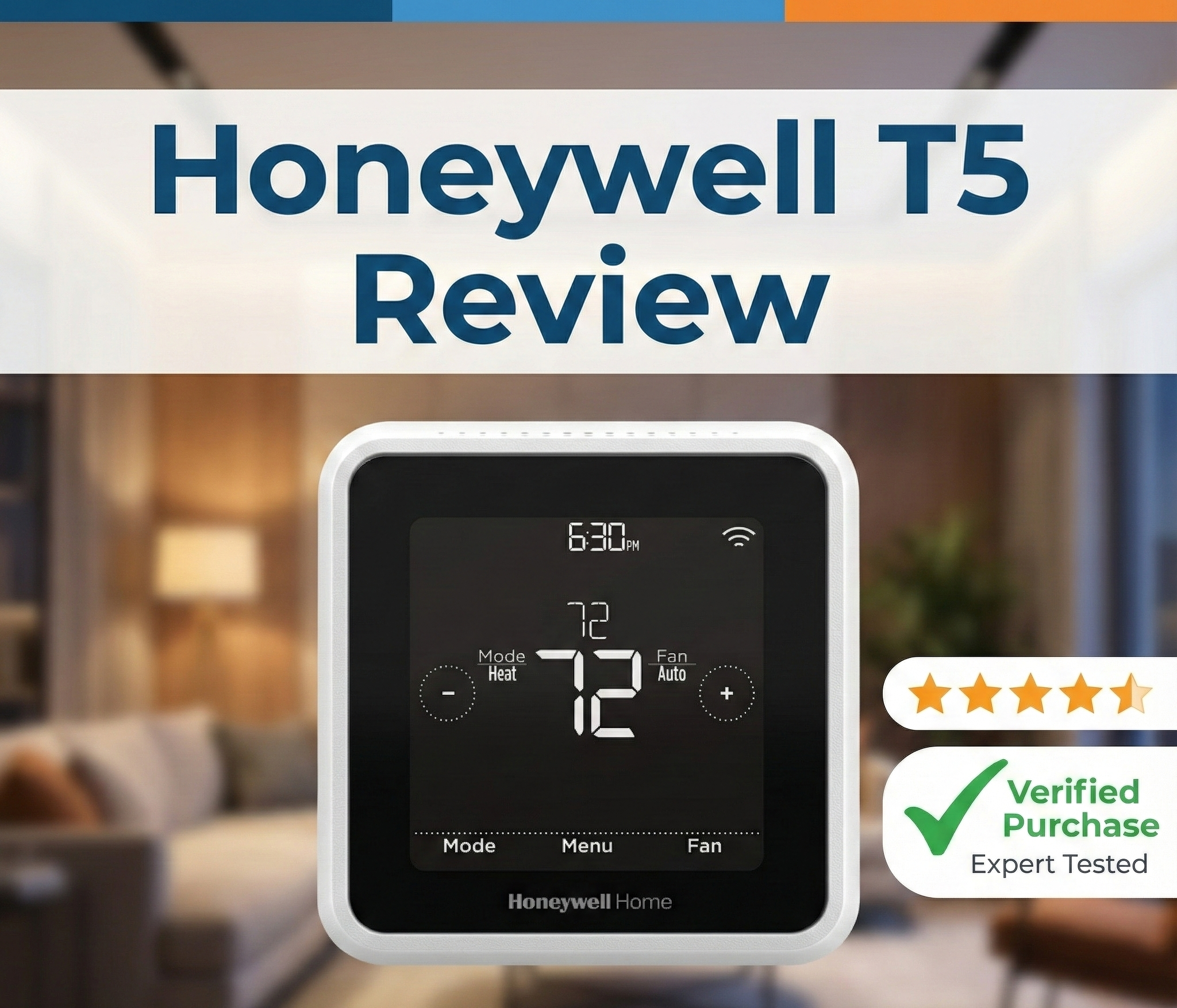
The T5 breaks away from the classic round thermostat shape popularized by Nest. It is a squircle — a square with softly rounded corners — featuring a black-on-grey monochrome touchscreen. At approximately 4 inches by 4 inches, it has a distinct industrial aesthetic that reads as deliberate minimalism rather than budget constraint.
The screen is always on at a low brightness dim, or it can be set to wake on touch — a useful option for reducing screen burn risk in high-ambient-light environments. It displays the current temperature in large, highly legible digits. It doesn’t display album art, animated weather icons, or social media integrations. It displays the temperature and what the system is doing. For minimalists and practicality-first homeowners, this is a genuine strength. For tech enthusiasts who want their thermostat to be a gadget that starts conversations, it may feel too spartan.
The housing is gloss-coated plastic rather than the glass or brushed metal you find on the Ecobee SmartThermostat Premium. It feels solid and durable — more than capable of surviving life in a busy household hallway — but it does not carry the premium hand-feel of pricier competitors. The wall plate is clean and covers most standard-size mounting holes left by older thermostats, which saves you from visible wall patching in typical replacements.
The T5 is available in a black colorway, which is somewhat rare at this price point. Most budget thermostats default to white. The black finish suits darker wall colors and modern interior design schemes particularly well.
T5 vs. T5+ — What’s the Actual Difference?
One of the most common sources of buyer confusion is the relationship between the original T5 and the updated T5+. This distinction matters significantly at installation time.
🔲 Honeywell Home T5
- Older retail model
- No C-wire adapter included
- Requires existing C-wire in wall
- Same core features
- Often found at discount / clearance
✅ Honeywell Home T5+ (Recommended)
- Updated retail model
- C-wire adapter included in box
- Works without existing C-wire
- Same core features
- Best option for most buyers
Both models run the same firmware, use the same Resideo app, and offer identical smart home integrations. The only practical difference for most buyers is the included power adapter. In this review, we tested the T5+ and all performance notes apply equally to both variants.
Check Current Price & Bundles

The T5+ bundle includes the C-wire adapter — the version we recommend for most homes without an existing common wire.
View on Amazon →Installation: The C-Wire Conversation
We cannot review the T5 without addressing power. The Honeywell T5 series requires a C-wire (Common wire) for continuous 24V power. This is a non-negotiable technical requirement — not a preference. Without it, the thermostat’s Wi-Fi radio will drain power from the heating system’s control signals, causing unpredictable behavior.
Homes built within the last 20 to 25 years typically have a C-wire already bundled within the thermostat wiring. If you see five or more wires at your current thermostat (labeled R, G, Y, W, and C), you’re set. If your bundle only shows four wires or fewer without a C label, you’ll need the adapter approach.
If you attempt to install the original T5 (without the adapter) on a system without a C-wire, you will encounter the classic symptom of the thermostat keeps rebooting every few minutes, or it repeatedly drops from your Wi-Fi network. This is a power starvation issue, not a Wi-Fi problem — and it won’t resolve itself without addressing the wiring. If you are new to thermostat wiring, our guide on thermostat installation instructions for homeowners walks through the entire process with labeled diagrams.
Step-by-Step Installation Overview
- Turn off power at the breaker to your HVAC system before touching any wires.
- Remove your existing thermostat and photograph all wiring connections before disconnecting anything.
- Check for a C-wire in your bundle. If absent and you have the T5+, install the included adapter at the furnace control board.
- Mount the T5 wall plate, connect labeled wires to corresponding terminals, and click the thermostat body into the plate.
- Restore power and follow the Resideo app’s guided setup to select your system type, create a schedule, and configure geofencing.
Total installation time for a reasonably confident DIYer is typically 25 to 40 minutes including app setup. Professional installation is not required for this model.
Smart Features: More Depth Than the Price Suggests
The T5 runs on the Resideo app (iOS and Android). While not the most feature-dense thermostat on the market, it covers the key bases that save money and improve daily comfort.
1. Geofencing — The T5’s Strongest Feature
Unlike self-learning thermostats that try to build a schedule by watching your habits (and frequently get it wrong during the weeks-long calibration period), the T5’s geofencing approach is immediate and reliable from day one. The Resideo app monitors your smartphone’s GPS location. When you cross outside the defined geofence radius, the thermostat switches to an energy-saving “Away” setback temperature. When you re-enter the radius, it resumes “Home” comfort settings automatically.
For households with irregular schedules — shift workers, freelancers, families with variable school and activity calendars — this GPS-driven approach consistently outperforms a rigid 7-day time schedule that can’t account for unexpected changes. If you are unfamiliar with how this technology works in practice, our guide on what a geofencing thermostat is explains the full mechanics and expected energy savings.
Multiple users can be registered to a single T5, so the “Away” mode only activates when all registered household members have left the geofence — preventing the system from going into setback mode while a family member is still home.
2. Apple HomeKit Integration — A Rare Budget Find
One of the T5’s most significant selling points, and arguably the primary reason to choose it over comparably priced alternatives, is its native support for Apple HomeKit. You can ask Siri to “set the thermostat to 72 degrees” or “turn on heating” and the command executes reliably, typically within two seconds. HomeKit integration also means the T5 participates fully in Apple Home scenes and automations — for example, a “Good Night” scene that lowers the temperature to your sleeping preference when triggered at bedtime.
Finding a reliable, fully tested HomeKit thermostat below the $150 price threshold is genuinely difficult in 2026. The T5 fills this niche cleanly, offering the Apple ecosystem experience without the premium hardware price of an Ecobee.
3. Adaptive Recovery (Smart Scheduling)
The T5 monitors your HVAC system’s heating and cooling cycle times over its first week of operation. Once calibrated, its Adaptive Recovery algorithm starts your system early enough to hit your scheduled setpoint precisely on time — rather than starting at the scheduled time and reaching your target temperature 15 to 20 minutes late. If your current thermostat consistently falls short, with our guide on a thermostat not reaching set temperature describing the exact problem, Adaptive Recovery directly solves this.
4. 7-Day Flexible Scheduling
Beyond geofencing, the T5 offers full 7-day scheduling with up to four programmable periods per day (Wake, Away, Home, Sleep). You can configure different schedules for each day of the week independently, which is useful for households where weekends follow a meaningfully different routine than weekdays. The schedule runs on the thermostat itself, so it continues to operate normally even when Wi-Fi is unavailable.
5. Smart Alerts and Maintenance Reminders
The Resideo app sends push notifications for events that most thermostats ignore entirely:
- Low temperature alerts — warns you if the home drops below a threshold (critical for preventing frozen pipes when you’re traveling in winter)
- High temperature alerts — monitors for dangerous heat buildup when the AC is off or struggling
- Air filter reminders — alerts based on runtime hours, reminding you when it’s time to replace the filter based on how hard your system has worked
- HVAC maintenance reminders — schedulable annual service alerts
6. Amazon Alexa and Google Assistant Support
Beyond HomeKit, the T5 also integrates with Amazon Alexa and Google Assistant via their respective smart home skills. Voice commands work consistently across all three platforms in our testing. The T5 is one of the few thermostats at this price point to support all three major voice ecosystems simultaneously, making it a safe choice regardless of which smart speaker brand you’ve standardized on.
HVAC System Compatibility
The T5 is designed for standard residential low-voltage (24V) HVAC systems. It handles the most common configurations found in North American homes:
- Conventional single-stage forced-air systems: Gas, oil, and electric furnaces
- Central air conditioning: Single-stage cooling
- Single-stage heat pumps without auxiliary backup heating
- Fan coil units (2-pipe systems)
For high-voltage electric baseboard heating (a common setup in older apartments and condos), the T5 is not just unsupported — attempting to wire it to a high-voltage system will damage the thermostat immediately. In those cases, see our Mysa Smart Thermostat review for a purpose-built 240V alternative.
Real-World Performance Evaluation
We tested the T5+ for four weeks in two different homes: a 1,400 sq. ft. single-story ranch with a single-stage gas furnace, and a 900 sq. ft. apartment with a fan coil system. Here’s the breakdown:
Temperature Accuracy
The T5 held setpoints within ±1°F of our calibrated reference thermometer across all test conditions. Temperature readings were consistent and did not drift over the test period. For a single-zone thermostat without remote sensors, this accuracy is entirely adequate — and it matches or exceeds competitors at this price point.
Wi-Fi Connectivity Stability
Connectivity is one of the most commonly cited issues with budget smart thermostats. The T5 performed well in both test environments. Across four weeks of continuous operation, we had zero unplanned disconnection events on either home’s standard 2.4 GHz Wi-Fi network. The thermostat reconnects automatically after router restarts or network interruptions without requiring manual intervention.
This matters because a Wi-Fi thermostat that frequently disconnects defeats its own purpose. The T5 passes this test comfortably.
Touchscreen Responsiveness
The T5 uses a resistive touchscreen rather than a capacitive one. Unlike a smartphone screen that responds to the lightest brush, resistive screens require a deliberate press to register input. This feels dated by modern smartphone standards, but it also means the screen is completely unaffected by water droplets — a practical advantage in kitchens and bathrooms. All the core adjustments (temperature up/down, mode switching) work reliably with a single deliberate tap.
Geofencing Response Time
In practice, geofencing triggered the “Away” setback within 3–7 minutes of our test phone leaving the defined radius, and restored “Home” settings within 2–4 minutes of re-entry. This response lag is normal and expected for GPS-based systems — the thermostat doesn’t react instantaneously to prevent false triggers from brief exits (taking out the trash, walking to the mailbox). The behavior is correct and appropriate for real-world use.
Adaptive Recovery Accuracy
After the T5’s 7-day calibration period, Adaptive Recovery hit scheduled setpoints within 1–3 minutes of the target time across all test mornings. This is accurate enough that in practice, you will never notice the difference between the T5’s recovery behavior and a more expensive thermostat’s implementation.
Energy Savings: How the T5 Cuts Your Bills
The T5 is Energy Star certified. Do smart thermostats really save money? With the T5, yes — primarily through two mechanisms:
- Geofencing setbacks: By automatically reducing conditioning when the home is unoccupied, the T5 eliminates the waste of heating or cooling an empty house. For a household that’s away 8–10 hours per weekday, this consistently produces 8–15% annual HVAC energy savings compared to a fixed schedule that heats or cools the home on a rigid timetable regardless of whether anyone is home.
- Adaptive Recovery precision: By starting the system only as early as necessary to hit your scheduled setpoint — rather than the “start it early just in case” approach most people use manually — the T5 avoids unnecessary runtime. This effect is smaller in magnitude than geofencing savings but is consistent and cumulative across the year.
The T5 does not save energy through room-priority sensing (that’s the T9’s approach) or AI-based learning algorithms. Its savings come from simple, reliable execution of the two most impactful energy conservation behaviors: stop heating an empty home, and don’t run the system longer than needed. For most households, these two behaviors deliver 80% of the possible energy savings of any smart thermostat strategy.
Honeywell T5 vs. The Competition
How does the T5+ hold up against similar models at comparable price points?
| Feature | Honeywell Home T5+ | Ecobee3 Lite | Google Nest Thermostat (2020) |
|---|---|---|---|
| Price Tier | $ (Budget) Best Value | $$ (Mid-Range) | $$ (Mid-Range) |
| Remote Sensors | No | Yes (sold separately) | No (uses Nest Hub/Display) |
| C-Wire Adapter Included | Yes (T5+) ✓ | Yes (PEK included) | No (often self-powered) |
| Apple HomeKit | Yes ✓ Best at Price | Yes ✓ | No ✗ (Matter pending) |
| Self-Learning | No | Eco+ (partial) | No (Nest Learning is a separate, higher model) |
| Geofencing | Yes ✓ | Yes ✓ | Yes ✓ (Home/Away Assist) |
| Display Type | Monochrome resistive touchscreen | High-res color touchscreen | Mirror-finish ambient display (no touch) |
| Humidity Sensing | No | Yes ✓ | Yes ✓ |
| Design Style | Industrial / Boxy black | Glass / Modern premium | Mirror / Minimal round |
| Multi-Stage Support | No | Yes ✓ | Limited |
The T5’s primary advantage over both competitors at its price point is HomeKit support combined with a lower purchase price. The Ecobee3 Lite offers more features — remote sensors, humidity sensing, multi-stage support — but costs significantly more. The Nest Thermostat (2020) lacks HomeKit entirely and doesn’t offer a touchscreen, which some users find frustrating for manual adjustments.
If you want an even more affordable entry point and don’t need HomeKit, the Amazon Smart Thermostat is built with Resideo hardware and sits below the T5 in price — though it sacrifices HomeKit support in the process.
Pros & Cons
✅ The Good
- HomeKit Support: A rare find at this price point — essential for Apple household users.
- Reliability: Honeywell’s heating algorithms and build quality are industry-proven.
- Geofencing: Excellent for irregular or unpredictable schedules; works reliably from day one.
- Price: Frequently on sale; delivers strong value relative to feature set.
- All Three Voice Assistants: Siri, Alexa, and Google — a rare trifecta at this price.
- Wi-Fi Stability: Consistent connectivity with zero drops in our multi-week test.
- Smart Alerts: Freeze warnings and filter reminders are genuinely useful and set-it-and-forget-it.
- Energy Star Certified: Meets EPA efficiency standards; eligible for applicable utility rebates.
❌ The Bad
- No Remote Sensors: Cannot detect or balance temperature in individual rooms — the T9 is required for that.
- Basic Monochrome Screen: Looks dated compared to Ecobee or Nest displays.
- Resistive Touchscreen: Requires a deliberate press rather than light touch; feels like 2015 technology.
- No Humidity Sensing: Doesn’t report indoor humidity levels, which competitors at similar prices now offer.
- Single-Stage Only: Multi-stage or dual-fuel heat pump systems require a more capable model.
- No Self-Learning: You must configure schedules manually — there’s no auto-program feature.
Don’t Forget the Wall Plate

If you are replacing a larger or differently shaped old thermostat, a wall plate cover will conceal any unpainted or discolored wall area left behind. Highly recommended for a clean professional finish.
Check Accessories on Amazon →Common Issues and How to Fix Them
Even reliable thermostats encounter issues. Here is what T5 owners report most often and how to resolve each:
Blank Screen or Display Won’t Turn On
A blank screen on the T5 is almost always a power supply issue rather than a thermostat fault. First, confirm the C-wire is fully seated at both the thermostat terminal and the furnace control board. Second, verify your furnace circuit breaker hasn’t tripped. Third, check that the furnace’s door panel is fully closed — most furnaces have a safety switch that cuts power when the door is ajar. If you see behavior that resembles thermostat low battery symptoms despite the T5 not using batteries, your C-wire voltage is likely insufficient and the adapter needs reseating.
Wi-Fi Drops and Reconnection Issues
The T5 requires a 2.4 GHz Wi-Fi band. If your router is dual-band (2.4 GHz and 5 GHz broadcasting under the same network name), some routers will preferentially assign the thermostat to the 5 GHz band, which has shorter range and can cause reliability issues. Resolve this by either splitting your network into separate SSIDs for each band, or configuring the T5 connection on a router with 2.4 GHz only mode temporarily during setup. After setup is complete, the normal dual-band configuration usually works fine.
Heat On but No Actual Heat
If your thermostat says heat on but no heat is coming from the vents, the most common cause is an incorrect equipment type selected during initial setup. Verify in the Resideo app under Settings → Equipment that your system type matches your actual HVAC — for example, selecting “Heat Pump” when you actually have a conventional gas furnace will cause the thermostat to send the wrong control signal. You can re-run the equipment detection wizard from the app without reinstalling the hardware.
Geofencing Not Switching to Away Mode
Check that the Resideo app has “Always Allow” background location permission enabled in your phone’s system settings — without this, iOS and Android will stop the app from tracking your location once it’s been in the background for a period. Also verify that all household members registered to the thermostat have geofencing enabled in their own Resideo app accounts. The thermostat will only switch to Away mode when every registered user has left the geofence radius.
Furnace Short Cycling
If your furnace is turning on and off more frequently than normal after installation, check the minimum cycle time setting in the Resideo app’s Equipment settings. Some gas furnace systems require a minimum off-time between cycles to protect the heat exchanger. Setting this to 5 minutes typically resolves the short cycling behavior. If the problem persists, verify the thermostat is receiving stable C-wire power, as power instability can cause erratic control signals.
Frequently Asked Questions
Does the Honeywell T5 require a C-wire?
Yes. The T5 requires a C-wire (Common wire) for continuous 24V power. The updated T5+ model includes a C-wire adapter in the box that installs at your furnace control board, allowing installation even when your existing wiring bundle lacks a C-wire. The original T5 does not include this adapter, so verify your wiring before purchasing that variant.
Does the Honeywell T5 work with remote sensors?
No. The T5 and T5+ do not support Honeywell’s Smart Room Sensors or any third-party remote temperature sensors. The thermostat measures temperature only at the wall unit itself. If room-by-room temperature sensing and balancing is a priority, the Honeywell Home T9 supports up to 20 room sensors at a higher price point.
Is the T5 compatible with Apple HomeKit?
Yes. The Honeywell Home T5 is natively compatible with Apple HomeKit. This means full Siri voice control, integration with Apple Home scenes and automations, and management through the Apple Home app. No bridge hardware is required. It’s one of the most affordable HomeKit-compatible thermostats currently available.
What app does the Honeywell T5 use?
The T5 uses the Resideo app, available on iOS and Android. This replaced the older Honeywell Total Connect Comfort and Honeywell Home apps. You can also control the T5 through the Apple Home app (via HomeKit), Amazon Alexa, or Google Home, depending on your preferred ecosystem.
Does the T5 work with 2-wire systems?
Not directly. The T5 requires more than two wires because it needs a C-wire for power. If your existing bundle only has two wires and no additional conductors available, you would need to run new wiring or use an external 24V transformer adapter solution, which significantly complicates installation. For purely 2-wire setups with no expansion options, battery-operated thermostats from our best battery operated thermostats guide are a more practical solution.
Does the T5 work with heat pumps?
Yes, but only with single-stage heat pumps. The T5 does not support dual-fuel configurations (heat pump + gas backup) or multi-stage heat pump systems. If your heat pump has an auxiliary or emergency heat stage, the T9 is the appropriate Honeywell model for your system.
Can I lock the T5 screen?
Yes. The T5 includes two levels of screen lock accessible through the Resideo app. Partial lock allows manual temperature adjustments but prevents changes to schedules and settings. Full lock prevents all physical input at the thermostat body. Both modes accept a PIN code to unlock. This makes the T5 practical for rental properties, vacation homes, and households with young children.
Does the T5 save money on energy bills?
Smart thermostats can save real money, and the T5 is Energy Star certified. The primary savings mechanism is geofencing — automatically reducing conditioning when the home is empty. Users with irregular schedules or significant daily away-periods typically see 8–15% annual HVAC energy savings compared to a non-smart programmable thermostat with a fixed schedule.
Does the T5 work without Wi-Fi?
Yes. If your Wi-Fi goes down, the T5 continues to operate normally as a programmable thermostat, following its stored local schedule. You lose app control, geofencing, voice commands, and remote access during the outage, but heating and cooling control continues uninterrupted.






 Home
Home
 Info
Info
 Compare
 Reviews
 Shop
Shop