This article may contain affiliate links. If you purchase through these links, we may earn a commission at no extra cost to you.
Do you need a c wire for a smart thermostat? This is one of the most common questions homeowners ask before upgrading. It’s a reasonable concern. Nobody wants to buy a $250 thermostat only to discover they can’t install it.
The good news? Most modern smart thermostats are designed to work without a C-wire in many homes. But understanding whether your home needs one and what to do if it does can save you a lot of frustration.
In this guide we explain exactly what a C-wire is, how to check if you have one, which thermostats need one, and what your options are if you don’t.
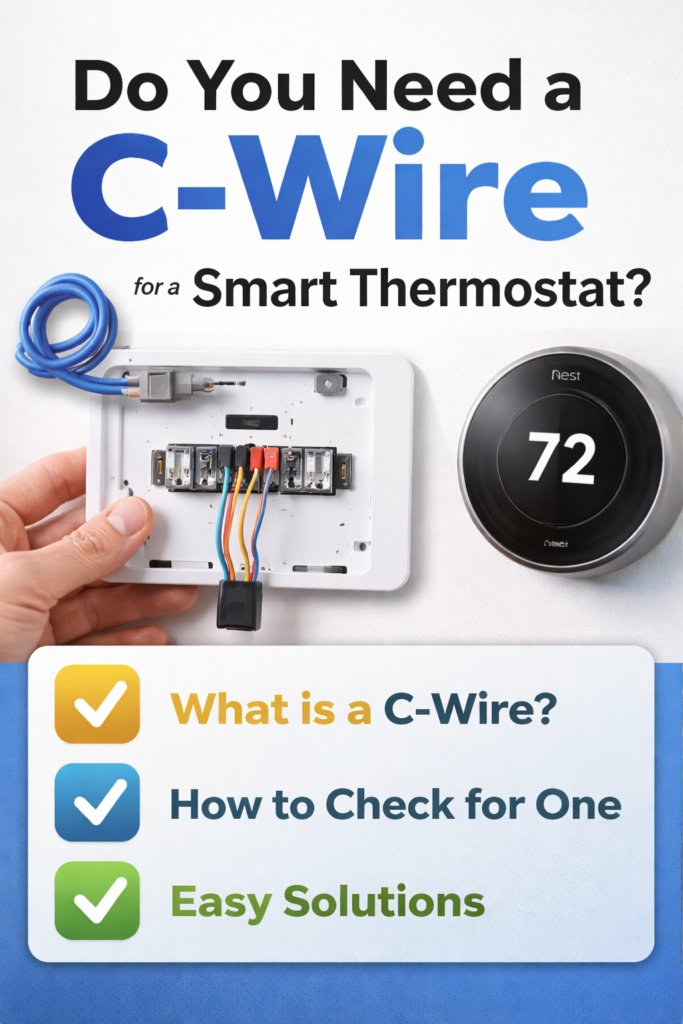
If you’re planning to install your thermostat yourself, follow our full step-by-step guide here: How to Install a Smart Thermostat (2026).
Do You Need a C Wire for a Smart Thermostat in Every Home? (Quick Answer)
Most smart thermostats do not strictly require a C-wire, but many perform better with one. Brands like Google Nest can often work without a C-wire, while others like Honeywell and Amazon require one or an adapter.
| Thermostat | C-Wire Required? | Solution Included |
|---|---|---|
| Google Nest Learning | No, most homes | Power sharing technology |
| Google Nest Thermostat | No | Battery powered |
| Ecobee all models | No | Power Extender Kit included |
| Wyze Thermostat | No | C-wire adapter included |
| Honeywell T9 | Yes | Adapter sold separately |
| Amazon Smart Thermostat | Yes | Adapter sold separately |
Best Pick for Most Homes — No C-Wire Solution
If your home doesn’t have a C wire the easiest solution is a simple plug-in adapter.
Check the VIIVRIA C-Wire Adapter on Amazon.
What Is a C Wire?
The C wire, short for Common wire, is the fifth wire in a standard thermostat wiring system. It provides a continuous 24V power supply from your heating and cooling system to your thermostat.
According to HVAC manufacturer Emerson, the C-wire provides the return path for 24VAC power, essentially completing the electrical circuit that allows your thermostat to draw continuous power from your HVAC system. Without it many smart thermostats cannot function properly.
Traditional thermostats didn’t need continuous power because they used very little electricity, just enough to open and close a switch. But smart thermostats are different. They need constant power to run:
- WiFi connectivity for always-on remote control
- Colour displays that need constant power
- Learning algorithms for continuous processing
- App communication to stay ready for commands
- Smart sensors for always-on temperature monitoring
Without a continuous power supply smart thermostats either won’t work properly or will drain batteries very quickly.
How to Check If You Have a C Wire
Checking whether you have a C wire takes about 5 minutes and requires no special tools.
Step 1 — Turn off your HVAC system
Go to your breaker box and turn off the power to your heating and cooling system before touching any wires. Safety first, always.
Step 2 — Remove your existing thermostat from the wall
Most thermostats simply pull away from the wall plate. Be careful not to let the wires fall back into the wall. Tape them to the wall if needed.
Step 3 — Look at the wires and terminals
You should see a series of wires connected to labelled terminals on the back of your thermostat or wall plate.
- If a wire is connected to the terminal labelled C you have a C-wire
- If the C terminal is empty you may not have one
Common wire colours, but don’t rely on colour alone:
- Blue is most commonly used for C-wire
- Black is sometimes used for C-wire
- Green is usually the fan wire and rarely a C-wire
⚠️ Wire colours are not standardised across HVAC systems. Always trust the terminal label and never the wire colour alone.
Step 4 — Check inside the wall
Sometimes there is a C-wire present in the wall but it was never connected to the thermostat. Look carefully at the bundle of wires coming out of the wall as there may be an unused wire tucked back inside.
If you find an unused wire you may be able to connect it to the C terminal at both the thermostat and the furnace, potentially solving the problem for free.
Do You Need a C Wire for a Smart Thermostat in Every Home?
The short answer is no. Not every home needs a C-wire for a smart thermostat. Whether you need one depends on three things: the thermostat brand you choose, your home’s existing wiring, and your HVAC system type.
Some thermostats like Google Nest use power sharing technology to work without a C-wire in most homes. Others like Ecobee include their own solution in the box. And some brands like Honeywell and Amazon genuinely require a C-wire or adapter to function properly.
Always use the official compatibility checker for your brand before purchasing:
- Google Nest at nest.com/compatibility
- Ecobee at ecobee.com/compatibility
- Honeywell at honeywell.com/compatibility
Which Smart Thermostats Need a C Wire?
Google Nest Learning Thermostat
The Google Nest Learning Thermostat is designed to work without a C-wire in most homes using power sharing technology, borrowing small amounts of power from other wires when the system is not actively heating or cooling.
However Google recommends a C-wire or Nest Power Connector for:
- Heating-only systems
- Cooling-only systems
- Zone-controlled systems
- Heat pump systems
- Systems with electric baseboard heating
According to Google, if your system doesn’t have a C-wire you can install a Nest Power Connector which connects to your furnace or air handler and provides constant power to your Nest thermostat.
Ecobee Smart Thermostat Premium
Ecobee takes the most homeowner-friendly approach by including a Power Extender Kit in every box specifically for homes without a C-wire.
According to Ecobee, the Power Extender Kit works by installing at your furnace control board and creates a virtual C-wire with no additional wiring needed. This is one of Ecobee’s biggest advantages over competitors.
Honeywell Home T9
The Honeywell T9 requires a C-wire for installation. If you don’t have one you will need to either run a new wire or use an adapter.
Amazon Smart Thermostat
The Amazon Smart Thermostat requires a C-wire and does not include an adapter. Always check compatibility before purchasing.
Wyze Thermostat
The Wyze Thermostat includes a C-wire adapter in the box, making it one of the most straightforward installations for homes without a C-wire.
What Happens If You Install Without a C-Wire?
If your thermostat requires a C-wire and you install it without one several things can happen:
- Thermostat won’t turn on with no power at all
- Intermittent power issues causing random reboots or lost WiFi
- Battery drain where batteries deplete very quickly
- System interference where the thermostat borrows power in ways that affect heating and cooling
- Short cycling where heating or cooling turns on and off more frequently than it should
Trying to run a smart thermostat that requires a C-wire without one will almost always cause problems, either immediately or over time.
Your Options If You Don’t Have a C Wire
Cost Comparison: C-Wire Solutions at a Glance
| Solution | Cost | Difficulty | Best For |
|---|---|---|---|
| Use unused wire in wall | Free | Easy to moderate | Homes with 5-wire cable installed |
| VIIVRIA transformer adapter | $16.99 | Very easy | Any brand with nearby outlet |
| Nest Power Connector | $24.99 | Moderate | Nest users only |
| Run new C-wire professionally | $150-$300 | Difficult | Permanent solution |
| Choose Ecobee with PEK included | $0 extra | Easy | New thermostat buyers |
Option 1 — Use the Unused Wire Already in Your Wall
This is the cheapest solution and works surprisingly often. Many homes were wired with a 5-wire cable even if only 4 wires were connected to the original thermostat. Check the bundle of wires at both the thermostat and the furnace. If there’s an unused wire present you can connect it to the C terminal at both ends.
- Cost: Free
- Difficulty: Easy to moderate
- Best for: Homes with 5-wire cable already installed
Option 2 — Use a C-Wire Adapter (Transformer)
A C-wire adapter plugs into a standard wall outlet and provides the 24V power supply your thermostat needs, completely bypassing the need for a C-wire in your existing wiring. This is the most popular solution for older homes and renters who can’t easily run new wiring.
Option 3 — Use the Nest Power Connector (Nest Users Only)
Google makes an official solution specifically for Nest thermostat users that installs at the furnace with no wall outlet required. According to Google, the Nest Power Connector works with heating-only, cooling-only, and zone-controlled systems that don’t have a C-wire.
Option 4 — Run a New C-Wire
In some homes it’s possible to run a new wire through the wall from the furnace to the thermostat. This is the most permanent solution but also the most involved.
- Cost: $150-$300 with professional installation
- Difficulty: Difficult and usually requires a professional
- Best for: Homeowners wanting a permanent solution
Option 5 — Choose a Thermostat That Doesn’t Need One
The simplest solution of all is to choose a smart thermostat that either works without a C-wire or includes an adapter in the box:
- Ecobee includes the Power Extender Kit
- Wyze includes a C-wire adapter
- Google Nest works without C-wire in most homes
Best C Wire Adapters and Solutions
VIIVRIA AC 24 Volt Transformer C-Wire Adapter — Amazon Overall Pick
The VIIVRIA C-wire adapter is Amazon’s Overall Pick in its category with 4.5 stars from 6,740 reviews and over 2,000 sold per month at just $16.99.
Its standout feature is its extraordinary 315 inch (26 foot) cable, far longer than most competitors, which means you can route it from a distant outlet to your thermostat without needing extensions or worrying about reach.
Compatible with most smart thermostats including Nest (1st and 2nd generation), Ecobee, Sensi, Honeywell, and others requiring 24V AC power.
“This is perfect for my Smart Thermostat that needed the extra C wire for power. It made the retrofit so simple.” — SalF, verified US buyer ⭐⭐⭐⭐⭐
“Super long cable, 315 inches or approximately 26 feet. This is the standout feature. You can route it from a distant outlet to your outdoor doorbell or upstairs thermostat without needing extensions. Works seamlessly with Ecobee, Sensi, Honeywell and others needing 24V AC.” — Steve S, verified US buyer ⭐⭐⭐⭐⭐
“Worked great for supplying power when there is no C-wire for a Honeywell T5 thermostat. I have installed 2 of these and getting ready to install a third one.” — Eric Chamberlin, verified US buyer ⭐⭐⭐⭐⭐
Pros:
- Amazon Overall Pick
- Outstanding 315 inch cable that reaches virtually any location
- Compatible with most major smart thermostat brands
- Excellent value at $16.99
- Easy installation that plugs into a standard wall outlet
- 180 day money back guarantee
Cons:
- Requires a nearby wall outlet
- Some reports of reliability issues in a minority of units
⚠️ Honest note: A small number of users report receiving faulty units. If yours doesn’t work on arrival contact the seller for a replacement under the 180 day guarantee.
Google Nest Power Connector — Best for Nest Users
The Google Nest Power Connector is Google’s official solution for Nest thermostat users who don’t have a C-wire. At $24.99 with 4.1 stars from 3,634 reviews it installs directly at your furnace, air handler, or zone controller with no wall outlet required.
Unlike a transformer adapter this solution draws power directly from your HVAC system. However it is specifically designed for Nest thermostats only and will not work with other brands.
“Solves the missing C-wire. Specific to the Nest thermostat and not a universal solution. Installed a Nest thermostat and found out she only had two wires with no possibility of running a real C-wire due to plaster walls. Confirmed the furnace had a C-wire and then ordered this. My application was a heat only furnace so the wiring was fairly simple.” — J.S., verified US buyer ⭐⭐⭐⭐⭐
“Used this with the Google Nest Smart Thermostat and was pleasantly surprised it worked with my system including heat only radiant baseboard heaters.” — AS, verified US buyer ⭐⭐⭐⭐⭐
Pros:
- Official Google product designed specifically for Nest
- No wall outlet required as it installs at the furnace
- Simple installation with included instructions
- Works with heating-only, cooling-only, and zone-controlled systems
- No drilling required
Cons:
- Nest thermostats only and will not work with other brands
- Some reports of power issues with baseboard and radiant heating systems
- Slightly more complex installation than a transformer adapter
⚠️ Important: If you have baseboard or radiant heating read the reviews carefully before purchasing as some users with these systems report ongoing power issues.
Universal C-Wire Adapter — Budget Option
For those looking for a more affordable universal solution this adapter offers compatibility across most major smart thermostat brands at a competitive price point.
Which C Wire Solution Should You Choose?
| Your Situation | Best Solution |
|---|---|
| You have a Nest thermostat and no nearby outlet | Google Nest Power Connector |
| You have any other thermostat brand and a nearby outlet | VIIVRIA transformer adapter |
| You want the simplest possible installation | Choose Ecobee with PEK included in box |
| You want a permanent professional solution | Run a new C-wire with an HVAC technician |
| You have an unused wire in the wall | Connect it yourself for free |
Frequently Asked Questions
Do you need a C-wire for a smart thermostat if you have an older home? Older homes are actually more likely to lack a C-wire since they were built before smart thermostats existed. However many older homes have a 5-wire cable installed so check for an unused wire in the bundle before buying an adapter. If there’s no unused wire the VIIVRIA transformer adapter is the easiest solution for older homes.
What does C-wire stand for? C-wire stands for Common wire. It provides the return path for 24VAC power, completing the electrical circuit that allows your smart thermostat to draw continuous power from your HVAC system.
Can I install a smart thermostat without a C-wire? It depends on the thermostat. Google Nest works without a C-wire in most homes. Ecobee and Wyze include adapters in the box. Honeywell T9 and Amazon Smart Thermostat require a C-wire or separate adapter.
How do I know if I have a C-wire? Remove your existing thermostat from the wall and look at the terminals on the back. If a wire is connected to the terminal labelled C you have a C-wire. If that terminal is empty you likely don’t, though there may be an unused wire inside the wall.
What colour is a C-wire? Blue is the most common colour for a C-wire but it can also be black or another colour. Always check the terminal label and not the wire colour to confirm.
Can I use the G-wire as a C-wire? In some cases yes but with a trade-off. You can repurpose the fan (G) wire as a C-wire but you’ll lose the ability to control your fan independently. This is a common workaround but not recommended unless you’re comfortable with wiring.
Do I need a C-wire for a battery-powered thermostat? No. Battery-powered thermostats like the Google Nest Thermostat standard model use rechargeable batteries and don’t require a C-wire. However the batteries may need recharging more frequently if your HVAC system doesn’t run often.
Is it safe to install a C-wire adapter myself? Yes. A plug-in transformer adapter like the VIIVRIA simply plugs into a wall outlet and connects to your thermostat wiring. It’s one of the safest and easiest DIY solutions available. Always turn off power to your HVAC system before touching any wiring.
How much does it cost to install a C-wire?
- Plug-in adapter DIY: $15-$25
- Nest Power Connector DIY: $24.99
- Professional new wire installation: $150-$300
- Choose Ecobee with PEK included: $0 extra
Does the Google Nest Learning Thermostat need a C-wire? Not in most homes. The Nest uses power sharing technology to draw small amounts of power from other wires. However Google recommends a C-wire or Nest Power Connector for heating-only, cooling-only, zone-controlled, and heat pump systems.
Final Verdict
Do you need a C-wire for a smart thermostat? The honest answer is it depends on your thermostat and your home’s existing wiring.
| If You’re Buying | Do You Need a C-Wire? |
|---|---|
| Google Nest | Probably not for most homes but check your system type |
| Ecobee | Definitely not as the Power Extender Kit is included |
| Wyze | No as a C-wire adapter is included |
| Honeywell T9 | Yes or you’ll need an adapter |
| Amazon Smart Thermostat | Yes or you’ll need an adapter |
| Not sure | Check your existing wiring first before buying anything |
If you need a C-wire solution the VIIVRIA transformer adapter is the simplest and most affordable option for most homes. Nest users should consider the official Google Nest Power Connector for a cleaner installation without needing a wall outlet. If you’re buying a new thermostat and don’t want to worry about C-wires at all then choose Ecobee as the Power Extender Kit is included in the box at no extra cost.
Based on product specifications, manufacturer guidance from HVAC manufacturer Emerson, Google and Ecobee, verified customer reviews, and HVAC industry technical data.
Related Guides:
- How to Install a Smart Thermostat (2026)
- Do Smart Thermostats Save Money? Full Cost Breakdown (2026)
- Google Nest Learning Thermostat Review (2026)
- Nest vs Ecobee
- Best Smart Thermostat for Home (2026)
Reviewed by The Thermo Expert Team
The Thermo Expert Team researches and compares smart thermostats, heating systems, and common HVAC issues to provide clear, practical advice for homeowners. Our goal is to help you understand problems quickly and choose the right solution with confidence. Learn more about us →