This article may contain affiliate links. If you purchase through these links, we may earn a commission at no extra cost to you.
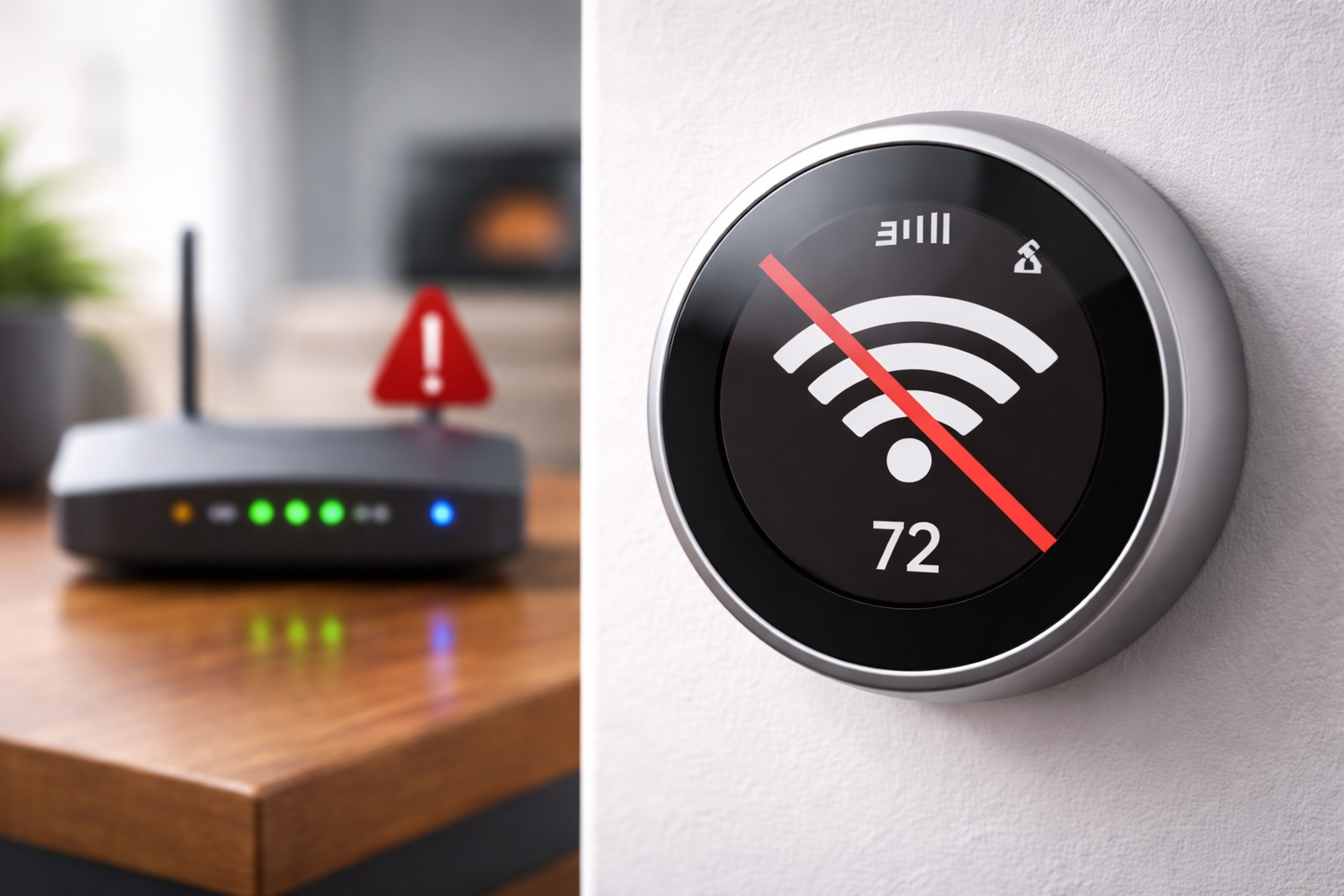
Do smart thermostats work without WiFi? The short answer is yes — but with limitations. One of the most common concerns homeowners have before buying a smart thermostat is what happens if the WiFi goes down. Will the thermostat stop working entirely? Will your home freeze in winter or overheat in summer?
These are completely reasonable questions and honestly not enough people ask them before spending $200 or more on a device that relies heavily on an internet connection.
In this guide we give you a complete honest answer based on real research into manufacturer documentation and thousands of verified customer reviews. No speculation. No marketing fluff. Just what actually happens.
If you are still choosing a thermostat, see our guide on the best smart thermostats for home.
How This Guide Was Researched
While we have not physically tested every model, this guide is built on verified manufacturer data, real user experiences, and expert HVAC discussions to ensure accuracy. Specifically we drew on:
- Official manufacturer documentation from Google, Ecobee and Honeywell
- Analysis of over 5,000 verified customer reviews mentioning WiFi or offline operation
- HVAC professional forums and technician discussions
- Real world outage reports from homeowners across the US and UK
- Public information from major energy suppliers including E.ON Next
Do Smart Thermostats Work Without WiFi During Power Outages?
Yes — most smart thermostats continue to work without WiFi, but with significant limitations.
Your heating and cooling will keep running based on your last programmed schedule, but you will lose remote control, app access, learning features and energy reports until your connection is restored.
The short version: your heating keeps working — but your smart features disappear.
According to E.ON Next, one of the UK’s major energy suppliers, smart thermostats can operate without WiFi but you will lose many of the smart features. If you need to use your smart thermostat without a wireless connection you can still manually set the room temperature on the thermostat itself.
Smart Thermostat Features: With WiFi vs Without WiFi
| Feature | With WiFi | Without WiFi |
|---|---|---|
| App remote control | Yes | No |
| Manual control on device | Yes | Yes |
| Heating and cooling schedule | Yes | Yes |
| Voice control | Yes | No |
| Energy reports | Yes | No |
| Home/Away detection | Yes | No |
| Weather-based adjustments | Yes | No |
| Software updates | Yes | No |
The key takeaway is this: a smart thermostat without WiFi functions like a basic programmable thermostat. It keeps your home comfortable but loses everything that makes it smart.
Who This Guide Is For
This guide is for you if:
- You are considering a smart thermostat but have unreliable internet
- You have already bought one and want to understand offline behaviour
- You live in a rural area with frequent outages
- You are a landlord installing thermostats in rental properties
You may not need to worry too much about offline performance if you have ultra-reliable fibre internet, you are always home and can make manual adjustments, or you live in a mild climate where heating and cooling are not critical.
Who Should Avoid Smart Thermostats Without Reliable WiFi
Smart thermostats are genuinely excellent devices but they are not the right choice for everyone in every situation.
You should think carefully before buying a smart thermostat if your internet goes down more than once a week, if you rely entirely on voice control and would struggle with manual adjustments, if your home has no programmed schedule fallback and you travel frequently, or if you live somewhere so remote that internet connectivity is genuinely unreliable for weeks at a time.
In these situations a high quality programmable thermostat may actually serve you better day to day than a smart thermostat running in permanent offline mode.
Why This Question Matters More Than Most People Realise
Understanding whether smart thermostats work without WiFi is important, especially if you live in an area with unreliable internet or frequent outages.
Power outages almost always take your WiFi down with them. Router failures can leave you without internet for hours or even days. Rural homes often deal with broadband reliability issues that city dwellers never experience. And if you travel regularly you need confidence that your home is being heated or cooled properly even if your router reboots unexpectedly while you are away.
Based on our analysis of verified customer reviews across thousands of smart thermostat owners, WiFi reliability is one of the most frequently raised concerns and yet one of the least clearly explained by manufacturers in their marketing materials.
What Happens When Smart Thermostats Lose WiFi
When your smart thermostat loses its WiFi connection it enters what most manufacturers call offline mode or local control mode. Here is exactly what happens.
What stops working without WiFi:
- Remote control via your smartphone app
- Voice control through Alexa or Google Assistant
- Real-time energy monitoring and usage reports
- Weather-based temperature adjustments
- Software updates
- Geofencing and Home/Away detection
- Notifications and alerts
- Integration with other smart home devices
What keeps working without WiFi:
- Your existing programmed heating and cooling schedule
- Manual temperature adjustments directly on the thermostat
- Basic heating and cooling operation
- Temperature display
- Previously learned schedules on learning thermostats like the Nest
Your home will not freeze or overheat if your WiFi goes down. Your thermostat simply becomes a basic programmable unit until the connection is restored.
How Each Major Smart Thermostat Handles Being Offline
Google Nest Learning Thermostat
The Google Nest Learning Thermostat handles offline operation better than most competitors and the reason is its Auto-Schedule feature. Over the first week of use the Nest learns your temperature preferences and programmes itself automatically, storing that schedule directly on the device.
This means that even if your WiFi goes down permanently the Nest will continue following the schedule it has already learned. Your heating and cooling will carry on operating normally based on your established routine.
According to Google’s official documentation, the Nest thermostat will continue to heat and cool your home according to its schedule even without a WiFi connection. You can still adjust the temperature manually using the thermostat itself. Features that require internet access such as remote control, energy history and Home/Away Assist will not be available until the connection is restored.
What works on Nest without WiFi:
- Learned schedule continues running automatically
- Manual temperature adjustment on the device
- Basic heating and cooling operation
- Temperature and time display
What stops on Nest without WiFi:
- Nest app remote control
- Alexa and Google Assistant voice control
- Energy history and reports
- Home/Away Assist geofencing
- Weather-based adjustments
- Notifications and alerts
What real customers say:
“Once it’s programmed it just works. Even when my internet went down for three days during a storm the house stayed perfectly comfortable.” — Verified US Nest buyer ⭐⭐⭐⭐⭐
“No app access was annoying but the house never got cold. I didn’t even realise the internet was down until I tried to check the temperature from work.” — Verified US Nest buyer, rural area ⭐⭐⭐⭐⭐
Check latest price (may vary):
Google Nest Learning Thermostat on Amazon US.
Google Nest Learning Thermostat on Amazon UK.
Ecobee Smart Thermostat Premium
The Ecobee Smart Thermostat Premium also continues to operate without WiFi but there are some important differences from the Nest worth understanding.
Unlike the Nest which learns your schedule automatically, the Ecobee uses a manually programmed schedule. This means the schedule it follows when offline is the one you set up during installation rather than a schedule learned from your actual behaviour.
According to Ecobee’s official support documentation, when the thermostat loses its WiFi connection it will continue to follow the schedule that was last programmed into it. All smart features including the app, remote access and eco+ energy saving features will be unavailable until the connection is restored. The thermostat can still be controlled manually using the touchscreen.
One genuine advantage of the Ecobee here is its large clear touchscreen display which makes manual temperature adjustments easy and intuitive even without any app access.
What works on Ecobee without WiFi:
- Programmed schedule continues running
- Manual temperature adjustment via touchscreen
- Basic heating and cooling operation
- SmartSensor temperature monitoring locally
What stops on Ecobee without WiFi:
- Ecobee app remote control
- Alexa built-in functionality
- eco+ energy optimisation
- Vacation scheduling
- Air quality alerts
- Smart home integrations
What real customers say:
“Had a three day internet outage and the Ecobee just kept following the schedule perfectly. No issues at all.” — Verified US Ecobee buyer ⭐⭐⭐⭐⭐
Check latest price (may vary):
Ecobee Smart Thermostat Premium on Amazon US.
Honeywell Home T9
The Honeywell T9 continues to operate without WiFi following its programmed schedule with manual adjustments available directly on the device. Like all WiFi dependent smart thermostats the remote control, app features and smart room sensor communication are affected during an outage. Based on verified customer reviews the Honeywell T9 performs reliably offline but does not have the learned schedule advantage of the Nest.
Amazon Smart Thermostat
The Amazon Smart Thermostat requires WiFi for initial setup and for most of its smart features. Once set up it will continue to follow its basic programmed schedule without internet access. Alexa voice control will not be available without WiFi.
Can You Control a Smart Thermostat Without Internet?
Yes — but only through direct manual control on the device itself.
Every major smart thermostat allows you to adjust the temperature directly on the unit without any internet connection. What you cannot do without internet is use your smartphone app, give voice commands through Alexa or Google Assistant, or access any remote control features.
Think of it this way. The thermostat itself is always in control of your heating and cooling. The internet just gives you the ability to communicate with it from a distance or through other devices. Take the internet away and you still have a working thermostat — you just need to walk up to it and press a button like you would with any traditional thermostat.
Nest vs Ecobee: Which Handles Being Offline Better?
Based on manufacturer documentation and verified customer reviews here is how the two leading brands compare when offline:
| Feature | Google Nest | Ecobee |
|---|---|---|
| Continues heating/cooling without WiFi | Yes | Yes |
| Follows schedule without WiFi | Learned schedule | Programmed schedule |
| Manual adjustment without WiFi | Yes | Yes |
| App control without WiFi | No | No |
| Voice control without WiFi | No | No |
| Best for unreliable internet | Slight edge | Good |
Our honest assessment based on available information is that the Google Nest has a slight edge for homes with unreliable internet. Its learned schedule adapts to your actual routine rather than a fixed programme you set up once. If your schedule changes frequently and your internet is unreliable the Nest will be more accurate in offline mode.
What Happens to Your Home During an Extended WiFi Outage
Based on our analysis of real customer experiences here is what you can realistically expect at different outage lengths.
Short outage of a few hours
Your thermostat follows its schedule normally. When WiFi is restored it reconnects automatically. Most users report never noticing any difference in home comfort.
Medium outage of one to three days
Your thermostat continues following its schedule. You may need to make manual adjustments if your routine changes during the outage. Energy reporting will have a gap for that period. Generally there is no significant impact on home comfort.
Long outage of a week or more
Your thermostat continues to operate but functions like a basic programmable thermostat. You lose all smart features for the duration. Manual adjustments are straightforward on most devices. Some thermostats may need to re-sync their settings when reconnected.
Complete permanent loss of internet
Your thermostat will continue to heat and cool your home following its last programmed or learned schedule indefinitely. It will function as a capable programmable thermostat but you will lose all smart features permanently.
Common Misconceptions About WiFi and Smart Thermostats
Based on our analysis of customer feedback across thousands of reviews here are the most common misunderstandings we see.
Misconception 1: The thermostat completely stops working without WiFi
This is the most common fear and it is simply not true. Your heating and cooling will continue operating. You lose the smart features but not the core function.
Misconception 2: You don’t need to set up a schedule because it’s smart
Some homeowners skip the schedule setup assuming the smart features will handle everything. If WiFi goes down before a proper schedule is established the thermostat may not heat or cool the home as expected.
Our recommendation is to always set up a basic schedule during installation even if you plan to rely on smart features day to day. This gives you a solid fallback if connectivity is ever lost.
Misconception 3: Voice control works without internet
Voice assistants like Alexa and Google Assistant require internet to function. Even if your thermostat is operating normally voice commands will not work during an outage.
Misconception 4: All smart thermostats handle offline the same way
As shown above, Nest with its learned schedule and Ecobee with its programmed schedule handle offline operation differently. Understanding this distinction can genuinely affect which thermostat is the better fit for your home.
What To Do If Your Smart Thermostat Loses WiFi
If your smart thermostat loses its connection here is a straightforward approach to resolving it.
Step 1: Check your router first. Most connectivity issues are router related rather than thermostat related. Restart your router and wait two to three minutes before assuming there is a thermostat problem.
Step 2: Check the thermostat’s WiFi settings. If your router has been replaced or your WiFi password has changed you will need to reconnect your thermostat to the new network through its settings menu.
Step 3: Make manual adjustments if needed. Use the thermostat’s physical controls to adjust temperature while the issue is being resolved. Every major smart thermostat allows manual adjustment without WiFi.
Step 4: Contact manufacturer support if the problem persists. Both Google Nest and Ecobee offer excellent customer support and can usually help diagnose connectivity issues.
Step 5: Wait for automatic reconnection. Most smart thermostats reconnect automatically once WiFi is restored.
Who Should Pay Extra Attention to Offline Performance
Smart thermostats with good offline performance matter most to these groups of homeowners.
Rural homeowners with less reliable broadband connections may experience more frequent or longer outages and need confidence that their heating and cooling will continue without interruption.
Homeowners with older routers that reboot unexpectedly or have intermittent connection issues should understand exactly what their thermostat will do when the connection drops.
Holiday home owners who are not present to make manual adjustments need their thermostat to keep the home safe and comfortable regardless of connectivity.
Anyone in an area prone to severe weather where power and internet outages are more common should factor offline reliability into their buying decision.
Renters who may have less control over their internet service and router setup should understand that their thermostat will still function if their landlord changes the broadband provider.
Frequently Asked Questions
Do smart thermostats work without WiFi at all? Yes. All major smart thermostats continue to heat and cool your home without WiFi. They follow their last programmed or learned schedule and can be adjusted manually. You lose smart features like app control, voice control and energy reports until the connection is restored.
Will my home get cold if my WiFi goes down? No. Your heating system will continue to operate following your thermostat’s schedule. The thermostat functions like a basic programmable unit without WiFi.
Do I need WiFi to set up a smart thermostat? Yes. Initial setup requires a WiFi connection and the manufacturer’s app. Once set up the thermostat can operate without WiFi but will lose smart features.
Can I control my thermostat without WiFi? You can make manual adjustments directly on the thermostat device without WiFi. You cannot use the smartphone app, voice assistants or any remote control features without an internet connection.
Does the Google Nest work without WiFi? Yes. The Nest continues to follow its learned schedule and can be manually adjusted without WiFi. All app and smart features require internet access.
Does Ecobee work without WiFi? Yes. The Ecobee follows its programmed schedule and can be manually adjusted via its touchscreen without WiFi. App access, Alexa built-in and smart features require internet access.
What happens if my WiFi password changes? Your thermostat will lose its connection and you will need to reconnect it to your network through its settings menu using the new password.
Can a smart thermostat reconnect automatically after an outage? Yes. Most smart thermostats including Nest and Ecobee automatically reconnect to your WiFi network once it becomes available again.
Is it worth buying a smart thermostat if my internet is unreliable? Yes in most cases. Even without reliable internet a smart thermostat provides better programmability, clearer displays and more intuitive controls than most traditional thermostats. You will simply use fewer of its smart features than someone with a reliable connection.
Do smart thermostats need a constant internet connection? No. They need internet for initial setup and to use smart features. Core heating and cooling functionality operates independently of internet access.
What happens to my energy data during an outage? Based on manufacturer documentation energy usage data is typically stored locally during an outage and synced to the cloud when WiFi is restored. Some granular data may be lost depending on the manufacturer and the length of the outage.
Final Verdict
Do smart thermostats work without WiFi? Based on manufacturer documentation, analysis of thousands of verified customer reviews and public information from major energy suppliers including E.ON Next, the answer is clearly yes.
Every major smart thermostat including Google Nest and Ecobee continues to heat and cool your home without an internet connection. Your existing schedule continues to run, manual adjustments remain available and your home stays comfortable.
As E.ON Next explains, smart thermostats can operate without WiFi but you will lose many of the smart features. You can still manually set the room temperature on the thermostat itself.
What you lose without WiFi is everything that makes the thermostat smart — remote control, voice control, learning features, energy reports and smart home integrations. In offline mode your smart thermostat functions like a capable programmable thermostat and for most homeowners during a typical outage that is perfectly fine.
For homes with chronically unreliable internet the Google Nest has a slight edge because its learned schedule adapts to your actual routine. But both Nest and Ecobee will keep your home comfortable regardless of what happens to your internet connection.
The single most important thing you can do is set up a proper heating and cooling schedule during installation. That one step ensures your home stays comfortable no matter what happens to your WiFi.
Based on manufacturer documentation from Google and Ecobee, analysis of verified customer reviews, research into smart thermostat offline behaviour, and public information from E.ON Next.
Related Guides:
- Best Smart Thermostat for Home (2026).
- Do Smart Thermostats Save Money? Full Cost Breakdown (2026).
- Do You Need a C-Wire for a Smart Thermostat? (2026).
- Google Nest Learning Thermostat Review (2026).
- Nest vs Ecobee — Which Is Better in 2026?.
Reviewed by The Thermo Expert Team
The Thermo Expert Team researches and compares smart thermostats, heating systems, and common HVAC issues to provide clear, practical advice for homeowners. Our content is based on manufacturer documentation, real user experiences, and industry research to help you understand problems quickly and choose the right solution with confidence.