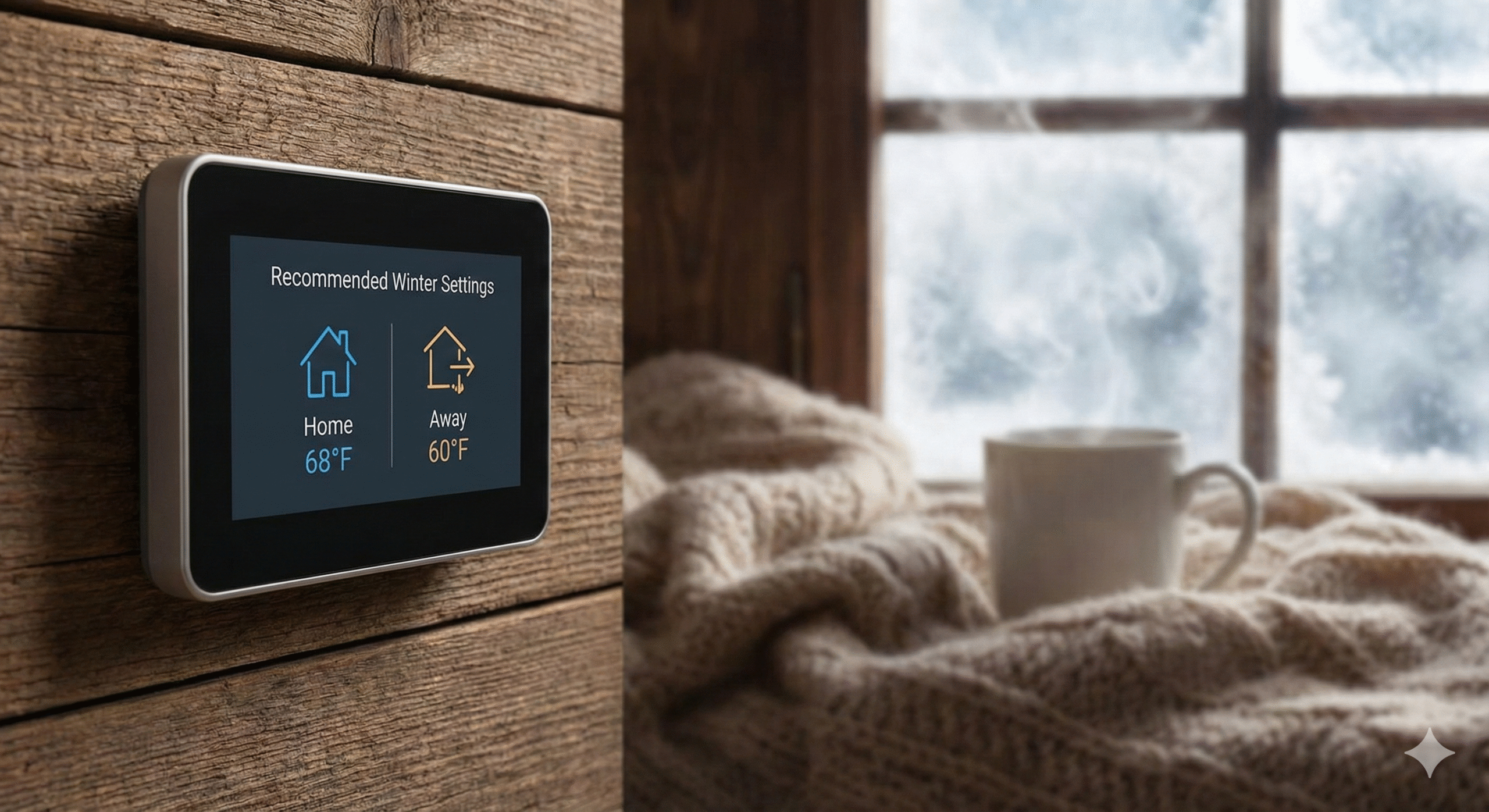
Recommended Thermostat Settings for Winter : The Complete Energy-Saving Guide
As winter settles in, the battle between staying cozy and keeping the utility bill under control begins. Every degree on the dial represents a meaningful percentage of your monthly energy expenses. But what is the ideal number? Is it better to keep the house at a constant temperature, or should you let it drop while you are at work or sleeping?
As specialists in HVAC efficiency and home automation, we have compiled the definitive guide to winter thermostat settings for 2026. Whether you are using a basic manual unit or a high-tech smart thermostat, understanding how your thermostat works is the first step to mastering your home’s comfort and your energy bills.
📋 Jump to a Section
- The Quick Answer: Recommended Winter Temperatures
- The Setback Strategy: Fact vs. Fiction
- Detailed Hourly Schedule Recommendations
- Heat Pump Settings: A Different Strategy
- Settings for Elderly Residents, Babies & Pets
- Vacation Settings: Don’t Freeze Your Pipes
- Winter Humidity: The Other Half of Comfort
- Top Smart Thermostats for Winter Savings 2026
- Troubleshooting: When the Thermostat Doesn’t Listen
- FAQ
⚡ The Quick Answer
According to the U.S. Department of Energy, the ideal thermostat settings for winter are:
Key Savings Fact: Lowering your thermostat by 7–10°F for 8 hours a day can save up to 10% per year on your heating and cooling bills, according to the U.S. Department of Energy. On a $2,000 annual HVAC bill, that’s $200 back in your pocket — just from adjusting a schedule.
The “Setback” Strategy: Fact vs. Fiction
A persistent myth claims that “it costs more to re-heat the house than to simply maintain the temperature.” For the vast majority of homes using a gas furnace, oil boiler, or electric air handler, this is false. The rate of heat loss from your home is directly proportional to the difference between indoor and outdoor temperatures — the colder your house, the slower it loses heat to the outside. Setting back the temperature while you are away or asleep means your home loses heat more slowly during that period, reducing the total energy needed to maintain comfort across the day.
The exception — and it is an important one — is heat pumps. We address this separately in the section below.
Implementing the setback strategy effectively depends on your control system. If you are still turning a manual dial every morning and evening, you are likely forgetting half the time and saving nothing. This is precisely where smart vs. programmable thermostats make a transformative difference — they execute your setback schedule automatically and return the house to your comfort temperature before you need it, not after.
💡 Why the Setback Works (Simply Explained)
Think of your home as a cup of hot coffee. The cooler the room around it, the slower the coffee loses heat. Turning down your thermostat while you sleep doesn’t mean the furnace works harder when it wakes up — it means the furnace did less total work through the night. The math consistently favors setbacks for gas and electric systems.
Detailed Schedule Recommendations
A programmed schedule is the most reliable path to consistent winter savings. Here is a template you can enter directly into any programmable or smart thermostat today. Adjust the timing windows to match your actual household routine — the temperatures are the part that matters most.
| Time of Day | Activity | Recommended Temp | Reason |
|---|---|---|---|
| 5:30 AM – 7:00 AM | Pre-Wake Recovery | 68°F (20°C) | Smart thermostats with Adaptive Recovery start the furnace early so the house is warm when you wake — not 20 minutes after. |
| 7:00 AM – 8:30 AM | Morning Routine | 68°F (20°C) | Comfortable temperature for getting dressed, breakfast, and preparing for work or school. |
| 8:30 AM – 4:30 PM | Work / School Away | 58°F – 60°F (14°C – 15°C) | Empty house requires minimal heating. A 10°F setback for 8 hours is the DOE’s primary savings recommendation. Use geofencing if your schedule is irregular. |
| 4:30 PM – 5:00 PM | Pre-Arrival Recovery | Ramp to 68°F | Begin recovery 30–45 minutes before arrival. Smart thermostats using geofencing handle this automatically when you leave work. |
| 5:00 PM – 10:00 PM | Evening — Home & Active | 68°F (20°C) | Optimal comfort for dinner, family time, and evening activities. |
| 10:00 PM – 5:30 AM | Sleep | 65°F (18°C) | Research consistently shows cooler sleeping environments (60–67°F) improve sleep quality for most adults. See our guide on the ideal room temperature for sleeping. |
Heat Pump Settings: A Fundamentally Different Strategy
If your home uses a heat pump rather than a gas furnace, the standard setback strategy requires important modification. Heat pumps operate most efficiently when maintaining a relatively stable indoor temperature. Large temperature setbacks — dropping 7–10°F while away and then recovering — can force the heat pump to call for Auxiliary Heat (electric resistance strips) during recovery. Auxiliary heat is dramatically more expensive than heat pump operation, potentially costing several times more per hour of runtime.
Read More: Is the Bosch Heat Pump Good? | Best Thermostat for Bosch Heat Pumps
Recommended Heat Pump Winter Settings
Many modern heat pump-compatible smart thermostats — including the Honeywell T9 and Ecobee — include a setting called “Heat Pump Lockout” or “Aux Heat Lockout” that prevents the system from engaging expensive resistance strips during mild weather. Configuring this correctly for your climate can save significantly on winter operating costs.
Adjusted Settings: Elderly Residents, Infants & Pets
The DOE’s 68°F recommendation is calibrated for healthy adults in typical clothing. Several household circumstances call for higher baseline temperatures:
Thermostat Settings for Elderly Residents
Older adults — particularly those over 65 — have reduced thermoregulatory efficiency and are at higher risk for hypothermia at temperatures that feel comfortable to younger household members. The National Institute on Aging recommends keeping home temperatures at 68–74°F (20–23°C) for elderly residents during winter. This is especially important during sleeping hours, when the standard 65°F sleeping setback may be too cold for seniors and should instead remain at 68°F or above.
Thermostat Settings for Babies and Toddlers
Infants cannot regulate their own body temperature effectively. The American Academy of Pediatrics recommends keeping a baby’s room between 68–72°F (20–22°C) year-round, including overnight. If your home uses a single-zone thermostat, consider a space heater with a built-in thermostat for the nursery rather than heating the entire home to 72°F — the energy cost difference is significant. If you use a multi-room sensor system like the Honeywell T9, you can configure the nursery sensor as the nighttime priority room, ensuring the baby’s room stays at target even if the rest of the house setbacks.
Thermostat Settings for Pets
Most healthy dogs and cats are comfortable between 60–75°F (15–24°C) when left at home during the day. The standard 60°F away setback is generally safe for healthy adult pets. However, short-coated breeds, elderly pets, very small animals, and birds require warmer environments — typically no lower than 65°F (18°C) during extended daytime absences. Always research your specific pet species’ temperature requirements, particularly for exotic animals, reptiles, or fish.
Vacation Settings: Don’t Freeze Your Pipes
Heading out for an extended winter trip? Never turn the heat completely off. If the temperature inside your walls drops to 32°F or below, water in supply and drain pipes can freeze and expand — causing pipes to burst. Burst pipes during a winter vacation can cause tens of thousands of dollars in water damage to flooring, walls, and personal belongings before you return home.
The universally recommended vacation minimum is a “Permanent Hold” of 55°F (13°C). This provides a safe thermal buffer above freezing even during extreme cold snaps while minimizing fuel consumption during your absence.
For a complete guide on extended winter absences — including what to do with your pipes, water heater, and home security — read our dedicated resource: What temperature to set your thermostat when on vacation in winter.
Winter Humidity: The Other Half of Comfort
Temperature is only half of winter indoor comfort. Relative humidity plays an equally important role — and it’s frequently ignored until problems develop. During winter, heating systems dramatically reduce indoor relative humidity as cold outdoor air (which holds little moisture) is brought in and heated. The result is dry indoor air that causes:
- Dry skin, chapped lips, and irritated sinuses
- Increased susceptibility to respiratory viruses (research indicates low humidity environments favor airborne virus transmission)
- Wood furniture and flooring shrinkage, cracking, and squeaking
- Static electricity buildup
- A home that feels colder than the thermometer indicates — dry air feels colder on skin, which can lead to overheating the home unnecessarily
Recommended Winter Indoor Humidity
The EPA and most HVAC professionals recommend maintaining indoor relative humidity between 30–50% RH during winter. Below 30% RH, the comfort and health drawbacks above begin to appear. Above 50% RH in winter, condensation on windows and cold walls can promote mold and mildew growth.
If you have a whole-house humidifier connected to your HVAC system, a thermostat with IAQ control (such as the Honeywell T10 Pro) can maintain your target humidity automatically alongside temperature. If not, a portable room humidifier with a built-in humidistat is an effective lower-cost alternative for the rooms you use most.
Top Smart Thermostats for Winter Savings in 2026
If you are still adjusting a manual dial, you are leaving money on the table every winter. Modern smart thermostats pay for themselves in one to two heating seasons through geofencing setbacks, Adaptive Recovery, and precision scheduling. Here are our top picks for 2026:

Google Nest Learning Thermostat
Best for “Set It and Forget It.” The Nest learns your schedule within 7–10 days and adjusts automatically — no manual programming required. Ideal for households with unpredictable schedules who don’t want to think about settings at all. Premium build with stainless steel and glass design.
Best for: Auto-learning, aesthetic premium, irregular schedules
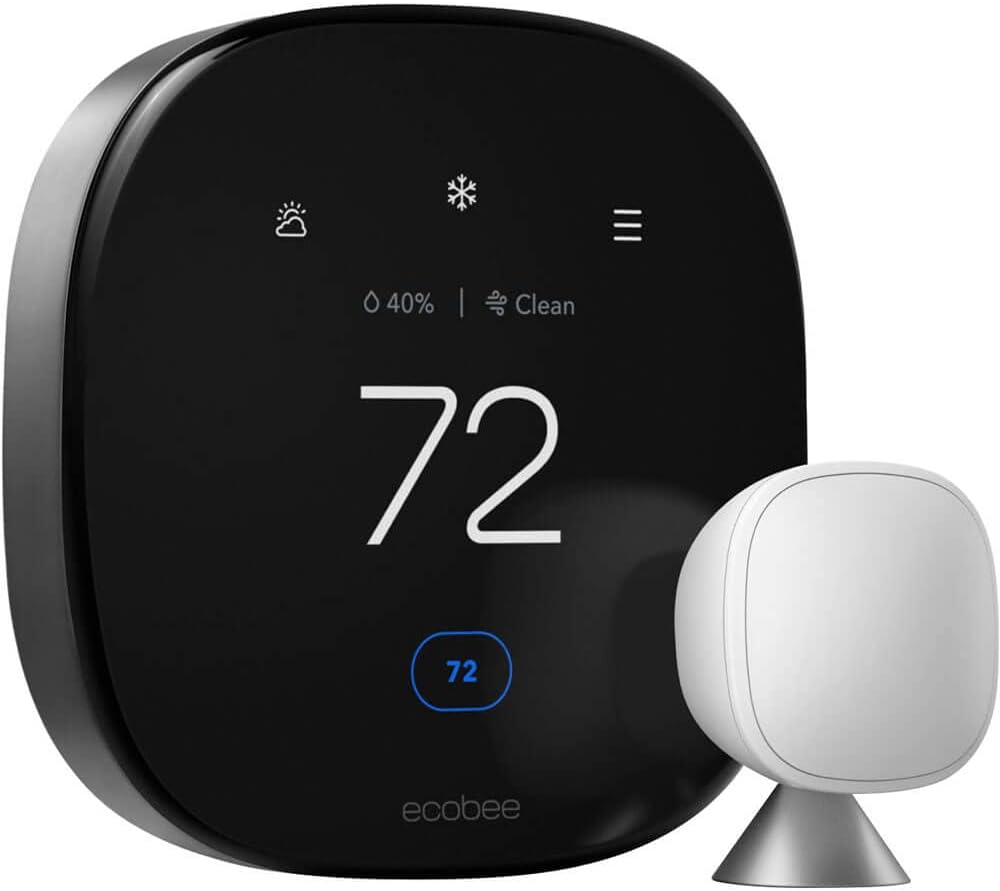
Ecobee Smart Thermostat Premium
Best for Multi-Room Precision. Includes a SmartSensor for a second room out of the box, delivers excellent energy usage reports, and is the only major smart thermostat with a built-in air quality monitor and Alexa speaker. Ideal for data-driven homeowners and Apple HomeKit users.
Best for: Room sensors, energy data, HomeKit, Alexa built-in
Compare: Ecobee vs Wyze
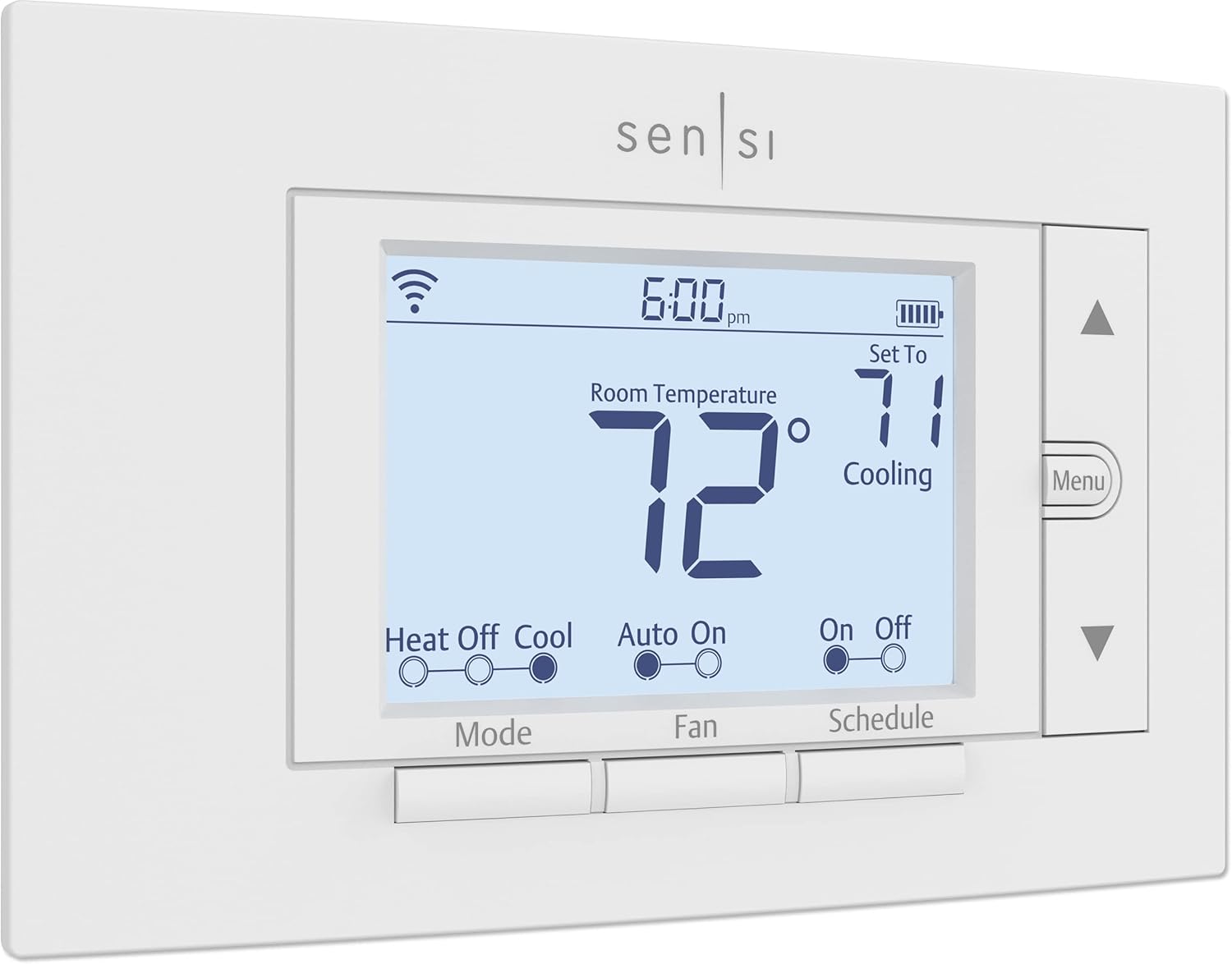
Emerson Sensi Wi-Fi
Best No-C-Wire Budget Option. Runs on standard AA batteries, fits old thermostat footprints, and doesn’t require a C-wire. Energy Star certified and Apple HomeKit compatible. The simplest smart thermostat upgrade path for older homes with 2-wire systems.
Best for: No C-wire homes, budget HomeKit, simple upgrade
Additional Winter Energy-Saving Tips Beyond the Thermostat
Your thermostat settings are the most impactful lever you control, but several complementary actions compound the savings:
- Replace air filters monthly in winter: A clogged filter forces your furnace to work harder, increasing runtime and energy consumption. A clean filter is the single easiest maintenance step with the most consistent impact on efficiency.
- Seal door and window drafts: A thermostat set to 68°F in a drafty home runs far more than one set to 70°F in a well-sealed home. Weather-strip tape and door sweeps cost $10–30 and can reduce heating load meaningfully.
- Use ceiling fans in reverse: Most ceiling fans have a reverse (clockwise) winter mode that pushes warm air collected at the ceiling back down to the living area. Running fans on low in reverse reduces how hard your furnace has to work to maintain comfort.
- Let sunlight work for you: Open south-facing blinds and curtains during daylight hours to allow passive solar heat gain. Close all window coverings at dusk to retain the heat.
- Check your furnace’s heat exchanger: A cracked heat exchanger is a carbon monoxide risk and an efficiency destroyer. Annual HVAC maintenance inspections catch this before it becomes dangerous.
- Consider a zone-based approach: If your home has multiple floors or wings, closing vents and doors to unused rooms (guest rooms, formal dining rooms) reduces the volume of air your furnace needs to heat — a simple, free savings measure.
Troubleshooting: When the Thermostat Doesn’t Listen
You set the thermostat to 68°F, but the house remains at 62°F two hours later. Or you hear the furnace attempting to start, but no warm air appears. Winter is peak season for HVAC failures — higher runtime demands reveal underlying issues that went unnoticed in shoulder seasons. Before calling a professional, work through these common causes:
- Short Cycling (furnace turns on and off rapidly): Check your air filter first — a blocked filter can cause the heat exchanger to overheat and trigger the high-limit safety switch, shutting the burner down within minutes of starting. Also check: Thermostat keeps rebooting.
- Screen Says “Heat On” But Air Is Cold: The thermostat is signaling the furnace but the furnace isn’t responding. This could be a tripped breaker on the furnace circuit, a failed igniter, a dirty flame sensor, or a pressure switch issue on high-efficiency condensing furnaces. Check: Thermostat says heat on but no heat.
- Fan Running 24/7: A fan that won’t shut off makes the home feel cold and drafty even when the heat is on, because it’s circulating unheated air. Your fan mode switch may be set to “ON” instead of “AUTO.” Check: How much electricity does the fan use?
- Clicking Without Starting: A clicking sound from the thermostat or furnace area without successful ignition typically indicates a relay, igniter, or control board issue. Check: Why is my thermostat clicking but not turning on?
- Temperature Not Reaching Set Point: If the furnace runs continuously but can’t reach 68°F on extremely cold days, your system may be undersized for the design temperature, your home may have significant air infiltration, or your furnace’s heat exchanger may be partially failing. Check: Thermostat not reaching set temperature.
- Baseboard Heaters Not Responding: Electric baseboard heating systems use line-voltage (120V/240V) thermostats — not the same as the 24V smart thermostats discussed in this guide. If you have baseboard heating, see our dedicated resource: Thermostat for baseboard heaters guide.
Frequently Asked Questions
What is the most energy-efficient thermostat temperature for winter?
The U.S. Department of Energy identifies 68°F (20°C) while home and awake as the most energy-efficient temperature that maintains comfort for healthy adults. Combining this with a setback to 60°F during away hours and 65°F while sleeping — using either a programmable schedule or geofencing — can reduce your annual heating bill by up to 10% compared to a fixed 68°F all day.
Is it cheaper to keep the heat at a constant temperature all day?
No, for gas and electric forced-air systems. Maintaining a constant 68°F all day when no one is home uses more energy than setting back to 60°F and recovering before arrival. The recovery cost (heating the house back up) is always less than the cost of maintaining a higher temperature through an 8-hour absence. The heat pump exception to this rule is addressed above — for heat pumps, keep setbacks small (2–4°F maximum).
Are Wi-Fi thermostats worth it for winter savings?
Yes, particularly for the geofencing and remote monitoring features. Geofencing automatically applies setbacks when you leave and recovers before you return — without relying on a rigid schedule that doesn’t account for irregular days. Remote monitoring lets you verify your home’s temperature while traveling and receive alerts if the furnace fails. See: Are Wi-Fi thermostats worth it?
My thermostat isn’t reaching the set temperature. Is it broken?
Not necessarily. Common non-failure causes include: the thermostat is mounted in a drafty or poorly representative location (near a door, in direct sunlight, or near a heat-producing appliance); your HVAC system is undersized for the current outdoor design temperature; your air filter is clogged, restricting airflow; or there’s significant air infiltration through doors, windows, or the building envelope. Before assuming a broken thermostat, check: Thermostat not reaching set temperature and how to tell if your thermostat is bad.
What temperature should I set my thermostat to in winter to save money?
For maximum savings with acceptable comfort: set 68°F when home and active, 65°F while sleeping, 60°F while away, and 55°F as a minimum on vacation. The single biggest savings lever is the away setback — if you achieve nothing else, getting your thermostat to drop to 60°F during 8+ hours of daytime absence will produce the most significant energy bill reduction.
Can I install a smart thermostat myself?
Yes — most smart thermostats are designed for DIY installation and include app-guided setup. The main variable is whether your home has a C-wire for constant power. Thermostats like the Honeywell T9, Ecobee, and Wyze include a C-wire adapter for homes without one. If you are replacing an older model, read Thermostat instructions for homeowners before starting.
What should I set my thermostat to at night in winter?
65°F (18°C) is the standard recommendation for most healthy adults. Research on sleep quality indicates that cooler core body temperature — facilitated by a cooler room — improves both sleep onset speed and sleep depth. The optimal sleep temperature range for most adults is 60–67°F. If you have elderly household members or infants, keep nighttime temperatures at 68°F or above as explained in the dedicated section above.
How do I prevent frozen pipes when I’m away in winter?
Set a permanent temperature hold of at least 55°F (13°C) — never turn the heat off entirely. Also: let cold-cabinet faucets drip slowly in extreme cold, open cabinet doors under sinks on exterior walls to allow heat circulation, and disconnect and drain outdoor hose bibs before the season. A Wi-Fi thermostat with freeze-warning alerts will notify you if the temperature drops unexpectedly while you are away. Read our full guide: What temperature to set your thermostat when on vacation in winter.






 Home
Home
 Info
Info
 Compare
 Reviews
 Shop
Shop