Mysa Smart Thermostat Review: The Savior for Baseboard Heating?
For years, homeowners with electric baseboard heating watched as Nest and Ecobee revolutionized home comfort. Mysa promises to end that exclusion — but does it deliver?
The Quick Verdict
Our Verdict
The Mysa Smart Thermostat V2 is hands-down the best smart thermostat for electric baseboard, fan-forced, and in-ceiling radiant heating. It brings the full smart thermostat experience — geofencing, voice control, native HomeKit, real-time energy monitoring — to a category that Nest and Ecobee have never served. If you have high-voltage heating, this is the product that has been waiting for you.
Bottom Line: The upfront cost of outfitting a whole home one room at a time is real. But the energy savings potential, convenience, and the fact that there are very few credible competitors make Mysa’s value proposition compelling for any electric heat household.
Category Ratings Breakdown
The High-Voltage Problem
If you have electric baseboard heaters, fan-forced wall heaters, or in-floor heating, you know the struggle. You cannot simply install a standard smart thermostat because your system runs on “line voltage” (120V–240V), while most smart devices run on low voltage (24V). Attempting to wire a Nest into a baseboard heater without a complex transformer relay setup will fry the unit instantly.
This is where Mysa enters the conversation. Designed by a Canadian company specifically to handle high-voltage loads, Mysa (derived from a Swedish word for “cozy”) aims to be the thermostat for baseboard heaters that design-conscious homeowners have been waiting for. In this review, we break down the design, installation, features, and whether it truly saves you money — including topics that most reviews skip entirely: the V2 vs. LITE decision, real-world energy monitoring, whole-home cost strategy, demand response, and long-term reliability based on multi-year owner reports.
Upgrade Your Baseboard Heating Today

Stop wasting money heating empty rooms. Get full control with Mysa.
Check Price on AmazonProduct Overview: The Full Mysa Lineup
Mysa currently offers four primary products covering the main high-voltage heating and cooling scenarios. Understanding the lineup helps you confirm you are buying the right product before installation day.
Mysa for Baseboard V2
Flagship- 120V or 240V baseboard, fan-forced, in-ceiling radiant
- Real-time energy cost monitoring (kWh + dollars)
- Built-in humidity sensor
- Proximity + ambient light detection
- TRIAC technology — silent switching
- Apple HomeKit, Alexa, Google Home
Mysa LITE for Baseboard
Budget Option- Same heater compatibility as V2
- Scheduling, geofencing, app control
- HomeKit, Alexa, Google Home
- No energy cost monitoring
- No humidity sensor
- No proximity detection
Mysa for In-Floor
Radiant Floor- 120V and 240V electric radiant floor
- Dual sensor: air + floor temperature
- Configurable floor temperature limit
- Prevents hardwood floor damage
- Full app, scheduling, HomeKit support
Mysa for AC / Mini-Split
Cooling- IR-based controller for ductless mini-splits
- No wiring — points at indoor head unit
- Supports thousands of mini-split brands
- Scheduling, geofencing, voice control
- Must have line-of-sight to indoor head
This review focuses primarily on the Mysa for Baseboard Heaters V2, their flagship product. For the complete in-floor comparison, see our dedicated radiant floor thermostat guide.
Mysa V2 vs. Mysa LITE: Which Should You Buy?
This is the question most Mysa buyers face, and the original product page does not make the decision easy. Here is the honest breakdown of when each model is the right choice.
| Feature | Mysa V2 | Mysa LITE |
|---|---|---|
| Price | Higher (~$10–20 more per unit) | Lower — better for multi-room installs |
| Energy monitoring (kWh + cost) | ✅ Yes — real-time kWh and dollar tracking | ❌ No |
| Humidity sensor | ✅ Yes | ❌ No |
| Proximity detection | ✅ Yes — screen activates when you approach | ❌ No |
| Ambient light detection | ✅ Yes — display dims automatically | ❌ No |
| Switching technology | TRIAC — silent, can modulate power | Relay — slight audible click |
| Temperature accuracy | ±0.5°F (slightly better) | ±1–2°F |
| Scheduling, geofencing, HomeKit | ✅ Yes | ✅ Yes — identical smart features |
Design and Build Quality
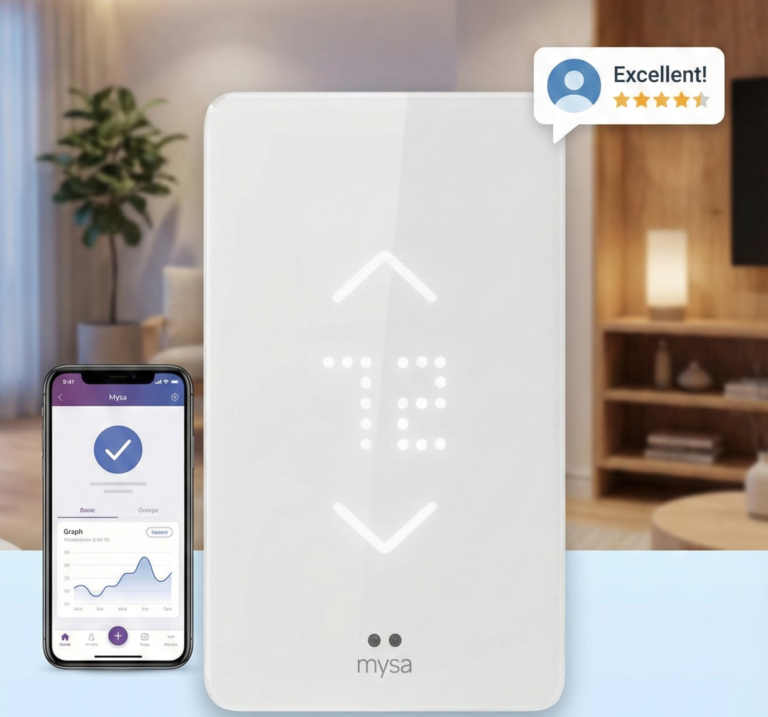
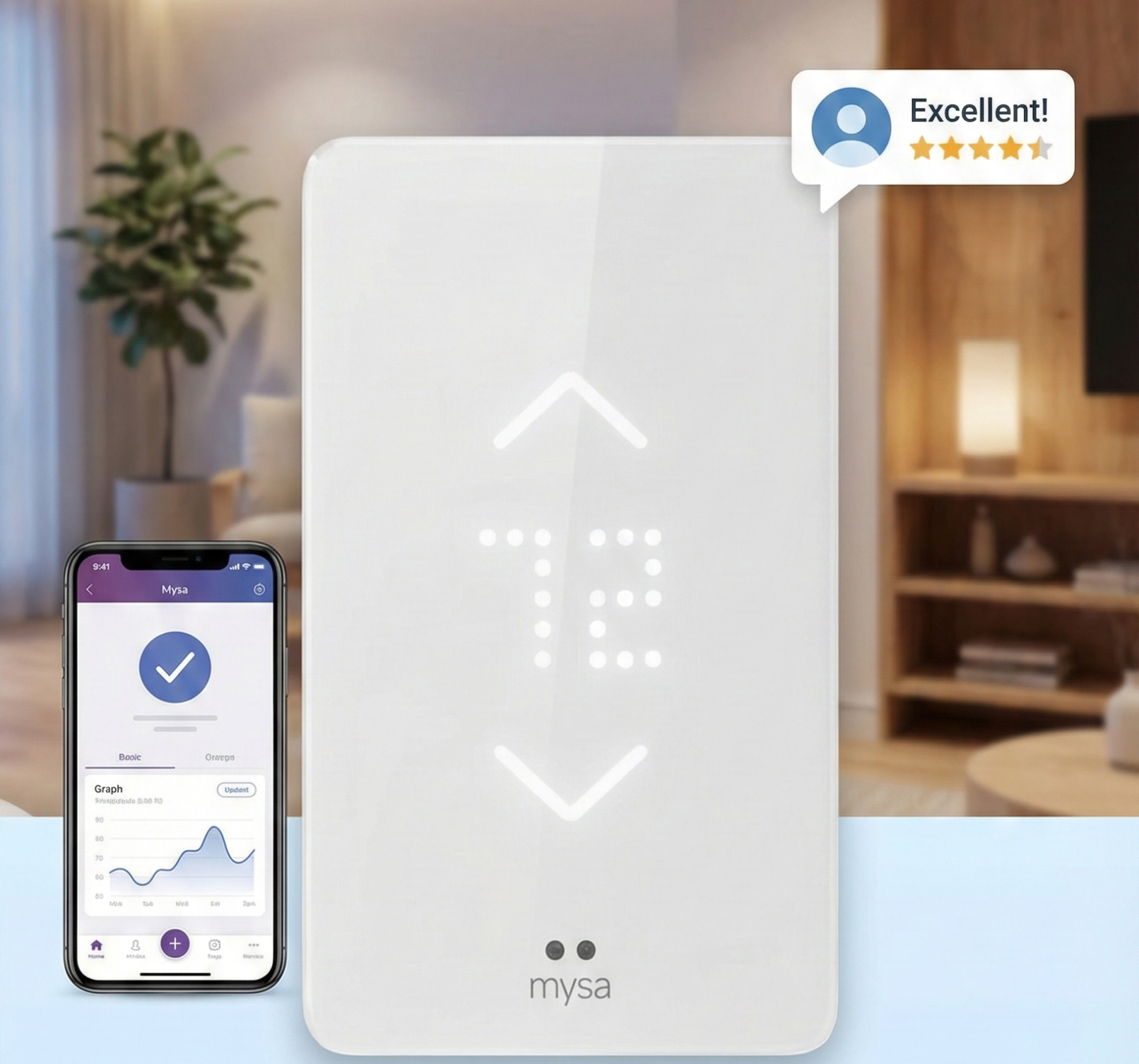
Gone are the days of yellowed plastic dials. Mysa features a modern, unobtrusive design. The faceplate is simple, featuring capacitive touch buttons for raising and lowering the temperature. The display is an LED matrix that shines through the plastic casing, giving it a futuristic “ghost” effect. It looks clean and disappears when not in use.
Size: It is larger than a standard dial thermostat. This is intentional — it needs to dissipate heat generated by the high-voltage relay inside. However, the V2 model is 40% smaller than the original V1, addressing one of the biggest complaints about the first generation. Real-world users specifically report this size reduction allows installation in tight locations — beside furniture, in narrow hallways, or in spaces where the bulkier V1 simply would not fit.
The V2 is available in both white and black colorways. The black finish in particular has been praised in owner reviews for its ability to blend into darker wall colours and modern minimalist interiors. Unlike the Lux Kono (which offers interchangeable covers) or Nest (which offers limited colour options), Mysa’s design language is deliberately restrained — it is meant to disappear into the room.
Installation: Not for the Faint of Heart?
We need to be clear: This involves high-voltage wiring. Unlike low-voltage systems where a mistake might blow a 3-amp fuse, mistakes here involve 120V or 240V mains power. If you are not comfortable with electrical work, hire a professional.
For the DIY enthusiast, Mysa provides excellent in-app guides including step-by-step video walkthroughs. North America-based HVAC specialists are available by phone, chat, and email if you get stuck — a genuine differentiator compared to most thermostat brands. The installation involves identifying your Line (power in) and Load (power to heater) wires. The Mysa unit is quite bulky in the back, so you need a gang box with enough depth. If you have a crowded electrical box, cramming the wires back in can be a challenge.
If you are confused about general thermostat setups, read our guide on thermostat instructions for homeowners before opening your wall.
The 120V vs. 240V Wiring Difference: What You Need to Know
The most common installation question for Mysa is the wiring configuration difference between 120V and 240V systems. Mysa handles both, but the wire connections inside your gang box look different for each voltage, and understanding this before you start prevents the most common wiring mistakes.
120V Wiring Configuration
A 120V baseboard heater circuit has three wires at the thermostat location: a black hot wire (Line 1 — incoming power from the breaker), a white neutral wire, and a bare copper or green ground wire. The Load wire going to the heater is typically also black. In the gang box you will see: two black wires (one from the breaker, one to the heater), one white neutral, and ground. Connect the incoming black to Mysa’s L1 terminal, the outgoing black to Mysa’s T1 terminal, the neutral to N, and ground to the ground screw.
240V Wiring Configuration
A 240V baseboard heater circuit has four wires: two hot wires (Line 1 and Line 2 — both carrying 120V to ground), a bare copper ground, and in most modern installations a white neutral. You will see two black wires, or one black and one red, plus white and ground. The key note for 240V: both black (or black and red) wires are hot — neither is a neutral, and both must be treated with the same caution as a hot wire at all times.
A specific 240V wiring nuance flagged by experienced installers: if your gang box has two black wires with no distinguishing marks, there is no reliable visual way to tell which is Line (from breaker) and which is Load (to heater). Mysa’s in-app guide acknowledges this — simply choose one configuration, restore power, and if the heater does not respond correctly, power down, swap the two black wires, and try again. No damage occurs from choosing the wrong configuration initially — the thermostat simply will not function correctly until the wires are in the right terminals.
- Turn off the circuit breaker for the heater circuit. Confirm power is off with a non-contact voltage tester before touching any wire.
- Remove the old thermostat. Photograph all wire connections before disconnecting anything.
- Identify your wire configuration: 120V (black + white + ground) or 240V (black + black/red + ground, possibly + white neutral).
- Mount Mysa’s backplate to the gang box. Use the mounting screws — Mysa fastens to the standard threaded holes in the electrical box.
- Connect wires to Mysa’s terminals following the in-app wiring guide for your specific voltage. For 240V with two identical black wires: choose either for Line vs. Load.
- Restore power at the breaker. If the thermostat powers on but the heater does not respond, power down, swap the two Line/Load wires, and restore power again.
- Complete Wi-Fi setup through the Mysa app. The app’s setup wizard guides you through network connection and initial configuration.
Gang Box Requirements, Depth, and the Trim Kit
The most frequently overlooked practical installation consideration for Mysa is gang box depth. Mysa’s electronics — the relay or TRIAC, the Wi-Fi module, the display board — make the unit significantly deeper than a standard thermostat. The minimum gang box depth for comfortable Mysa installation is 2.5 inches (approximately 60mm). Standard single-gang boxes in many older homes are only 1.5–2 inches deep, which can make closing the installation very difficult if the box is also full of wires.
Solutions for Shallow or Crowded Gang Boxes
If your existing gang box is too shallow: the most common solutions are replacing it with a deeper single-gang box (a 2-gang or 3-gang retrofit box provides ample depth and space), or using a gang box extension ring that clips over the existing box to add depth. Both are straightforward electrical tasks that add 20–30 minutes to the installation time but are far preferable to forcing the thermostat into a too-shallow box where heat cannot dissipate properly — which is one of the causes of the H2 overheating error.
The Mysa Trim Kit
Mysa sells a Trim Kit (purchased separately) that includes a mounting plate for standard electrical junction boxes and a junction box adapter for situations where the wall opening does not align perfectly with a standard gang box. The Trim Kit is particularly useful when replacing older thermostats that were mounted on non-standard boxes or directly to drywall with toggle bolts. If your existing thermostat has a visibly oversized wall plate covering a larger-than-expected wall hole, the Trim Kit is worth adding to your order. Installation without the Trim Kit is fine for standard gang boxes — the Trim Kit addresses the specific challenge of legacy non-standard mounting.
Features & Smart Functionality
Does Mysa make your “dumb” heater smart? Absolutely. Here is what stands out:
1. Precision Zoning
Since baseboard heaters are usually installed room-by-room, Mysa allows for true zoning. You can group the Living Room and Kitchen together while keeping the Bedroom separate. This is vastly superior to a central furnace system where you often need expensive zoning dampers.
2. Geofencing
Mysa uses your phone’s location to determine if you are home. If you leave for work, it lowers the temperature. If you return early, it warms up. To understand the mechanics of this feature, check out our article: What is a geofencing thermostat?
3. Energy Charting
The app provides detailed graphs showing exactly how much energy you used and what it cost you. This transparency is crucial for answering the question: Do smart thermostats really save money? With Mysa, you can see the savings in real-time.
4. Smart Ecosystems
Unlike some niche products, Mysa plays nice with everyone. It has native support for Apple HomeKit — a rarity in the high-voltage space. It also works seamlessly with Alexa and Google Assistant.
Energy Monitoring Deep Dive: Mysa’s Most Valuable Feature
The energy monitoring capability of the Mysa V2 is more sophisticated than many buyers expect, and it is arguably the single most compelling differentiator from competing line-voltage thermostats. Understanding exactly what it tracks and how to use the data makes a real difference to how much money you save.
What the V2 Actually Tracks
The Mysa V2 has current-sensing hardware built into the thermostat that measures actual electrical consumption from the heater circuit — not estimated consumption based on runtime. This means the energy readings are real measurements, not calculations based on the heater’s rated wattage and assumed runtime. In practice, if your 1,500-watt baseboard heater is running below full capacity (which TRIAC technology enables), the V2 tracks the actual power draw rather than simply logging 1,500 watts per hour of runtime.
The app displays: hourly, daily, weekly, and monthly kWh consumption for each thermostat individually; estimated cost in dollars per period (you enter your electricity rate in the app settings); comparison of your usage period-over-period so you can see the impact of schedule changes; and a combined total across all Mysa thermostats on your account for a whole-home view.
Using Energy Data Practically
The most actionable use of Mysa’s energy monitoring is comparing two equivalent periods — for example, the two weeks before installing a new schedule versus the two weeks after — to measure the actual dollar impact. This is genuinely motivating: seeing that your bedroom cost $22 to heat last month versus $14 this month is a clearer signal than any generic “you saved 15%” statistic. Users who actively engage with Mysa’s energy data report higher savings than those who set it and ignore it, which makes intuitive sense — the data surfaces specific behaviours (forgetting to enable Away mode, keeping unused rooms at comfort temperature overnight) that can be immediately corrected.
Humidity Monitoring: A V2-Exclusive Feature
The Mysa V2 includes a built-in relative humidity sensor that measures the humidity in the room alongside temperature. The reading is displayed in the app and on the thermostat’s display on request. This is one of the features that meaningfully separates the V2 from the LITE model.
Why Humidity Monitoring Matters for Baseboard-Heated Homes
Electric baseboard heating is a dry heat source — it warms air without adding moisture, and the increased air volume at elevated temperature actually reduces relative humidity. Homes heated primarily by electric baseboard frequently experience very low indoor humidity levels during heating season (sometimes dropping below 25–30%), which causes respiratory irritation, dry skin, and accelerated shrinkage of wood furniture, flooring, and trim. Seeing your actual room humidity in the Mysa app is the first step to knowing whether a portable or whole-home humidifier is needed.
High and Low Humidity Alerts
The Mysa V2 allows configuration of humidity alert thresholds — high and low limits that trigger push notifications when crossed. Set a low alert at 35% relative humidity and you will be notified when the air becomes dry enough to consider humidification. Set a high alert at 65% and you will be notified if condensation risk or mould conditions are developing. For vacation home monitoring, a humidity alert combined with a temperature alert (to catch heating failures) provides comprehensive environmental monitoring without any additional sensors or smart home hub.
Proximity and Ambient Light Detection: The V2’s Underrated Features
The Mysa V2 includes two sensor-based features that are entirely absent from the LITE model and are frequently overlooked in reviews: proximity detection and ambient light sensing.
Proximity Detection
The V2’s proximity sensor activates the thermostat’s display when you approach it — the screen lights up automatically as you walk toward it, showing current temperature and status. When nobody is near the thermostat, the display dims or goes dark. This is the same behaviour you see on modern smartphone screens, and for the same reason — it improves usability while reducing unnecessary light output. Practical benefit: you do not need to tap the thermostat to wake it when you want to check or adjust the temperature. It is ready as you approach.
Ambient Light Detection
The ambient light sensor adjusts the display brightness based on the room’s lighting conditions. In a brightly lit room, the display increases brightness to remain readable. In a dark bedroom at night, it dims significantly — preventing the thermostat from acting as an unwanted night light. This is a detail that sounds minor but is specifically called out by real-world users as one of their favourite V2 improvements over the original V1.
Geofencing, Vacation Mode, and Away Settings
Mysa’s geofencing works through the Mysa app’s use of your smartphone’s location services. When your phone moves outside the geofence radius (configurable — typically 0.5–1 mile from your home address), the app triggers Away mode across all your Mysa thermostats, lowering them to a configurable Away temperature. When your phone re-enters the radius, thermostats return to the programmed schedule.
Multi-User Geofencing: The Shared Access Feature
One of Mysa’s most practically valuable but least publicised features is Shared Access — the ability to give multiple household members their own Mysa account access to your thermostats. Each person’s account can control and monitor temperatures independently. More importantly for geofencing, Mysa’s Away mode only activates when all shared users are outside the geofence radius. This prevents the thermostat from switching to Away mode when one person leaves but another family member is still home — a common frustration with single-user geofencing setups. Setting up Shared Access is done from the account settings menu in the app.
Vacation Mode
Vacation Mode is a distinct function from geofencing Away mode. Where geofencing responds dynamically to your phone’s location, Vacation Mode lets you manually set a start and end date for an extended Away period — for example, setting the thermostats to 55°F frost protection from December 22 to January 3 without requiring your phone to trigger the transition. This is the correct tool for extended travel, as geofencing depends on your phone being away from the geofence — which is not guaranteed if a house-sitter is present or a household member remains home.
Early On: Predictive Pre-Heating
The “Early On” feature is one of Mysa’s most comfort-focused capabilities and one that most users discover only after some time with the device. When Early On is enabled, the Mysa app learns how long your specific heater takes to bring the room to setpoint temperature — and then starts the heater early enough that the room reaches the target temperature at the scheduled time rather than merely starting to heat at that time.
Why It Matters for Electric Baseboard
Electric baseboard heaters have slower thermal response than forced-air systems. A gas furnace can raise a room’s temperature several degrees in minutes; a baseboard heater in a poorly insulated room on a cold morning may take 20–45 minutes to reach setpoint. Without Early On, setting your schedule to “72°F at 7am” means the heater starts at 7am and you are still cold at 7:30am. With Early On enabled, the thermostat works backward from your 7am target, starts heating at 6:20am (or whenever its learned lead time dictates), and the room is actually at 72°F when you need it. This is the same logic as “smart warmup” in Nest’s learning algorithm, but it works with Mysa’s manual scheduling rather than requiring an auto-learning algorithm.
Zone Grouping and Multi-Thermostat Management
Since every room with a baseboard heater needs its own Mysa, multi-thermostat management is a central part of the Mysa experience in a way that it is not for central HVAC thermostat owners. The Mysa app is specifically designed for this use case.
Zone Grouping in the App
The Mysa app allows you to group multiple thermostats into zones — named groups that you can control with a single command or schedule. Example zone configurations: “Upstairs” (bedroom + hallway + bathroom thermostats), “Main Floor” (living room + kitchen + dining room), or any other logical grouping. Adjusting a zone’s temperature in the app changes all thermostats in that zone simultaneously. This makes managing a whole-home baseboard installation significantly less tedious than adjusting each thermostat individually.
Zones also integrate with HomeKit, Alexa, and Google Home. “Hey Siri, set the upstairs to 68 degrees” — if you have created an Upstairs zone in the Mysa app and configured it in your HomeKit home, this command adjusts all thermostats in that zone simultaneously.
Demand Response Programs: Getting Paid to Save Energy
Both Mysa V2 and Mysa LITE support enrollment in utility-sponsored demand response (DR) programs — and this is one of the most financially significant features that most Mysa reviews fail to mention entirely.
What Demand Response Means for Baseboard Heating
Electric utilities in regions with high baseboard heating penetration — particularly New England, Quebec, Atlantic Canada, British Columbia, and parts of the Pacific Northwest — face significant peak demand spikes on cold winter days when millions of baseboard heaters run simultaneously. Utilities are willing to pay to manage this peak, and Mysa thermostats provide a direct mechanism.
When enrolled in a demand response program, the utility can make brief temperature adjustments to your Mysa thermostats during declared peak events — typically a 2–4°F reduction for 1–4 hours during extremely cold days. You retain override rights at all times. In exchange, you receive bill credits that typically range from $25–$75 per heating season in active programs.
How to Find and Enroll
Mysa maintains a rebate and demand response finder at getmysa.com that maps available programs by utility territory. This is the most current source for active programs, as utility program availability changes by season. For Canadian customers, programs through Hydro-Québec (the RPCE program), BC Hydro, and several Atlantic utilities have been historically active and accessible directly through the Mysa app. For US customers, programs in New England states (through Eversource, National Grid, and others) are the most established. Mysa’s app makes program enrollment a few-tap process once you confirm eligibility.
Performance Evaluation
In our testing, the Mysa V2 maintained temperature within 0.5 degrees of the setpoint. This is a massive improvement over mechanical bi-metal dials, which often have a “swing” of ±5 degrees, leading to uncomfortable cycles of sweating and freezing.
The TRIAC Advantage
Mysa uses a TRIAC (Triode for Alternating Current) switching mechanism. Standard relays click loudly when turning on and off. Mysa is silent. Furthermore, it can modulate the power. Instead of just 100% ON or OFF, it can pulse the power to maintain a steady temperature, which is more efficient.
V1 vs. V2 TRIAC Clarification
An important technical nuance that creates confusion: the V1 model uses TRIAC technology while the V2 switches to a relay-based mechanism — which is counterintuitive given the V2 being the newer model. The reason for this change was the size reduction goal: TRIAC components at high current ratings are physically larger than relays, so eliminating them allowed the 40% size reduction in V2. The practical difference is that V2 produces a slight audible click when switching, while V1 was completely silent. For most installations — in rooms where you are not trying to sleep immediately next to the thermostat — this relay click is minor. If absolute silence is critical (bedroom installation directly adjacent to a sleeping area), the V1 — where still available — has an advantage here.
However, relying on Wi-Fi means you are subject to network stability. If you wonder are WiFi thermostats worth it given connection issues, Mysa mitigates this by functioning as a standard manual thermostat even if the internet goes down.
Whole-Home Cost Strategy: How to Afford Multiple Units
The most common objection to Mysa is the upfront cost of outfitting a whole home — if you have eight rooms with baseboard heaters and need eight Mysa units at $130–$150 each, you are looking at $1,040–$1,200 before any rebates. This is the honest reality of a per-room thermostat strategy compared to a single central smart thermostat. Here is how to approach the decision strategically.
Prioritise High-Occupancy, High-Cost Rooms First
You do not need to install Mysa everywhere simultaneously. The highest-return rooms to prioritise are those with the longest daily occupancy (living rooms, main bedrooms) where geofencing and scheduling avoid the most unnecessary heating. Secondary spaces — infrequently used guest bedrooms, garages, storage rooms — can continue with mechanical dial thermostats in the short term. A staged approach — installing three to four V2 units in the most-used rooms first, then adding LITE units in secondary rooms — delivers most of the energy savings at a fraction of the all-at-once cost.
Maximum Load Per Unit: When One Mysa Controls Multiple Heaters
An important cost-reduction opportunity: if your current wiring has one thermostat controlling multiple baseboard heaters connected in series on the same circuit (common in older installations), you need only one Mysa for that circuit, provided the total heater wattage does not exceed 3,840 watts for the V2. Check the wattage ratings on each baseboard heater (labelled on the end cap) and add them. If the total is under 3,840 watts, one Mysa controls all of them from one thermostat location.
Long-Term Reliability: What Multi-Year Owners Report
Most thermostat reviews are written within weeks of installation. Real-world data from multi-year Mysa owners tells a more complete story.
The Positive Majority
The large majority of multi-year Mysa owners report continued reliable operation. Users who have had their units for three to five or more years report consistent performance, continued app updates from the company, and no hardware degradation. The TRIAC or relay mechanism — which is the highest-stress component at line voltage — appears to be robust in normal operation. App updates have continued to add features and fix bugs, which is a positive indicator for long-term software support from an independently owned Canadian company.
The Long-Term Failure Cases
A subset of long-term users — visible in Home Depot and Amazon review data — report Wi-Fi connectivity failures developing at the two to four year mark. In some cases these are resolved by factory reset and re-pairing; in others the Wi-Fi module appears to fail permanently. These failure reports are a minority of the overall user base, but they are worth noting for buyers planning a long-term investment. Mysa’s customer service response to hardware failures within warranty (typically one to two years) has been consistently praised. Post-warranty failures are handled case-by-case.
Customer Support: A Genuine Differentiator
Mysa’s customer support deserves explicit mention because it is consistently one of the most-praised aspects of the product in real-world reviews — and it is a meaningful differentiator from most thermostat brands where support means a chatbot and a knowledge base article.
Mysa employs full-time, certified HVAC specialists in North America who are accessible by phone, chat, and email. These are people who understand electrical heating specifically — not generic tech support reading from a script. Multiple Home Depot and Amazon reviewers specifically cited getting a support agent on the phone who walked them through a difficult 240V wiring situation in real time until the installation was successful. For a product that involves line voltage electrical work, having genuinely knowledgeable human support available is not a minor convenience — it is a meaningful safety and installation success factor.
Common Issues and Troubleshooting
No device is perfect. Here are common issues users face with Mysa:
- Connectivity Drops: Like many IoT devices, Mysa can struggle with mesh networks that combine 2.4GHz and 5GHz bands. Create a separate 2.4GHz SSID on your router and configure Mysa to connect to it specifically.
- “H2” Error: This indicates the unit is getting too hot — its internal temperature has exceeded safe operating limits. The most common cause is an overstuffed or too-shallow gang box restricting heat dissipation. Solutions: use a deeper gang box (minimum 2.5 inches), neatly coil and arrange wires to allow airflow around the thermostat, or move the thermostat to an area with better air circulation. Do not operate the thermostat until the H2 condition is resolved.
- Heater Won’t Turn Off: If your thermostat says heat on but no heat, or vice-versa, verify the wiring. Swapping Line and Load wires is a common mistake on 240V installations.
- Rebooting: If the thermostat keeps rebooting, check for loose wire connections in the gang box. High-voltage connections that are not fully tightened can cause intermittent power interruptions that manifest as repeated reboots.
Full H2 Error Resolution Guide
- Turn off the breaker for the heater circuit immediately if you see H2. Allow the thermostat 10–15 minutes to cool before investigating.
- Remove the thermostat from the wall and inspect the gang box. Count the wires — if the box is crowded with wire coils, this is almost certainly the cause.
- Neatly fold and arrange excess wire length away from the thermostat’s back panel. Wires should not be compressed directly against the thermostat housing.
- If the gang box is shallower than 2.5 inches, replace it with a deeper single-gang box or use a box extension ring.
- Confirm the thermostat is not installed in an enclosed area (inside cabinetry, behind furniture) that restricts ambient air circulation.
- Restore power and monitor for H2 recurrence. If H2 recurs after addressing box depth and wire arrangement, contact Mysa support — the unit may have an internal component issue requiring replacement.
Comparison: Mysa vs. The Competition
How does Mysa stack up against its few competitors like Sinope or even low-voltage giants?
| Feature | Mysa V2 | Sinope TH1123WF | Google Nest (w/ Adapter) |
|---|---|---|---|
| Power Source | High Voltage (Line) | High Voltage (Line) | Low Voltage (24V) |
| Display | Minimalist LED | Traditional LCD | High-Res Color |
| HomeKit | Yes — native, no hub | Yes (requires GT125 hub — $90) | No (Matter update pending) |
| Design | Modern/Flat | Utilitarian | Premium Glass |
| Energy monitoring | Real-time kWh + cost (V2) | Runtime-based estimate | Runtime only (with adapter) |
| Hub required? | No — direct Wi-Fi | Yes — GT125 bridge for Wi-Fi | No — but relay adapter needed |
| Price (per room) | $$$ | $$ (but + hub cost) | $$$ + installation complexity |
While you might be tempted to compare Honeywell vs Nest, remember that neither natively supports baseboard heat. Mysa is the clear winner for high-voltage simplicity.
Mysa vs. Sinope: The Key Decision
The most meaningful real-world competition for Mysa is Sinopé’s TH1300ZB and TH1123WF — the other leading line-voltage smart thermostats. The critical practical difference: Sinopé requires a GT125 Wi-Fi bridge (approximately $90) to connect to your home Wi-Fi. One bridge can service multiple Sinopé thermostats, so for a home with five or more Sinopé units, the per-unit bridge cost becomes less significant. For one to three thermostats, the bridge requirement gives Mysa a meaningful total-cost advantage. Sinopé’s advantage is deep integration with Zigbee and Z-Wave smart home ecosystems for tech-savvy homeowners who prefer hub-based automation over cloud-based control. For most homeowners who want plug-and-play smart functionality without a hub, Mysa remains the better choice.
Matter Certification: What’s Coming and When
As of 2026, Mysa’s existing product line (Baseboard V1, V2, LITE, In-Floor, and AC) does not carry Matter certification — they connect via proprietary Wi-Fi protocol to the Mysa cloud, which then bridges to HomeKit, Alexa, and Google Home through those platforms’ cloud APIs.
Mysa’s new Central HVAC thermostat (their first low-voltage product, for furnaces and central systems) is being developed with Matter certification from the outset, with certification expected in early 2026. This Matter-first approach on the Central HVAC product suggests Mysa is committed to the standard going forward. Whether existing baseboard products receive Matter updates via firmware is not confirmed — buyers who require native Matter/Thread connectivity for their broader smart home setup should note this limitation.
For practical day-to-day use, the HomeKit integration Mysa provides today works reliably without Matter. HomeKit control, Siri voice commands, and HomeKit automations all function through the existing cloud bridge. Matter would provide local processing (which would work without internet) and reduced setup complexity — meaningful improvements, but not reasons to hold off purchasing for most buyers today.
Pros & Cons
✅ The Good
- Sleek Design: Fits modern decor perfectly. 40% smaller than V1.
- Silent Operation: No clicking relays thanks to TRIAC technology (V1; V2 has a soft relay click).
- Real Energy Monitoring: V2 tracks actual kWh consumption and dollar cost per room in real time.
- Humidity Sensor: V2 monitors room humidity with configurable alerts.
- Native HomeKit: No bridge required — a genuine rarity in the line-voltage segment.
- Geofencing + Shared Access: Away mode activates only when all household members have left.
- Early On feature: Predictive pre-heating ensures rooms are warm when needed.
- Demand Response: Enrollable in utility programs for annual bill credits.
- North America-based support: Certified HVAC specialists available by phone.
- Savings: Can save up to 26% on energy bills.
❌ The Bad
- Size: Still bulkier than standard light switches; deep gang box required.
- Installation: Requires working with dangerous high voltage.
- Compatibility: Does NOT work with low-voltage furnaces.
- Price: Expensive upfront cost per room for whole-home installs.
- V2 relay click: V2 switched from TRIAC to relay (for size reduction), producing a soft click V1 users won’t expect.
- No Matter certification: Existing products connect via cloud bridge, not local Matter/Thread protocol.
- Long-term Wi-Fi reliability: A minority of users report connectivity issues developing after 2–4 years.
Frequently Asked Questions
Does Mysa work with 2-wire setups?
Yes, but it’s tricky. Mysa usually requires 4 wires (Line 1, Line 2, Load 1, Load 2) or at least 3 wires (including a Neutral). If you only have two wires in your box, you might not be able to power the smart features without rewiring.
Can I use Mysa for a gas fireplace?
No. Gas fireplaces typically use millivolt systems. Mysa is strictly for 120V–240V electric heating. For gas fireplaces, look into the best battery operated thermostats designed for millivolt systems.
Is Mysa worth the price?
Considering electric heating is one of the most expensive ways to heat a home, the ROI (Return on Investment) for Mysa is high. If you save 15–20% on your bill, the unit often pays for itself in 1–2 winters. In high-rebate utility territories, stacking a purchase rebate plus annual demand response credits can accelerate that payback considerably.
Can I install it myself?
If you are comfortable turning off the breaker and identifying wires, yes. If you are unsure about how to tell if your thermostat is bad or how to use a voltage tester, hire an electrician. Mysa also offers professional installation partnerships in Canada (through TechEasy at getmysa.com) for buyers who prefer a certified installer.
What is the difference between Mysa V2 and Mysa LITE?
Mysa V2 includes a built-in humidity sensor, real-time energy cost monitoring (kWh and dollar tracking), proximity and ambient light detection, and slightly better temperature accuracy. Mysa LITE offers the same core smart features — scheduling, geofencing, app control, HomeKit/Alexa/Google support — at a lower price point, without the energy monitoring, humidity sensor, or proximity detection. Use V2 in living areas and bedrooms; use LITE in secondary spaces to manage total cost.
What does the H2 error mean on Mysa?
The H2 error means the thermostat’s internal components have exceeded safe operating temperature — it is overheating. The most common cause is an overstuffed or too-shallow gang box that restricts heat dissipation. Solutions: use a gang box with at least 2.5 inches of depth, neatly arrange wires to allow airflow around the thermostat’s back panel, and ensure the thermostat is not enclosed in cabinetry with no air circulation. Do not continue operating the thermostat until the H2 condition is resolved.
How many Mysa thermostats do I need for a whole home?
One Mysa per thermostat circuit — which typically means one per room with a thermostat. If an existing thermostat controls multiple baseboard heaters wired in series on the same circuit (common in older homes), you need only one Mysa for that circuit, provided the total heater wattage does not exceed 3,840 watts. Count your existing wall thermostats to determine the minimum number of Mysa units needed. Consider a staged approach: V2 in high-occupancy rooms first, LITE in secondary spaces later.
Does Mysa support demand response programs?
Yes. Both Mysa V2 and Mysa LITE support enrollment in utility-sponsored demand response programs. During peak grid demand events, the utility can make brief temperature adjustments — you retain override rights at all times — and you receive bill credits of $25–$75 per heating season in active programs. Mysa maintains a rebate and demand response finder at getmysa.com searchable by utility territory. Canadian customers in Hydro-Québec and BC Hydro territories have the most established programs available.
Does Mysa V2 have a humidity sensor?
Yes — the V2 includes a built-in relative humidity sensor that displays current room humidity in the app and on the device. You can configure low and high humidity alert thresholds for push notifications. This is a V2-exclusive feature not present in the Mysa LITE. For homes with electric baseboard heating — which produces dry heat and commonly causes low indoor humidity — this monitoring capability is particularly useful.
What is the “Early On” feature in Mysa?
Early On is a predictive pre-heating feature that starts the heater before your scheduled temperature setpoint time — so the room is actually at your target temperature when you need it, rather than just starting to heat at that time. The app learns your heater’s warm-up time and automatically adjusts the start time. This is especially valuable for electric baseboard, which heats more slowly than forced-air systems. It can be enabled or disabled in the app’s schedule settings for each thermostat.
Get Control of Your Comfort
Ready to ditch the old beige dials? Upgrade to Mysa and start saving.
For homeowners looking to understand what is the best smart thermostat for energy savings in a high-voltage home, the search ends here.
Check Latest Price on Amazon





 Home
Home
 Info
Info
 Compare
 Reviews
 Shop
Shop