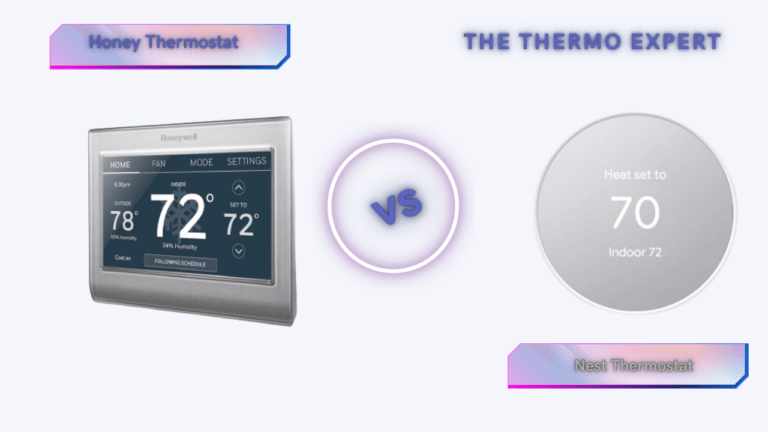
Honeywell Thermostat vs. Nest: The Ultimate 2026 Smart Home Showdown
In 2026, the smart home is no longer a futuristic concept reserved for tech enthusiasts; it is the standard for residential efficiency. At the heart of this ecosystem lies the smart thermostat. Far more than a simple dial on the wall, modern thermostats are sophisticated energy management computers that process complex data regarding local weather patterns, your home’s thermal retention properties, and your family’s unique lifestyle habits.
As utility rates continue to fluctuate and the push for greener living intensifies, the decision between the two titans of the industry—Google Nest and Honeywell Home (Resideo)—has never been more critical. This rivalry represents a clash of two distinct philosophies. Google Nest approaches climate control from a Silicon Valley perspective: software-first, algorithm-heavy, and deeply integrated into the “Assistant” lifestyle. Their goal is to make the technology invisible, automating your comfort so you never have to think about it.
Conversely, Honeywell Home approaches the problem from a century of HVAC engineering dominance. Their perspective is hardware-first, prioritizing granular control, system reliability, and sensor precision. They understand that a thermostat isn’t just a gadget; it’s a switch for a machine that costs thousands of dollars. While Nest tries to predict what you want, Honeywell gives you the tools to command exactly what you need.
This comprehensive guide goes beyond the marketing fluff. We are diving into the wiring, the algorithms, and the long-term reliability to help you decide which system deserves a spot on your wall this year.
The Quick Verdict: Which One Should You Buy?
If you are looking for the bottom line, here is the breakdown based on thousands of hours of user testing and installation data.
For the “Set It and Forget It” Homeowner:
If you live in a home with a standard HVAC setup (furnace and AC) and you want a device that looks beautiful and manages itself, the Google Nest Learning Thermostat is the undisputed king. Its ability to learn your schedule without manual programming is unmatched in the industry. It is perfect for users who want to save money on energy bills but don’t want to micromanage their settings. The “Leaf” eco-indicator gamifies energy savings in a way that genuinely changes user behavior over time.
For the Control Freak & Complex System Owner:
If your home has a complex heating system (multi-stage heat pumps, dual-fuel systems, whole-home humidifiers, or ventilators) or if you struggle with rooms that are always too hot or too cold, Honeywell Home (specifically the T9 or T10 Pro) is superior. Honeywell prioritizes “RedLINK” range and sensor accuracy over flashy UI. It allows you to prioritize specific rooms at specific times—like keeping the baby’s room at 72°F during nap time regardless of the temperature in the hallway—with a reliability that Nest’s sensors occasionally lack.
Deep Dive: Google Nest – The Intelligent Innovator
When Nest launched in 2011, it disrupted the entire industry. By 2026, the Google Nest Learning Thermostat has matured into a polished piece of home decor that doubles as an energy-saving genius. The core philosophy here is “automation through observation.”
The “Black Box” Algorithm
Nest’s primary selling point is its learning algorithm. Unlike traditional thermostats where you program a schedule (e.g., “Heat to 70° at 6:00 AM”), Nest observes your life. For the first week, you treat it like a manual thermostat. You turn it up when you wake up, down when you leave, and adjust it before bed. Nest records these inputs, correlates them with the time of day and outdoor weather, and builds a schedule for you. It continues to refine this indefinitely. If you start waking up earlier on Tuesdays, Nest notices the pattern and shifts the heating cycle accordingly.
Farsight and Sensing Technology
The hardware inside a Nest unit is impressive. It utilizes “Farsight” technology, which wakes the screen when it detects you across the room, displaying the temperature, weather, or time in a large, readable font. More importantly, it uses a combination of near-field and far-field activity sensors to determine occupancy. This powers the “Home/Away Assist,” which is arguably the most aggressive energy-saving feature on the market. If Nest doesn’t detect motion for a set period and your phone’s geolocation shows you are away, it immediately shifts to “Eco Mode,” preventing you from heating an empty house.
Deep Dive: Honeywell Home – The HVAC Expert
Honeywell (now under the Resideo brand for consumer products) treats the thermostat as an industrial control unit. Their T-Series, specifically the T9 and T10 Pro, strips away the glass-and-aluminum glamour of the Nest in favor of a utilitarian, high-performance interface. The focus here is on predictability and connectivity reliability.
RedLINK and Sensor Superiority
While Nest uses standard Wi-Fi or Bluetooth for its sensors, high-end Honeywell units utilize a proprietary frequency called RedLINK. This low-frequency signal punches through concrete walls and spans large homes much better than standard Wi-Fi. This allows Honeywell’s Smart Room Sensors to maintain rock-solid connections even in basements or attics.
Honeywell’s approach to sensors is also fundamentally different. You can configure the thermostat to run off a specific sensor or an average of selected sensors. For example, during the day, you might have the system average the temperature of the Living Room and Kitchen. At night, you can tell the system to ignore the downstairs sensors entirely and only maintain the temperature based on the Master Bedroom sensor. This ensures you sleep comfortably, even if the rest of the house drifts in temperature.
Handling Complex HVAC Equipment
This is where Honeywell wins the hearts of HVAC technicians. Modern high-efficiency systems often have multiple “stages” of heating and cooling. A 2-stage furnace runs at low power (60%) for efficiency and high power (100%) for rapid heating. Nest attempts to control these systems but often relies on “time-to-temperature” algorithms that can short-cycle equipment. Honeywell’s T10 Pro allows for professional-grade configuration of “lockouts” and stage timers. It can also manage “dual fuel” systems (e.g., a heat pump combined with a gas furnace) with extreme precision, determining the exact outdoor temperature at which it is cheaper to burn gas than to run the electric heat pump.
Nest vs. Honeywell: Head-to-Head Comparison
To help you visualize the differences, we have broken down the capabilities into the categories that matter most to homeowners.
| Feature Category | Google Nest Learning (v4/Gen 3) | Honeywell Home T9 / T10 Pro |
|---|---|---|
| Core Philosophy | Automation: “I will learn your habits so you don’t have to program me.” | Precision: “I will execute your exact commands for every room in the house.” |
| Installation & Wiring | Can often install without a “C-wire” (Power Stealing), though not recommended. Very DIY friendly. | Requires a C-wire for power. More complex backplate, but wider terminal support for accessories. |
| Remote Sensors | Basic temperature sensing. Good for averaging, but less configurable schedule integration. | Advanced sensing. Detects temperature, humidity, and motion. deeply integrated into scheduling profiles. |
| Aesthetics | Jewel-like glass and metal. Rotating outer ring is a joy to use. The best-looking device on the market. | Functional white plastic rectangle. Looks like a standard appliance. Touchscreen interface can collect fingerprints. |
| Geofencing | Excellent. Uses multiple phone locations + built-in motion sensors for highly accurate Home/Away status. | Good. Relies primarily on the mobile app’s location services. Can be slightly slower to react than Nest. |
| Accessory Control | Limited. Can control 1 accessory (Humidifier OR Dehumidifier OR Fan). | Superior. T10 Pro can control multiple accessories simultaneously, including ventilators (HRV/ERV). |
Top Smart Thermostats to Consider
Based on current market pricing and feature sets, these are the specific models we recommend purchasing in 2026.

Google Nest Learning Thermostat
This remains the gold standard for the average smart home. The polished metal ring interface is intuitive, and the app is arguably the best in the business for visualizing your energy usage history. If you care about interior design and want a thermostat that doubles as wall art, this is the one.
View on Amazon
Honeywell Home T9 Smart Thermostat
The T9 is the consumer-friendly version of Honeywell’s pro line. It comes bundled with a Smart Room Sensor, instantly solving the “hot upstairs / cold downstairs” dilemma. It supports dual-band Wi-Fi and features a simple, responsive touchscreen interface that anyone in the family can understand immediately.
View on Amazon
Honorable Mention: Ecobee Smart Thermostat Premium
We cannot ignore Ecobee. If you want the sensor capabilities of Honeywell but the modern design of a Nest, Ecobee sits right in the middle. It also includes a built-in air quality monitor and can act as a speaker for Siri or Alexa, making it a unique hybrid device.
View on AmazonFrequently Asked Questions & Troubleshooting
We have compiled the most technical and frequent questions users ask when upgrading from a “dumb” thermostat to a smart system.
Do I absolutely need a C-wire (Common Wire)?
Technically, the Nest Learning Thermostat claims to work without one by “power stealing” (pulsing the HVAC system to charge its battery). However, as professionals, we strongly advise against this. Without a C-wire, your thermostat may disconnect from Wi-Fi during heating cycles, or worse, it can cause sensitive furnace control boards to chatter or burn out. Honeywell requires a C-wire. If you don’t have one, use a “C-wire adapter kit” (often included with the T9) to repurpose your existing wiring safely.
I have a Heat Pump with Auxiliary Heat. Which is better?
Both thermostats handle heat pumps, but Honeywell (especially the T10 Pro) offers more granular control over the “balance point.” This is the outdoor temperature at which the thermostat switches from the efficient heat pump to the expensive auxiliary heat (electric strips or gas). Precisely tuning this setting can save you hundreds of dollars a winter. Nest automates this via “Heat Pump Balance,” which is easier but offers less manual fine-tuning.
Can these thermostats measure humidity?
Yes, both the Google Nest and Honeywell T-series have built-in hygrometers to measure indoor relative humidity. However, simply measuring it is different from controlling it. If you have a whole-home humidifier attached to your furnace, the Honeywell T10 is significantly better at managing it, allowing for “Window Protection” modes that lower humidity when it’s freezing outside to prevent condensation on glass.
What happens if my Wi-Fi goes down?
Your smart thermostat will continue to function as a standard thermostat. It will maintain the last schedule or temperature setpoint it received. You will lose the ability to control it from your phone, and features like Geofencing will stop working, but your pipes will not freeze, and your house will not overheat. The core HVAC control logic is stored locally on the device.
Final Thoughts: Assessing Your Smart Home DNA
Ultimately, the battle between Honeywell and Nest is not about which device is “better” in a vacuum; it is about which device aligns with your specific needs as a homeowner. We are seeing a divergence in the market where “Smart Home” is splitting into “Automated Lifestyle” vs. “Connected Utilities.”
Choose the Google Nest Learning Thermostat if:
- You value aesthetics and want a device that feels like a premium piece of modern art.
- You have an unpredictable schedule and want an algorithm to manage your savings automatically.
- You are deeply invested in the Google Assistant / Android ecosystem.
- You have a standard single-stage or two-stage HVAC system.
Choose the Honeywell Home T9/T10 if:
- You have specific rooms that are uncomfortable and need a sensor-based solution to fix airflow issues.
- You have a complex HVAC system (Variable speed, Communicating, Dual-Fuel) and need professional-grade control logic.
- You prefer a static, predictable schedule over a learning algorithm that changes on its own.
- You want the most reliable connection possible via RedLINK technology.
Before you buy, always pop the cover off your old thermostat and take a picture of the wiring. Use the compatibility checkers on both the Google and Honeywell websites. When in doubt, consulting a qualified HVAC technician is a small investment that prevents costly damage to your home’s heating and cooling equipment.

About the Author
Alex Carter is a Senior Full-Stack Developer and Home Technology Consultant with over 12 years of experience. He specializes in IoT integration and has installed over 200 smart thermostats across varied residential environments. His work focuses on bridging the gap between legacy HVAC infrastructure and modern software automation.