This article may contain affiliate links. If you purchase through these links, we may earn a commission at no extra cost to you.
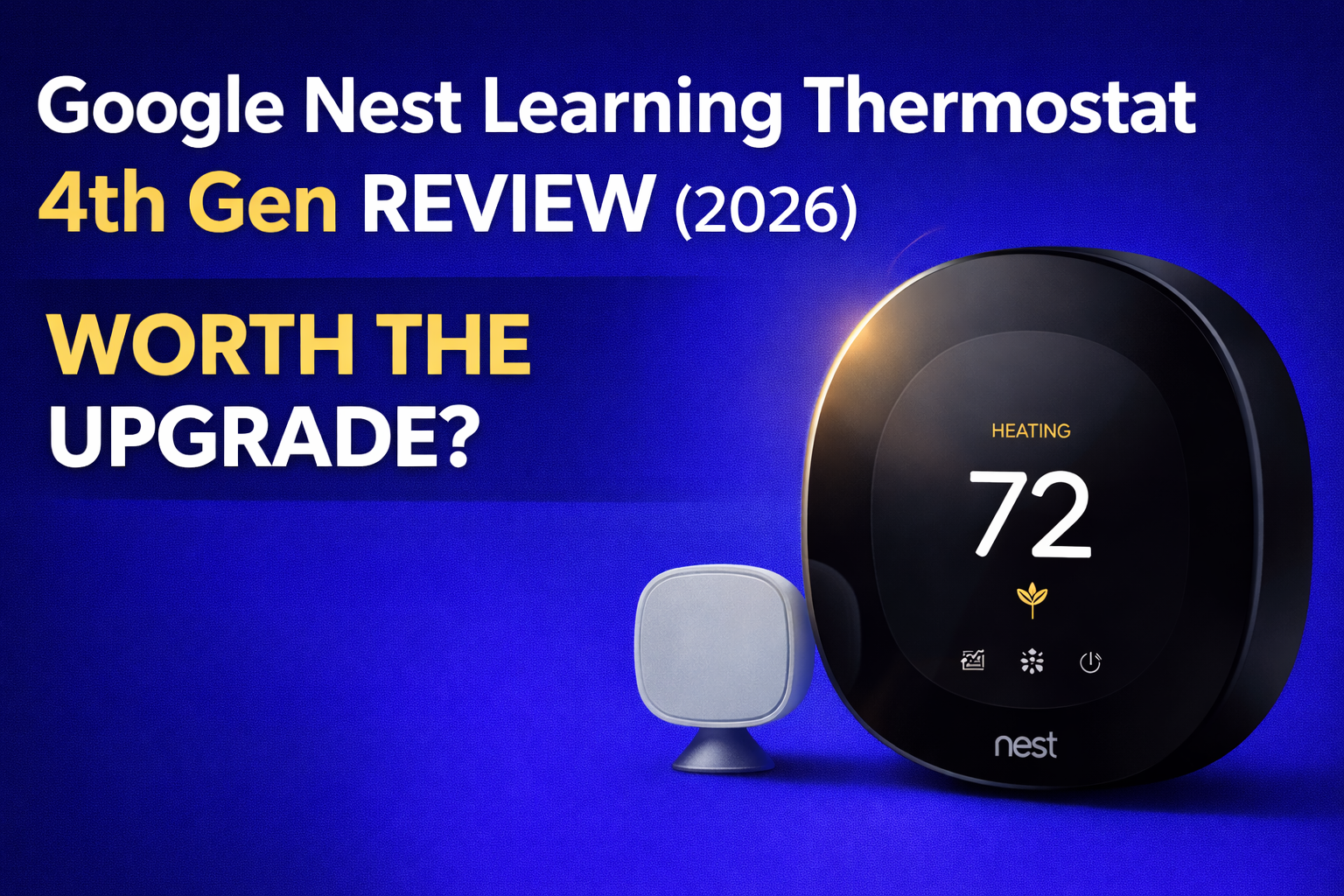
This Google Nest Learning Thermostat 4th Gen review explains whether it is actually worth the upgrade in 2026.
Google has been making the Nest Learning Thermostat since 2011. That is fifteen years of refinement, iteration, and the occasional software update that breaks something that was working perfectly fine before.
The 4th Generation arrives in 2026 as the most ambitious Nest yet. A larger display, AI-powered scheduling, a new temperature sensor, Matter compatibility, and natural heating and cooling that actually monitors the sun coming through your windows.
It sounds impressive. And in many ways it genuinely is.
But here is what the marketing does not mention. There is a C-wire compatibility issue that has left a significant number of buyers unable to complete setup. There is a mandatory switch from the beloved Nest app to Google Home, which has frustrated long-term Nest users considerably. And there are temperature control complaints that appear more frequently in the 1-star reviews than Google would probably like you to know.
Compared to the Ecobee Smart Thermostat Premium, the Nest focuses more on automation and AI learning rather than hardware features. The Ecobee gives you more in the box. The Nest does more thinking for you. Which matters more depends entirely on your situation.
So is the 4th Gen Nest Learning Thermostat worth $239.99 in 2026? The honest answer depends entirely on who you are and what you are upgrading from.
Let us get into it.
If you are still comparing options, see our full guide on the best smart thermostats for home.
Before You Read Any Further
There is something specific about the 4th Gen Nest that caught us by surprise while reading through the critical reviews, and it is important enough to put right here at the top.
If you are upgrading from a 3rd Gen Nest thermostat and your home does not have a C-wire, you may run into a setup problem that has nothing to do with your wiring skills.
The 4th Gen appears to require slightly higher voltage on the R wire than the 3rd Gen for operation without a C-wire. The setup app reports no power even when voltage is measurably present and the built-in bubble level is lit.
This is an undocumented change from the previous generation and Google support has not been consistently helpful in resolving it. Multiple verified buyers discovered this after spending hours on setup, only to package the thermostat back up and return it.
If you are upgrading from a 3rd Gen Nest without a C-wire, we strongly recommend using the Nest Compatibility Checker before purchasing, or installing a C-wire before starting setup to avoid this headache entirely. Our complete C-wire guide covers everything you need to know.
For everyone else, particularly those upgrading from a much older thermostat or a different brand, the 4th Gen Nest is a genuinely impressive piece of technology. Read on.
Quick Verdict
PCMag’s Best for AI-Powered Energy Savings for 2026. The 4th Gen Nest is the smartest, most beautiful thermostat Google has ever made, with a 60 percent larger display, genuine AI scheduling, natural heating and cooling, and a temperature sensor included in the box.
The mandatory switch to Google Home from the Nest app is a real adjustment for existing Nest users, and the C-wire compatibility issue affects a specific subset of homes. For everyone else this is a premium thermostat that genuinely earns its price tag.
Best for: Homeowners upgrading from an old manual or basic programmable thermostat, Google ecosystem fans, and anyone who wants a thermostat that genuinely learns and adapts without any manual programming.
Not ideal if:
- You are upgrading from a 3rd Gen Nest without a C-wire
- You loved the Nest app and cannot stand Google Home
- You want built-in Alexa or air quality monitoring
- You live in the UK where this model is not compatible
Our rating: 4.0 out of 5
Why Trust This Review
We have not installed this thermostat in our own home and we are not going to pretend otherwise. What we have done is dig through over 2,000 verified Amazon customer reviews including the ones posted by genuinely frustrated buyers, cross-referenced with PCMag’s independent lab testing, Google’s official documentation, ENERGY STAR data and HVAC professional discussions. No manufacturer has paid us. Our only goal is to help you make the right decision before spending $240.
Google Nest Learning Thermostat 4th Gen: At a Glance
| Feature | Detail |
|---|---|
| Price | $239.99 (currently with 14% saving) |
| List price | $279.99 |
| Amazon rating | 4.4 stars from 2,116 reviews |
| PCMag rating | 4.0 Excellent, Best for AI Energy Savings 2026 |
| Temperature sensor included | ✅ Yes, Nest Temperature Sensor 2nd Gen |
| Display | 60% larger than previous generation |
| C-wire required | No in most homes, but see caveat above |
| Compatible systems | Most 24V systems including gas, electric, oil, forced air, heat pump and radiant |
| Works with | Alexa, Siri, Google Assistant, Apple HomeKit, Matter |
| Energy savings claim | Up to 31% on heating and cooling |
| ENERGY STAR certified | ✅ Yes |
| Available colours | Polished Obsidian, Polished Silver, Polished Gold |
Check latest price (may vary):
Google Nest Learning Thermostat 4th Gen on Amazon.
Budget alternative, Google Nest Thermostat standard model.
Full Google Nest range on Amazon.
Is It Worth $239.99? A Real Value Breakdown
The 4th Gen Nest arrives at $239.99 with the temperature sensor included. Let us look at what that actually buys you.
| What Is Included | Approximate Standalone Value |
|---|---|
| Smart thermostat with AI learning | $180 to $200 |
| Nest Temperature Sensor 2nd Gen | $40 to $50 |
| Matter compatibility | No equivalent cost but significant future value |
| Natural heating and cooling AI | No equivalent in any competitor |
Total equivalent value: approximately $220 to $250
Unlike the Ecobee Premium which bundles in speakers and air quality monitoring, the Nest 4th Gen’s value is primarily in the intelligence of the device itself. The AI, the learning capability, and fifteen years of refinement. Whether that is worth $240 depends on how much you value not having to think about your thermostat at all.
For homeowners upgrading from a manual thermostat the payback calculation is compelling. Independent studies cited by ENERGY STAR show average heating savings of 10 to 12 percent and cooling savings of around 15 percent. For a typical US household that equates to $130 to $145 per year, meaning the thermostat pays for itself in roughly 1.5 to 2 years.
Many US energy providers also offer rebates of $50 to $100 or more for installing ENERGY STAR certified smart thermostats. Check your local provider before purchasing as this can cut the payback period significantly.
Google Nest Learning Thermostat 4th Gen Review: Key Features Explained
If you are upgrading from a previous Nest this matters. If you are new to Nest entirely you are simply getting the best version they have ever made. Here is what is genuinely different about the 4th Gen.
60 Percent Larger Display with Dynamic Farsight
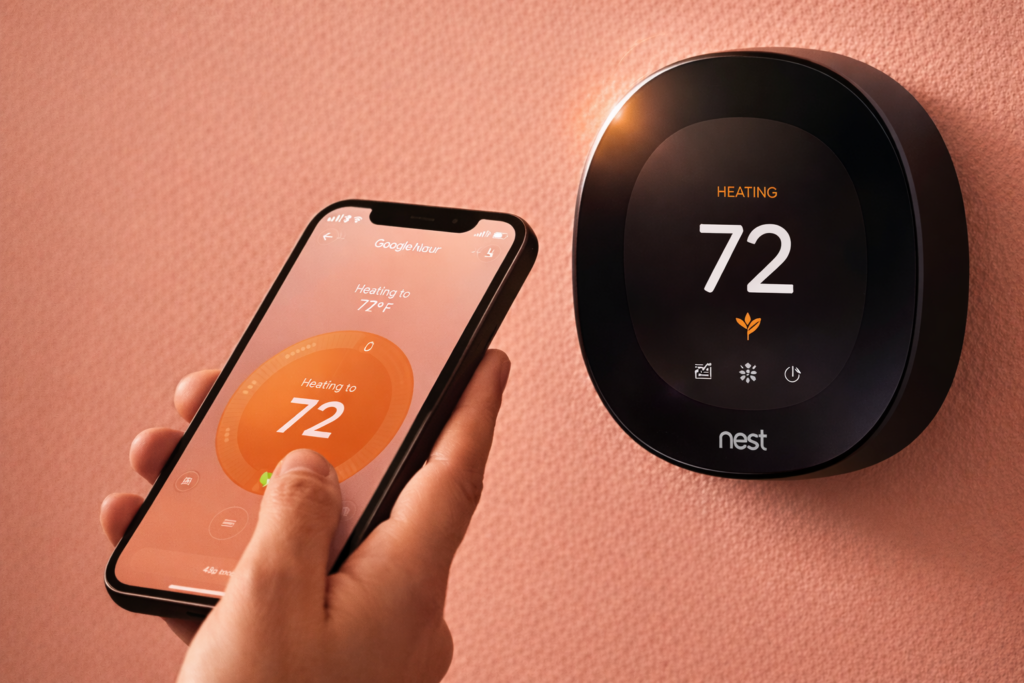
The 4th Gen has a significantly larger display than any previous Nest thermostat. Dynamic Farsight means the screen shows you useful information from across the room without needing to walk up to it. You can choose what to display, the current temperature, a clock, the weather, and the screen automatically adjusts brightness for readability.
Verified buyer S, reviewing in February 2026, described it as having a clean, modern look that actually adds to your home’s aesthetic rather than being an eyesore like traditional thermostats. The screen is bright and easy to read from across the room and the whole interaction feels polished and well thought out.
Another verified buyer noted upgrading from the 3rd Gen and finding the animated display a significant visual improvement, with quick responsive controls and no lag when adjusting temperatures.
Genuine AI Learning That Actually Works
This is the headline feature and based on the positive reviews it delivers. The 4th Gen Nest observes your behaviour during the first week and creates a personalised schedule automatically. It learns when you wake up, when you leave, when you return and what temperature you prefer at each point. After that first week you essentially never need to touch it again.
Verified buyer Ginger S, who upgraded from an Ecobee after ten years, described the learning behaviour as a standout difference. Unlike the Ecobee where she needed to manually set schedules for home versus away modes, the Nest just naturally learns when you are not home and turns the heat off accordingly. When she walks through the door the Nest sees her and immediately kicks on to heat.
That is the Nest promise in a nutshell and in most homes it delivers exactly that.
Natural Heating and Cooling
This is a genuinely new feature in the 4th Gen and one worth highlighting. The thermostat learns how outdoor temperature affects indoor temperature, including when sunlight through windows will naturally warm a room. It then pauses your heating or cooling system when natural conditions are doing the work for you. Over a year that kind of intelligent energy management adds up.
Adaptive Eco
When you leave home the 4th Gen uses the outdoor temperature rather than a fixed setback temperature to find the most energy-efficient away setting. It then calculates when to start heating or cooling again so your home is comfortable within an hour of your return. This is smarter than a simple fixed away temperature and represents a genuine improvement over previous generations.
Temperature Sensor Included
The 4th Gen includes the Nest Temperature Sensor 2nd Gen in the box. You can place this in any room and use the Google Home app to specify what temperature that room should reach at specific times of day. For homes with hot or cold spots this is a meaningful addition.
We cover why rooms develop uneven temperatures in detail in our guide on why one room is colder or hotter than the rest.
Matter Compatibility
The 4th Gen supports Matter, the new universal smart home standard that allows devices from different manufacturers to work together seamlessly. This is a forward-looking feature that becomes more valuable as more devices adopt the standard and means the Nest 4th Gen will integrate more easily with other smart home devices regardless of which ecosystem they belong to.
The Design: It Is Genuinely Beautiful
We do not usually spend much time on aesthetics in a thermostat review but the 4th Gen Nest earns the discussion. Available in Polished Obsidian, Polished Silver and Polished Gold, it is genuinely one of the most attractive thermostats ever made. The mirrored display and stainless steel construction feel premium in a way that plastic alternatives simply do not.
One verified buyer spent time deliberating between Polished Silver and Obsidian before settling on Silver. They were happy with how it looked and noted the display animation as a noticeable visual upgrade from the previous generation.
If your old thermostat looks like it was designed in 1987, which it probably was, the 4th Gen Nest will make you feel like you renovated the wall it sits on. It is that dramatic a visual upgrade.
Installation: Usually Straightforward, Sometimes Not
For most homes installation takes 15 to 30 minutes. The Google Home app walks you through each step with clear diagrams, the Nest Compatibility Checker on Google’s website lets you verify compatibility before you start, and the setup process is genuinely well designed.
Verified buyer S described the installation as straightforward and confirmed the setup wizard walks you through everything step by step once connected to WiFi.
However there are two specific installation issues worth flagging clearly.
The C-Wire Issue for 3rd Gen Upgraders
As mentioned at the top of this review, homeowners upgrading from a 3rd Gen Nest without a C-wire face a potential power detection issue. The setup app may report no power even when voltage is present. This appears to be an undocumented change in the 4th Gen’s power requirements. Installing a C-wire before starting setup is the safest approach. Our complete guide covers everything.
The Nest App to Google Home Transition
The 4th Gen does not work with the Nest app. It requires the Google Home app for all smart features. For new users this is not a problem. For existing Nest users who loved the Nest app this is genuinely frustrating. Multiple verified buyers describe the Google Home interface as significantly less intuitive than the Nest app they were used to.
One verified buyer described the transition as absolute trash in terms of software, finding the instructions confusing and mislabelled in several cases. Another described spending considerable time trying to get the 4th Gen to work alongside an existing 3rd Gen thermostat, with Google Home and the Nest app giving conflicting instructions that looped endlessly.
In fairness, Google Home has improved significantly and most new users report finding it adequate. But if you are a long-term Nest app devotee, be prepared for an adjustment period. Think of it like being told your favourite restaurant has a completely new menu. The food might still be good but you will spend the first few visits missing what you used to order.
What Real Customers Actually Say
The Good
“Upgrading to this thermostat has completely changed how I think about home temperature control. The learning capability is impressive. After the first week or so it started anticipating when I wanted the temperature adjusted without me having to do anything. It picks up on your patterns and creates a schedule automatically based on how you actually use your home.” — S, verified US buyer ⭐⭐⭐⭐⭐
“I LOVE this. Massive upgrade to what I had, easy to install, and unlike the Ecobee where I need to set schedules for home versus away, this is a learning thermostat so it naturally learns when you are not home and just turns the heat off. The moment I walk in the door and the Nest sees me it kicks on to heat.” — Ginger S, verified US buyer ⭐⭐⭐⭐⭐
“Setup was way easier than expected. I had it installed in about 30 minutes with the help of the app guiding me through each step. I especially love that it learns our habits and helps create an energy-efficient schedule. I have definitely noticed our HVAC is not running as much during times we do not need it.” — Victoria, verified US buyer ⭐⭐⭐⭐⭐
The Frustrations
Google Home vs Nest App
This is the most consistent frustration among long-term Nest users. One verified buyer who described themselves as loving their 3rd Gen Nest found the 4th Gen software absolutely terrible from top to bottom. The instructions were confusing, getting it to work alongside an existing 3rd Gen thermostat was a significant struggle, and Google Home kept telling him to set up with the Nest app while the Nest app kept telling him it could not be added to Google Home. He returned it.
Temperature Control Issues
A subset of critical reviews describe the thermostat struggling to maintain set temperatures consistently, running continuously trying to reach a target, or reverting to previous settings unexpectedly. One verified buyer described setting 72°F but waking up to 80°F in winter. Another reported their HVAC fan behaving erratically after installation, with an HVAC technician attributing the issue to the Nest itself.
It is worth noting that HVAC technicians appear in the critical reviews of virtually every smart thermostat brand, which suggests some reported issues are compatibility-related rather than product defects. However the frequency of temperature control complaints in 4th Gen reviews is worth acknowledging honestly.
Unit Failures
A small number of verified buyers report the thermostat failing within weeks or months of installation. One buyer reported the device going completely dead after three months and seven days with no response to USB charging and no resolution from Google support. Another reported a PIN lock issue that permanently locked them out of a brand new device with no recovery option available.
These appear to represent a minority of units but they are a genuine quality control concern at a $240 price point.
Honest Pros and Cons
Pros:
- PCMag Best for AI-Powered Energy Savings 2026
- Genuinely learns your schedule with zero manual programming required
- 60 percent larger display with Dynamic Farsight that looks stunning
- Temperature sensor included in the box
- Natural heating and cooling that monitors outdoor conditions
- Adaptive Eco for intelligent away mode management
- Matter compatible for future-proof smart home integration
- Works with Alexa, Siri, Google Assistant and Apple HomeKit
- Beautiful design in Obsidian, Silver or Gold
- ENERGY STAR certified with up to 31 percent savings claimed
Cons:
- Requires Google Home, Nest app no longer supported
- C-wire compatibility issue for some 3rd Gen upgraders without a C-wire
- Google support described as inconsistent in critical reviews
- Temperature control issues reported in a minority of reviews
- No built-in speaker unlike Ecobee
- No air quality monitoring unlike Ecobee
- A small number of unit failure reports within the first year
- Not compatible with UK heating systems
Long-Term Reliability: What the Reviews Tell Us
The majority of 4th Gen users report reliable operation. The 78 percent five-star rating is genuinely strong and reflects a product that works exactly as described for most buyers.
However the 9 percent one-star rate is slightly higher than we would like to see at this price point, and the nature of the critical reviews suggests some quality control inconsistency rather than a fundamental product flaw.
Google’s customer support receives mixed reviews. Some users report helpful, knowledgeable assistance. Others describe being passed between departments, given incorrect information, or simply left without a working resolution. This is an area where Ecobee’s support team consistently outperforms Google in the customer reviews we analysed.
The Nest App vs Google Home: What You Need to Know
This deserves its own section because it affects existing Nest users significantly.
The 4th Gen Nest does not support the Nest app that generations of users have come to know and love. All smart features including scheduling, energy history, remote control and sensor management now live in Google Home.
Google Home is a capable app and for new users it will feel perfectly normal. For long-term Nest users the transition feels like being told your phone’s home screen has been completely redesigned overnight. Everything is in a slightly different place and the specific workflows you had memorised simply do not exist anymore.
The good news is that Google Home continues to improve and most users adapt within a few weeks. The difficult part is the transition period, particularly if you have existing Nest devices on your account where the two apps give conflicting instructions.
Energy Savings: The Real Numbers
Google claims up to 31 percent savings on heating and cooling with the 4th Gen Nest. As with all manufacturer headline figures this represents the best case scenario rather than what most households will experience.
According to ENERGY STAR, certified smart thermostats save an average of 10 to 12 percent on heating and around 15 percent on cooling. For a typical US household spending $1,500 per year on heating and cooling that equates to approximately $130 to $145 per year in real savings.
For a full breakdown based on independent studies rather than manufacturer claims, see our complete guide on whether smart thermostats actually save money.
| Your Starting Point | Estimated Annual Saving | Payback Period |
|---|---|---|
| Manual thermostat with no schedule | $130 to $145 | 1.5 to 2 years |
| Programmable thermostat poorly used | $80 to $120 | 2 to 3 years |
| Already efficient programmable thermostat | $40 to $70 | 3 to 6 years |
| With $75 utility rebate applied | Same as above | Up to 1 year faster |
Google Nest 4th Gen vs Ecobee Smart Thermostat Premium
This is the comparison most people are making at this price point. Here is the honest version.
| Feature | Nest 4th Gen | Ecobee Premium |
|---|---|---|
| Price | $239.99 | $259.99 |
| Temperature sensor included | Yes | Yes |
| Auto-schedule that learns habits | Yes | No |
| Built-in Alexa speaker | No | Yes |
| Air quality monitor | No | Yes |
| Power Extender Kit for no C-wire | No | Yes |
| Smart home platforms | 4 | 5 |
| Natural heating and cooling AI | Yes | No |
| Available in UK | No | No |
| PCMag rating 2026 | 4.0 Excellent | 4.5 Outstanding |
The simplest way to think about it is this. If you want a thermostat that programmes itself and you never want to think about schedules again, get the Nest. If you want more hardware in the box and broader platform compatibility, get the Ecobee. Neither is wrong. They are just built for different people.
For a complete comparison see our dedicated guide.
The Google Nest Range: Which Model Is Right for You?
| Model | Price | Best For |
|---|---|---|
| Nest Learning Thermostat 4th Gen with Sensor | $239.99 | Maximum AI, learning, large display, sensor included |
| Google Nest Thermostat standard model | $99.99 | Budget buyers who want smart features without auto-learning |
The standard Google Nest Thermostat at $99.99 is worth serious consideration for budget-conscious buyers. It does not learn your schedule automatically but it does offer remote control, scheduling through the app, geofencing and ENERGY STAR certification at less than half the price of the 4th Gen.
Full Google Nest range on Amazon.
Who Should Buy This and Who Should Not
Buy it if:
- You are upgrading from a very old manual or basic programmable thermostat
- You want a thermostat that programmes itself with zero manual setup
- You are already in the Google ecosystem and use Google Home
- You care deeply about design and want something genuinely beautiful on your wall
- You want Matter compatibility for future-proof smart home integration
- You want natural heating and cooling intelligence that no competitor currently offers
Do not buy it if:
- You are upgrading from a 3rd Gen Nest without a C-wire — check compatibility first
- You loved the Nest app and are not ready to move to Google Home
- You want built-in Alexa, air quality monitoring or a Power Extender Kit — get the Ecobee instead
- You live in the UK — this model is not compatible with UK heating systems
Frequently Asked Questions
Is the Google Nest Learning Thermostat 4th Gen worth it? For most homeowners upgrading from a basic or manual thermostat yes. The AI learning, beautiful display, included temperature sensor and up to 31 percent energy savings claim make a compelling case. The main caveats are the Google Home requirement and the C-wire compatibility issue for specific upgraders from the 3rd Gen.
Does the 4th Gen Nest work without a C-wire? In most homes yes. However homeowners upgrading from a 3rd Gen Nest without a C-wire have reported a power detection issue during setup. Using the Nest Compatibility Checker before purchasing is strongly recommended.
Does the 4th Gen Nest still use the Nest app? No. The 4th Gen requires the Google Home app for all smart features. The Nest app is no longer supported for this model. Existing Nest app users should be prepared for a transition period.
What is different about the 4th Gen compared to the 3rd Gen? The 4th Gen has a 60 percent larger display, natural heating and cooling AI that monitors outdoor conditions, Adaptive Eco for smarter away mode, Matter compatibility, an included temperature sensor and a new Dynamic Farsight feature. It also requires Google Home rather than the Nest app.
Does the 4th Gen Nest work in the UK? No. This model is not compatible with UK heating systems. UK buyers should look at the Google Nest Thermostat with Heat Link which is designed specifically for UK systems.
How accurate is the 4th Gen temperature sensor? Most users report accurate temperature readings. A minority of critical reviews describe the thermostat struggling to maintain set temperatures or reverting to previous settings, though it is unclear in many cases whether the issue is with the thermostat itself or with HVAC compatibility.
What colours is the 4th Gen available in? Polished Obsidian, Polished Silver and Polished Gold. All three are genuinely attractive and represent a significant aesthetic upgrade over most traditional thermostats.
Final Verdict
Fifteen years of Nest. And the 4th Generation is undeniably the best one yet.
The AI learning genuinely works. The display is genuinely beautiful. The natural heating and cooling intelligence is genuinely novel. And for most homeowners upgrading from an old programmable thermostat or a completely manual system, the 4th Gen Nest will feel like a revelation. Set it up once, let it learn for a week, and then essentially forget it exists while it quietly saves you money every single day.
The frustrations are real too. The forced migration to Google Home is a genuine pain point for existing Nest users. The C-wire compatibility issue for specific upgrader scenarios is an undocumented problem that Google should address more clearly. And the minority of temperature control and reliability complaints are worth taking seriously rather than dismissing.
But here is the thing. The thermostat that learns your routine, adjusts for sunlight through the windows, monitors the outdoor temperature to find the perfect away setting, and delivers all of this in a package that looks like it belongs in an architect’s show home, that thermostat costs $239.99 and it is called the Google Nest Learning Thermostat 4th Generation.
For most people it is worth every penny.
Our Rating: 4.0 out of 5
Based on PCMag independent testing, analysis of over 2,000 verified Amazon customer reviews, ENERGY STAR and US Department of Energy data, Google Nest manufacturer documentation, and HVAC industry research.
Related Guides:
- Best Smart Thermostat for Home (2026).
- Nest vs Ecobee — Which Is Better in 2026?.
- Ecobee Smart Thermostat Premium Review (2026).
- Do Smart Thermostats Save Money? Full Cost Breakdown (2026).
Reviewed by The Thermo Expert Team
The Thermo Expert Team researches and compares smart thermostats, heating systems, and common HVAC issues to provide clear, practical advice for homeowners. Our goal is to help you understand problems quickly and choose the right solution with confidence.