
Lux Kono Smart Thermostat Review: Is It More Than Just A Pretty Face?
We test the style, smarts, and Apple HomeKit integration of the most customizable thermostat on the market.
The Quick Verdict
The Lux Kono Smart Thermostat is the interior designer’s choice. If you hate the “tech gadget” look of Nest or Ecobee, the Kono’s interchangeable decor-snap covers allow it to blend seamlessly into any room. Beyond looks, it is a capable smart thermostat with reliable Apple HomeKit integration and voice control.
Bottom Line: It lacks the advanced sensors of premium models, but for the price, it delivers solid smart home functionality wrapped in a beautiful package.
Smart thermostats are usually designed by tech companies, not artists. They often look like glass hockey pucks or industrial tablets stuck to your wall. Lux (now owned by Johnson Controls) took a different approach with the Kono.
The Lux Kono is designed to be hidden in plain sight. It prioritizes aesthetics and simplicity, targeting homeowners who want smart features like geofencing and voice control without turning their hallway into a spaceship cockpit. In this review, we dive deep into whether the substance matches the style.
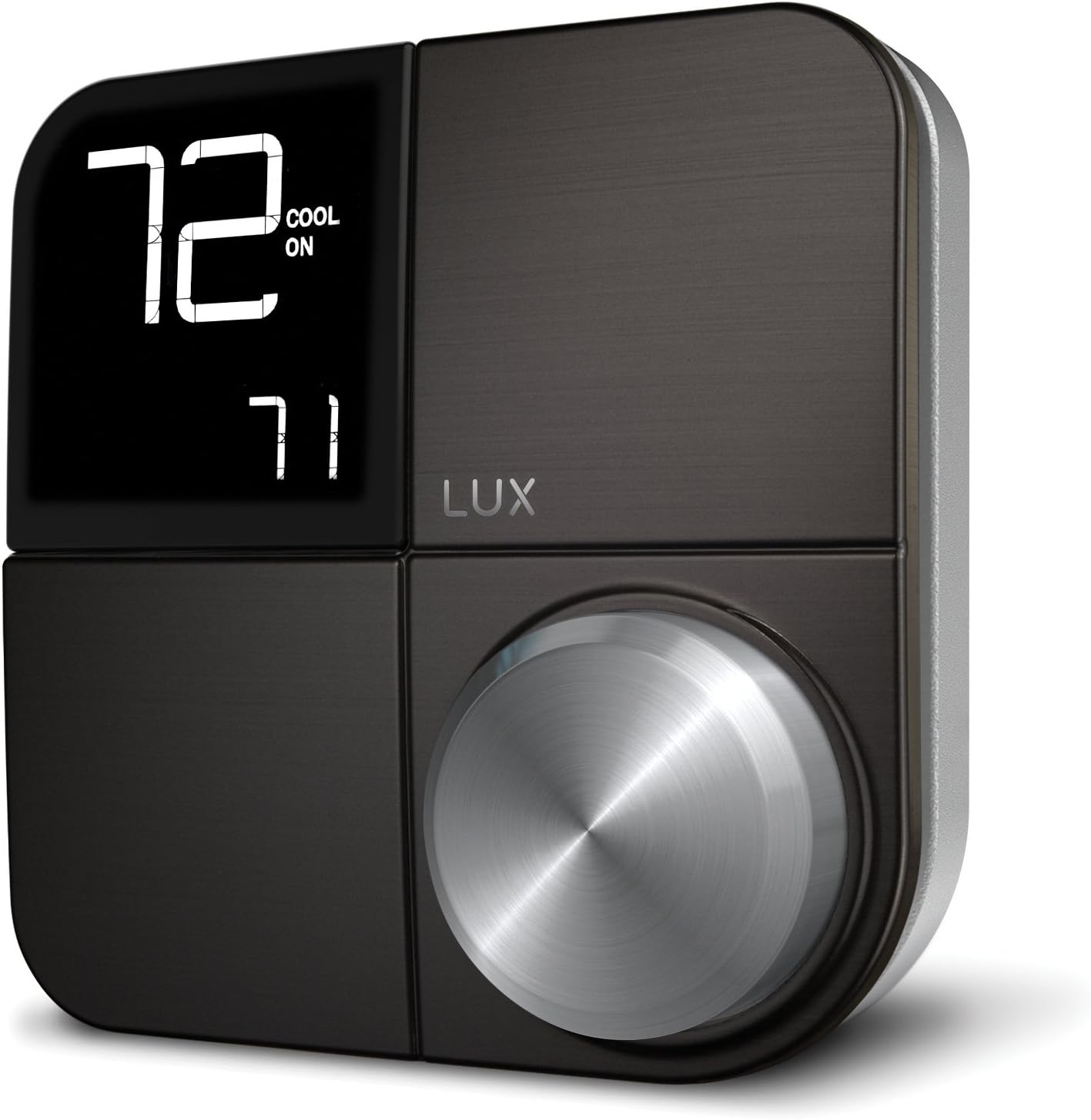
Lux Kono Smart Thermostat
The most stylish smart thermostat featuring interchangeable covers, HomeKit support, and a physical control knob.
Check Price on AmazonDesign & Aesthetics: The Décor-Snap Difference
The standout feature of the Kono is the Décor-snap covers. The faceplate is magnetic and removable. Out of the box, it usually comes with a sleek black stainless finish, but you can purchase additional covers in:
- Hibiscus Red
- Sea Green
- Deep Blue
- Driftwood (Wood grain)
- Paintable (Customize it yourself)
The Interface: Unlike the touchscreens of competitors, the Kono uses a physical knob. You rotate the outer ring to change the temperature and press it to select menus. It feels tactile and satisfying, similar to a high-end stereo volume dial. The display is minimal, showing only the essential temperature data, which keeps it from being a distraction.
Installation: Do You Need a C-Wire?
Installation is straightforward for most DIYers. The Kono is designed for standard 24V HVAC systems (forced air, heat pumps, etc.).
The C-Wire Question
Like most modern smart thermostats, the Lux Kono requires constant power to maintain its Wi-Fi connection. This means it needs a C-Wire (Common Wire).
Good News: If you don’t have a C-wire, Lux includes a Power Bridge in the box. This small device installs at your furnace control board to “steal” power without running new wires through your walls. This puts it on par with Ecobee’s PEK kit for ease of installation. For a detailed guide on handling wiring, check our article on thermostat instructions for homeowners.
Smart Features & App Experience
The Kono connects via 2.4GHz Wi-Fi and integrates with the major smart home ecosystems:
- Apple HomeKit: This is a huge selling point. The Kono appears natively in the Apple Home app, allowing you to use Siri commands (“Hey Siri, set the hallway to 72 degrees”) and include the thermostat in automation scenes.
- Amazon Alexa & Google Assistant: Fully supported for voice control.
- Geofencing: Through the Lux app, the thermostat uses your phone’s location to detect when you leave home (setting it to “Away” mode) and when you return (resuming “Home” mode). Read more about what is geofencing in thermostats.
The App: The Lux app is functional but basic. It allows for 7-day scheduling and usage reporting. Some users report occasional connectivity glitches, but reliability has improved with recent firmware updates.
Lux Kono vs. The Competition
| Feature | Lux Kono | Ecobee3 Lite | Google Nest Thermostat |
|---|---|---|---|
| Price | $$ (Mid-Range) | $$ (Mid-Range) | $ (Budget) |
| Interface | Physical Knob | Touchscreen | Touch Strip |
| Remote Sensors | No | Yes (Sold Sep.) | No |
| HomeKit | Yes | Yes | No (Matter support pending) |
| Design | Interchangeable Covers | Black Glass | Mirrored/Colored |
If you are debating between brands, you might also be interested in our Lux vs Orbit comparison or our roundup of best thermostats for Apple HomeKit.
Pros & Cons Summary
✅ The Pros
- Unique, stylish design with interchangeable covers
- Includes Power Bridge for homes without C-wire
- Excellent Apple HomeKit integration
- Tactile control knob is easy to use
- Compact footprint on the wall
❌ The Cons
- Does not support remote room sensors
- App interface feels dated compared to Nest/Ecobee
- Screen is small and basic







 Home
Home
 Info
Info
 Compare
 Reviews
 Shop
Shop