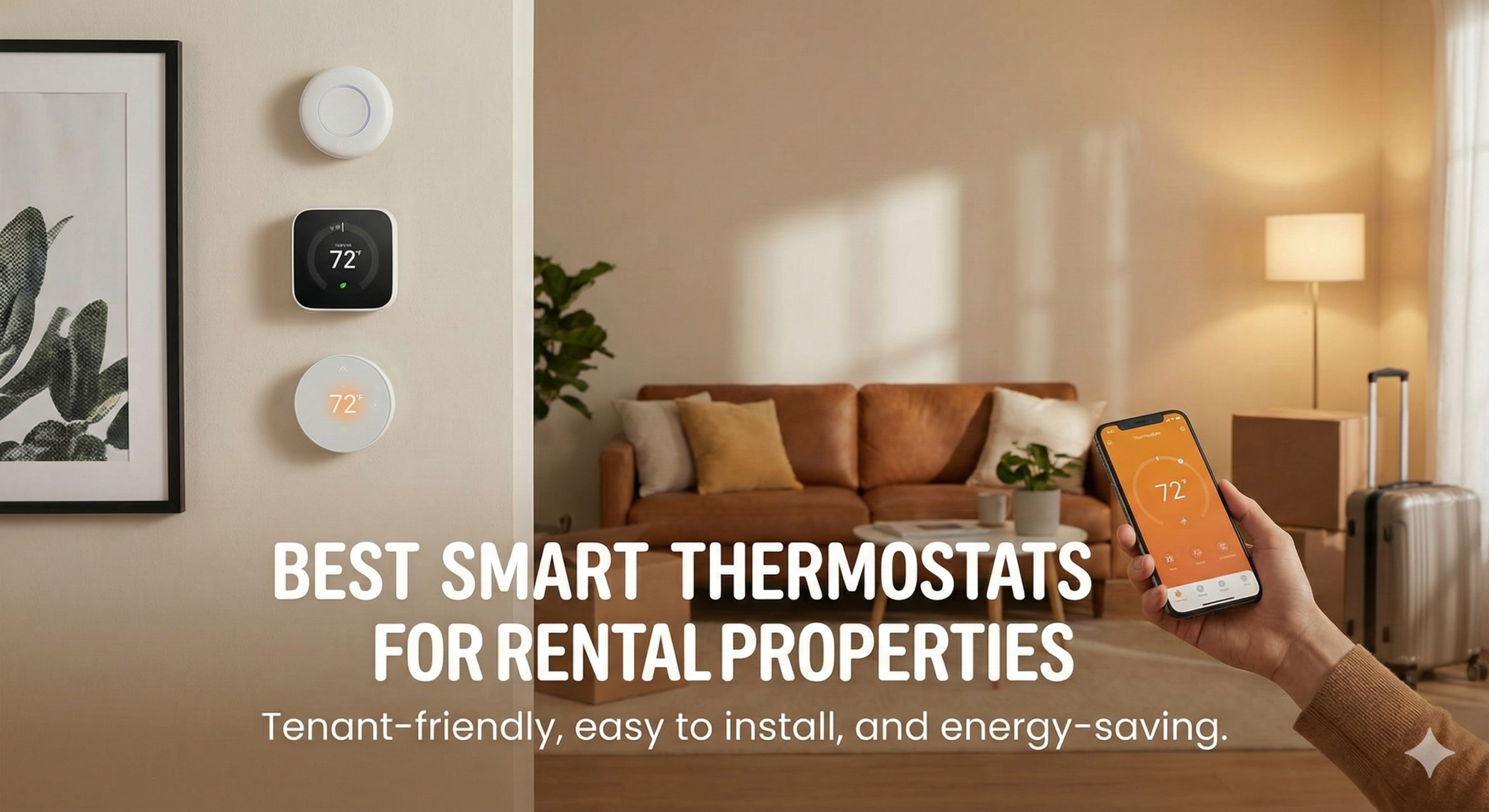
The Best Smart Thermostats for Rental Properties: A Landlord’s Guide to Efficiency and Control
Managing a rental property is a delicate balancing act between keeping tenants comfortable and keeping operational costs low. One of the most significant expenses in any residential unit is climate control. Traditionally, landlords had to trust that tenants wouldn’t crank the AC to 60 degrees with the windows open or leave the heat blasting at 80 while away on vacation. However, the rise of connected home technology has shifted the power dynamic. Finding the best smart thermostats for rental properties is no longer just about high-tech gadgets; it’s about asset protection, energy conservation, and improving the tenant experience.
A smart thermostat in a rental serves multiple purposes. For the landlord, it provides a way to monitor the HVAC system’s health, prevent frozen pipes during vacancies, and set temperature limits. For the tenant, it offers modern convenience, remote control, and lower utility bills. But not every thermostat is “landlord-friendly.” Some are too complex, some are too easy for tenants to reset, and some require a “C-wire” that your 1970s apartment building simply doesn’t have. In this guide, we dive deep into the top-rated models that specifically cater to the needs of property managers and rental owners.

Top Budget Landlord Choice: Amazon Smart Thermostat
A reliable, ultra-affordable option that offers the essential locking features landlords need without breaking the bank.
Check Price on AmazonWhy Landlords Are Upgrading to Smart Thermostats
The transition from a manual “dial” thermostat to a smart system offers immediate ROI for rental owners. If you are debating the Honeywell thermostat vs Nest debate, you aren’t just looking at aesthetics—you’re looking at control. Here are the core reasons to make the switch:
- Temperature Limiting: Most smart thermostats allow you to set a minimum and maximum range. This prevents tenants from setting the heat so high it damages the furnace or setting the AC so low it freezes the coils.
- Vacancy Management: When a unit is empty, you can remotely set the thermostat to an energy-saving “Eco” mode, while ensuring it stays warm enough to prevent pipes from bursting in the winter.
- HVAC Health Alerts: Many modern units, like those discussed in our Honeywell Home T9 review, will send you an email if the system is struggling to reach the set temperature, allowing you to fix a minor issue before it becomes an emergency.
- Competitive Edge: Smart home features are highly attractive to Gen Z and Millennial renters. Advertising a “Smart Apartment” can justify a slightly higher rent or decrease your vacancy time.
However, the key for a rental property is account management. You need a thermostat that allows the tenant to use the app during their lease but makes it easy for you to reclaim control when they move out. Budget is also a factor, which is why many landlords start with the best budget thermostats under 50 to see how they perform across multiple units.
1. Google Nest Thermostat (Simplified Model)
While the high-end Nest Learning Thermostat is famous, the base-model Google Nest Thermostat is actually the superior choice for most rental properties. It foregoes the complex “learning” features—which can actually be annoying in a rental where occupancy patterns change—and focuses on simple scheduling and remote access. It’s sleek, easy to clean, and features a mirror-like finish that fits any modern decor.
For landlords, the Nest app (integrated into Google Home) allows for easy account handoffs. When a tenant moves out, they simply remove the device from their home, and you can reset it for the next occupant. If you are curious about the next generation of these devices, our look at the Nest Learning Thermostat 4th Gen rumors highlights how Google is making these units even more sensor-heavy and efficient.
Pros for Landlords
- Simple, intuitive interface (less “how-to” calls from tenants).
- Reliable geofencing (switches to Eco when the tenant leaves).
- HVAC monitoring alerts included.
- Cheaper than the Pro models.
Cons for Landlords
- Requires a C-wire (or a Nest Power Connector).
- Doesn’t support remote room sensors natively (unlike the Pro).
- Mirror finish can show fingerprints easily.

2. Ecobee Smart Thermostat Enhanced
The Ecobee Smart Thermostat Enhanced is a workhorse for the serious property manager. What makes Ecobee stand out is its SmartSensor technology. In many older rental units, the thermostat is placed in a hallway or kitchen where it doesn’t accurately reflect the temperature of the bedrooms. Ecobee allows you to place sensors in the rooms that matter most.
In the Ecobee vs Honeywell Home comparison, Ecobee often wins for its “Smart Buildings” portal, which allows owners of multi-unit buildings to manage dozens of thermostats from a single dashboard. This is a game-changer for commercial landlords or those managing 5+ units. If you want the absolute best sensors and air quality monitoring, check out our Ecobee Smart Thermostat Premium review.
Pros for Landlords
- Enterprise-level “Smart Buildings” dashboard available.
- Remote sensors solve heating complaints in drafty rooms.
- Native HomeKit, Alexa, and Google Assistant support.
- Power Extender Kit (PEK) included for no C-wire setups.
Cons for Landlords
- Higher upfront cost than Nest or Amazon.
- Slightly more complex menu system for tenants.
- Sensors require occasional battery changes.

3. Honeywell Home T6 Pro Smart
If you prefer a thermostat that looks and feels like “pro equipment,” the Honeywell T6 Pro is the standard choice for HVAC installers. Unlike the consumer-facing Nest, the T6 Pro feels familiar to anyone who has ever used a digital thermostat. It features a simple touch-screen and a boxy, durable design that can handle the wear and tear of tenant turnovers.
One of the best features for landlords is the ability to lock the screen with a PIN. This allows you to set the schedule and then lock the physical unit so tenants can only make minor adjustments within your allowed range. We often compare this unit to the Honeywell T9 vs T10 Pro to see how the pro-lineage offers better reliability for long-term investments. It’s a rock-solid choice for those who want to avoid the “tech support” calls that come with more avant-garde designs.

The contractor’s favorite. Built for durability and precise control in heavy-use environments.
Check Price on AmazonQuick Comparison: Best Thermostats for Rentals
| Model | Best For… | C-Wire Needed? | Locking Feature | Price Range |
|---|---|---|---|---|
| Google Nest | Modern/Sleek Units | Yes (or adapter) | Basic App Lock | $99 – $129 |
| Ecobee Enhanced | Multi-Unit Mgmt | PEK Included | PIN Protection | $160 – $190 |
| Honeywell T6 Pro | Reliability & Pro-Install | Yes | Advanced PIN | $110 – $140 |
| Amazon Smart | Strict Budgets | Yes | In-App Only | $45 – $65 |
| Emerson Sensi | Older Wiring | Optional (Batteries) | In-App Only | $80 – $110 |
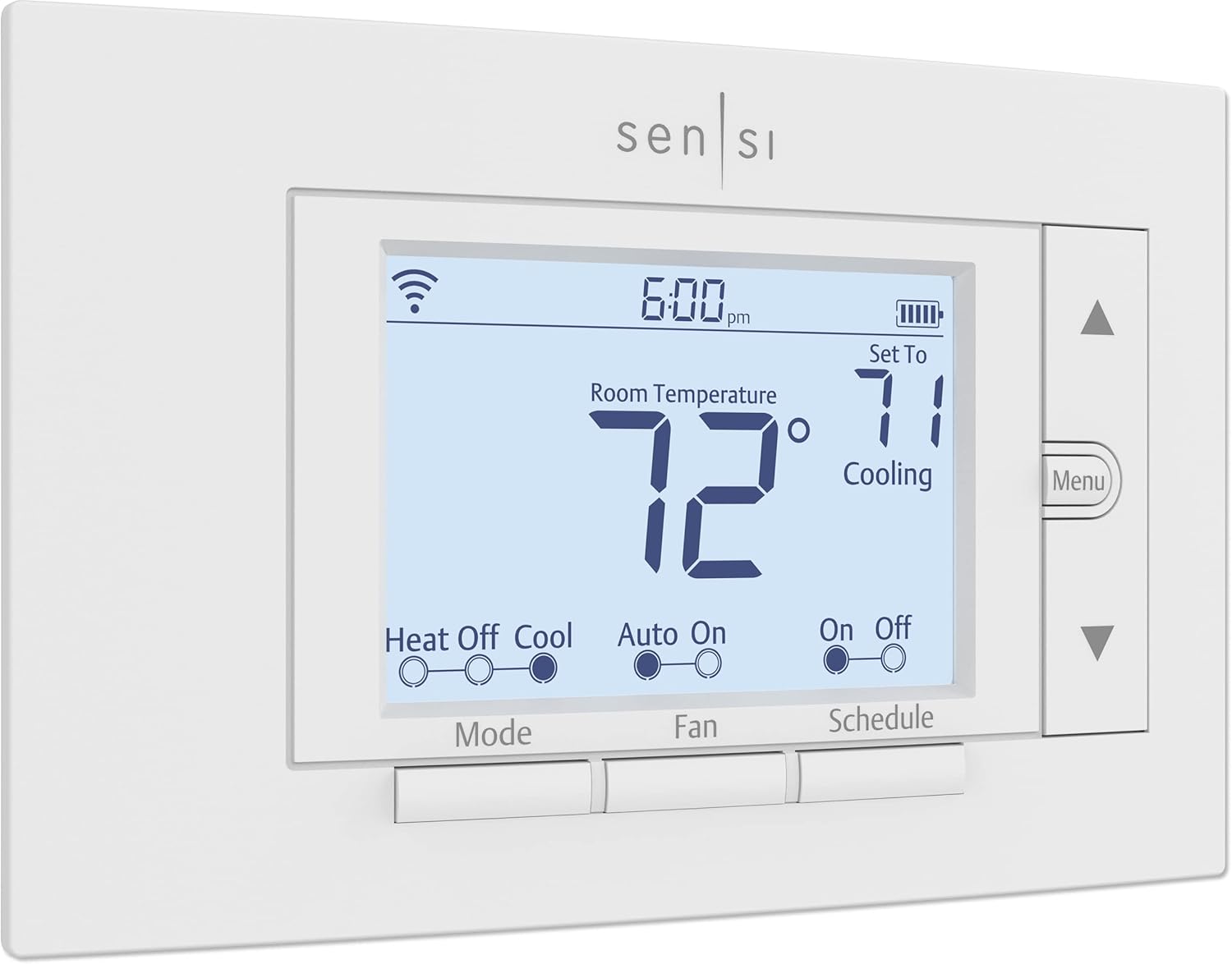
4. Emerson Sensi Wi-Fi Smart Thermostat
The Emerson Sensi is the secret weapon for landlords dealing with older properties. Most smart thermostats require a “C-wire” to provide constant power for the Wi-Fi. Many old buildings only have two or four wires. While competitors require you to pull new wires or use power adapters, the Sensi (on many HVAC systems) can run off of AA batteries as a backup, making it the most “retrofit-friendly” option on this list.
In terms of usability, it looks very much like a traditional thermostat, which helps with tenant adoption. If you want a more modern aesthetic but the same retrofit ease, our Emerson Sensi Touch review covers the color-screen version. For landlords, the Sensi also offers “Sensi Multiple Thermostat Manager,” a software that lets you group and control all your units in one view.
Pros for Landlords
- Works without a C-wire on many systems.
- Standard “Thermostat” look reduces tenant confusion.
- Excellent reliability and app stability.
- Very affordable price point.
Cons for Landlords
- Physical buttons feel a bit dated.
- Geofencing is less polished than Nest or Ecobee.
- No remote room sensors.
Special Case: Rentals with Electric Baseboard Heat
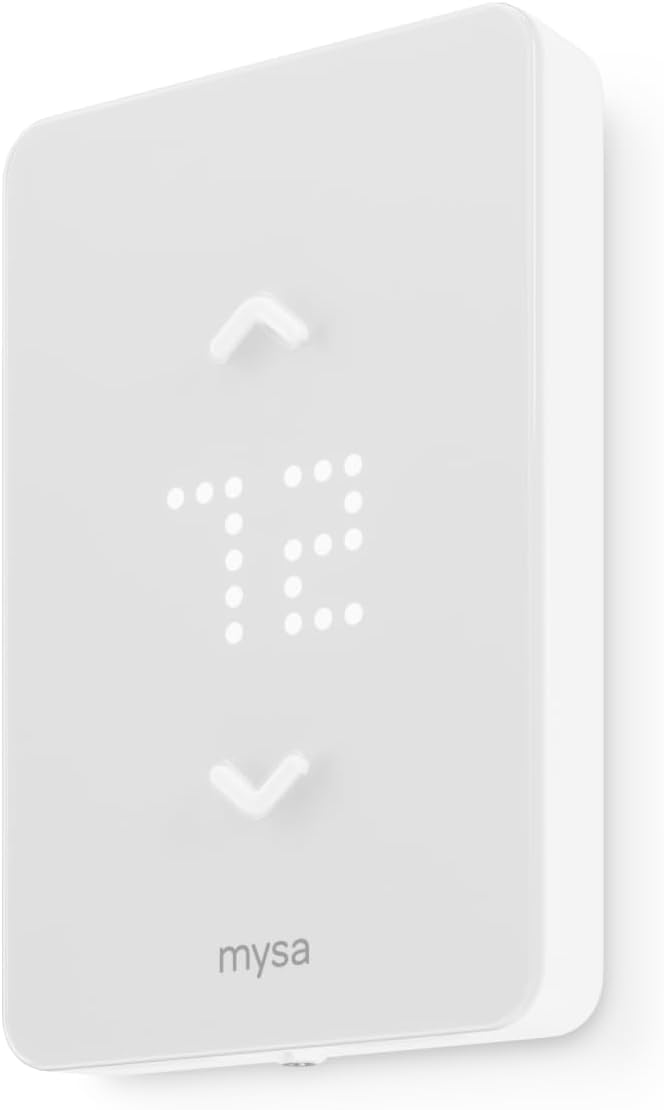
If your rental property uses high-voltage (120V or 240V) electric baseboard or wall heaters, none of the above thermostats will work. Connecting a Nest or Honeywell to a high-voltage line will literally fry the device and could cause a fire. For these units, you need specialized hardware.
We recommend looking at the Mysa Smart Thermostat review. Mysa is designed specifically for high-voltage systems and offers the same sleek app control as the high-end low-voltage units. If you want to see how it compares to its main rival, check out Mysa vs Sinope. These are essential for condos and older apartments in colder climates.
Landlord’s Buying Guide: What to Look for
Buying for a rental is different than buying for your personal home. Here are the non-negotiable features you should look for:
1. Lockable Settings and PIN Protection
You need to be able to prevent the “60-degree freeze.” Look for thermostats that allow you to set a PIN to lock the screen. The Sensi vs Ecobee battle is a great example—both offer locking, but Ecobee’s is slightly more robust through their web portal.
2. C-Wire Solutions
If your rental is old, you likely don’t have a C-wire. Look for thermostats like the Amazon Smart Thermostat (which often needs a separate adapter) or the Ecobee (which includes a PEK). If you want the least amount of wiring hassle, the Honeywell T5 is another strong contender for ease of installation.
3. Account Handoff Simplicity
How easy is it to wipe the tenant’s data? Google and Ecobee have made this very simple through their apps. You want a device that can be factory reset in under 60 seconds during your walk-through inspection.
4. Multi-Unit Management
If you have 10 units in one building, you don’t want 10 different accounts. Look for brands that offer a “Pro” portal. Both Ecobee and Sensi have excellent enterprise solutions for property managers. If you are comparing Google Nest vs Amazon Smart Thermostat, Amazon is currently lacking in the “multi-property” dashboard area, making it better for single-family rentals.
Frequently Asked Questions (FAQ)
Laws vary by state and country. Generally, landlords can set min/max temperature limits for asset protection, but they must allow tenants to maintain a “livable” temperature (usually between 68-78 degrees). Always disclose the presence of a smart thermostat in the lease agreement.
The thermostat will function as a standard “dumb” thermostat. It will follow any pre-programmed schedules and can be adjusted manually on the wall. The smart features simply won’t be available until a connection is established.
Yes, especially for single-family rentals. It is the cheapest high-quality option and uses Honeywell’s reliable internal tech. However, it requires an Alexa account for full features. Read more in our Amazon Smart Thermostat review.
Most smart thermostats have a physical reset button that cannot be fully disabled. However, if the device is registered to your landlord account, the tenant cannot re-register it to their name without your permission (in some ecosystems) or you will receive a notification.
Absolutely. In fact, many Airbnb hosts use them to turn the AC on an hour before the guest arrives and turn it off automatically when they checkout.
Ecobee is generally better for rentals due to the remote sensor support and the superior “Smart Buildings” portal for managing multiple units. Check our Nest vs Ecobee guide for a deeper breakdown.
Wyze is a great budget option. In the Ecobee vs Wyze comparison, Wyze is much cheaper but lacks the professional management features of Ecobee.
Indirectly, yes. It prevents “extreme” use that wears out your HVAC system faster. It also makes your property more attractive to high-quality tenants who appreciate lower utility costs.
Final Verdict: The Best Smart Thermostat for Your Property
If you are looking for the absolute best smart thermostat for rental properties with multiple units, the Ecobee Smart Thermostat Enhanced is our winner. Its ability to scale, the inclusion of remote sensors, and the professional management portal make it worth every penny of the investment.
For single-family rentals or landlords on a tight budget, the Amazon Smart Thermostat or the Google Nest Thermostat provide all the essential “smart” features and energy savings without a massive upfront cost. If you’re retrofitting an old building with no C-wire, the Emerson Sensi is your best friend.
Ultimately, a smart thermostat is one of the few property upgrades that benefits both you and your tenant. It protects your HVAC system, lowers the carbon footprint of your building, and adds a modern touch that helps your listing stand out in a crowded market. Ready to make the switch?